


Abstract
In this research, a computer vision model was developed that enables object detection, shape identification, and orientation prediction using image segmentation. The GrabCut algorithm was used to segment images. GrabCut was initialized in two ways: first, by initializing the input image with a bounding box (a box surrounding the object’s position in the image), or second, by initializing the input image with a suggested approximation mask (a mask resembling the segmentation). Three steps are performed iteratively: first, the color distribution of the foreground and background is estimated using a mixed Gaussian model (GMM). Second, a random Markov field is generated to manipulate the pixels (foreground/background). Finally, a histogram optimization algorithm is applied to achieve the desired final segmentation. Although the iterative steps may require time and effort to work within the algorithm, GrabCut consistently delivers high-quality results in segmenting the input image and producing an output image that closely resembles the original.
1. Introduction
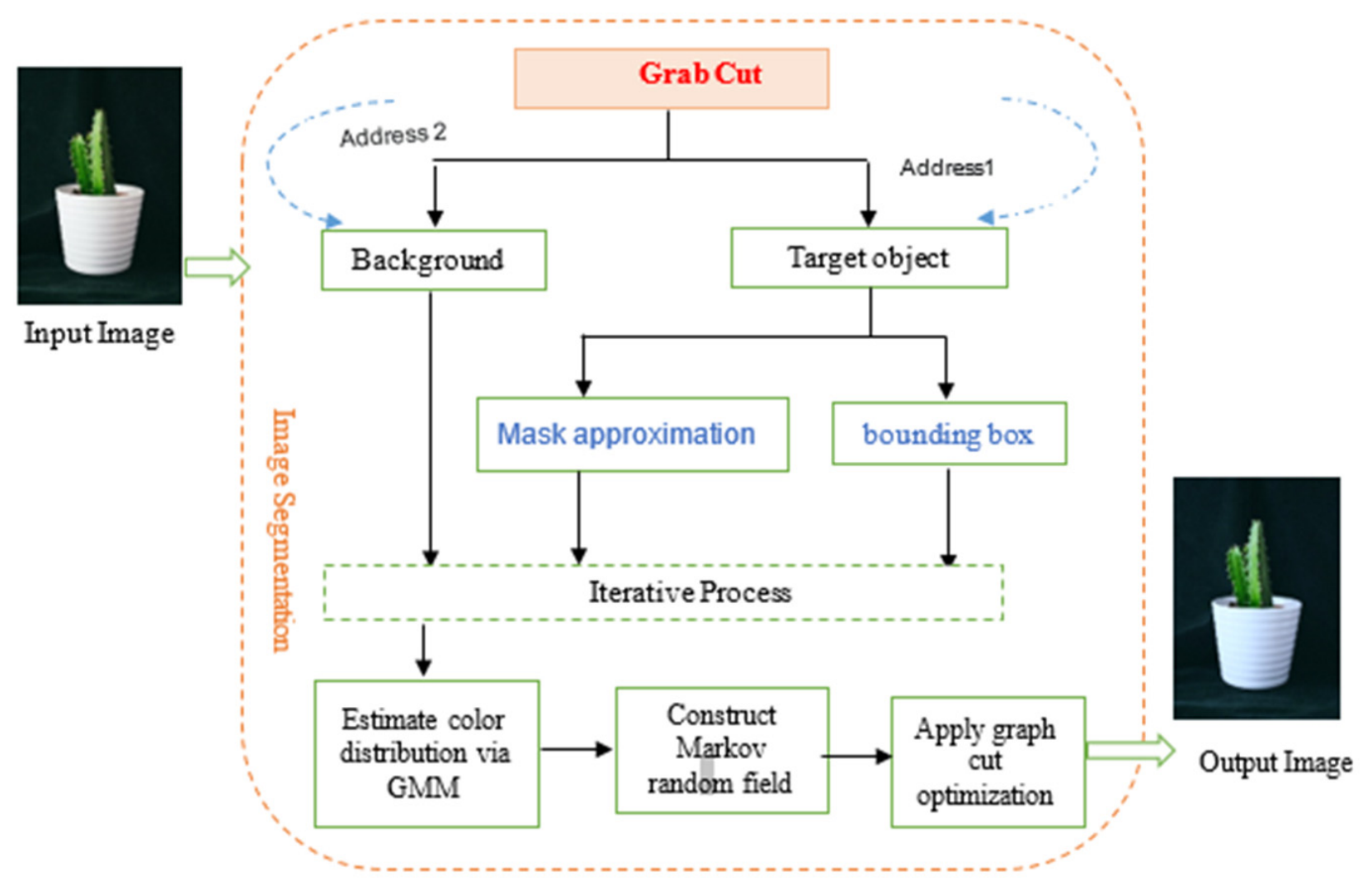
What is the first thing you do when crossing the street? Usually, you look left and right to make sure there are no vehicles in the road before deciding to proceed [1]. This means our brains can analyze any type of approaching object—car, bus, or person—within fractions of a second [2]. Can machines do this too? Previously, the answer was “no.” But with advancements in computer vision and image processing, the answer has changed! Now, we can build computer vision models that allow us to detect objects, determine their shape, and predict their direction [3]. Computer vision has seen significant developments recently, but object detection and image segmentation remain challenges. In your image processing journey, you might need to locate an object in an image, and then precisely define its boundaries and size or determine its type and classification [4]. In reality, the size of an object in an image can vary significantly, as can its angle and position from one image to the next [5]. There may also be overlap between objects, making the process of target detection and segmentation extremely difficult. Therefore, when we consider computer vision, we find it to be a technology used by machines to automatically recognize and accurately and efficiently describe images [6]. Today, systems have the ability to access large amounts of images and videos obtained or created from smartphones, security systems, traffic cameras, and other devices [7]. Computer vision uses machine learning and artificial intelligence applications to accurately process this data for object identification and facial recognition, as well as classification, detection, monitoring, and recommendation. Governments and organizations use computer vision to improve the security of sites and facilities [8]. Computer vision can also improve personal safety at home as well as in the workplace. For example, facial recognition technology can monitor countless safety-related issues. This includes real-time home monitoring of pets, or live front-facing cameras that detect visitors or delivered packages. In the workplace, this monitoring includes ensuring workers wear appropriate personal protective equipment, alerting alarm systems, or generating reports [9]. Therefore, we see these technologies used in many applications in our daily lives, from security cameras and facial recognition in phones (Face ID) to medical imaging, self-driving cars, and much more. Some common tasks that computer vision techniques can perform include: image classification, object detection, object tracking, and image segmentation. This research proposes image segmentation to build an integrated model that finalizes the input image after applying the GrabCut algorithm, as will be explained in the following section and illustrated in Figure 1 [10].
Figure 1.
Extracting front-end elements using the GrabCut algorithm.
2. Image Segmentation
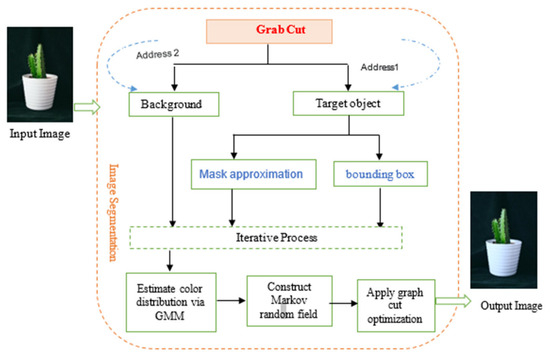
Segmentation is a computer vision algorithm that relies on object identification by dividing an image into different regions based on visible pixels. Segmentation also simplifies the image, such as creating a shape or outline of the element to identify it. Thus, segmentation also determines whether there is more than one object in the image or frame. Therefore, effective segmentation of still images is crucial for image editing and object separation [11]. Digital images are divided into smaller, interconnected, and homogeneous segments based on specific criteria, such as color (e.g., the Magic Wand tool in Photoshop (v27.x), which selects objects based on color differences) or edge information (e.g., the Intelligent Scissors tool in GIMP (2.10), which helps define the edges of an object). Segmentation is highly beneficial, providing detailed edge information and resulting in more precise and clearer results. Many applications require image segmentation, including traffic control systems, self-driving cars, and satellite image positioning. An image is generally composed of a collection of different pixels. Processing an entire image simultaneously is impractical, as some areas lack useful information; it consumes more time and processing power. During the segmentation process, we can utilize the important parts of the image and discard the unimportant parts, thus the GrabCut technique provides us with a more accurate understanding. We will use the GrabCut algorithm to segment images into a foreground (containing the object) and a background [12]. Below, Figure 2 shows segmentation of the input image by the GrabCut algorithm and the proposed method for improving the segmentation process.
Figure 2.
General structure of the work, from image input to output.
General Principle of GrabCut Foreground Extraction and Segmentation
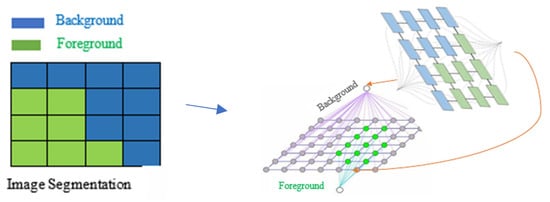
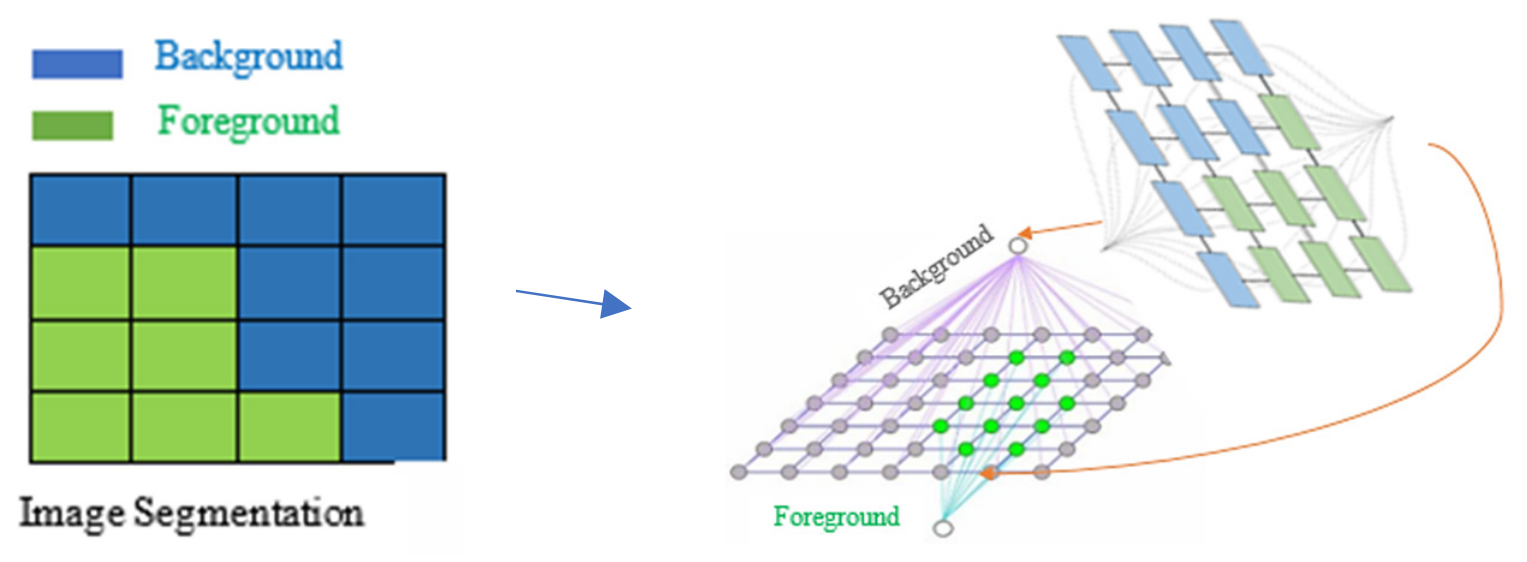
An image is generally composed of a collection of different pixels, and it is not efficient to process the entire image at once, as some areas will lack useful information, thus consuming more processing time. Through segmentation, we can utilize the important parts of the image and discard the irrelevant ones, resulting in a more precise understanding. We will use the GrabCut algorithm to segment an image into a foreground containing the object and a background. GrabCut is an image splitting mechanism based on the Graph Cut algorithm (Figure 3). It begins by defining a rectangle around the object to be split, which is a boundary specified by the user.
Figure 3.
Addressing the image pixels.
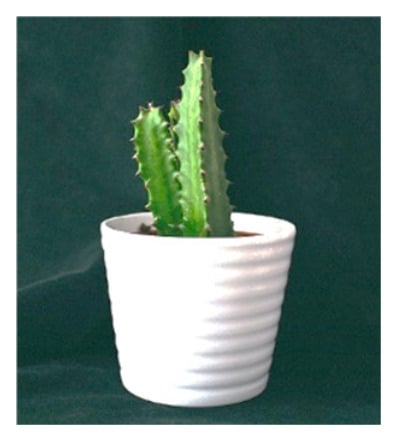
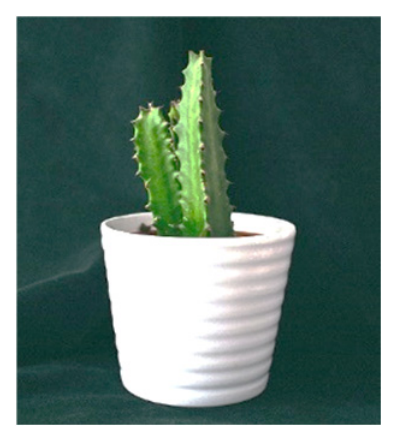
The algorithm then estimates the color distribution of the target object and the background to assist in the splitting and segmentation processes. We begin by drawing a rectangle on the image. This rectangle should contain the object to be separated from the background, such as a person, ball, or flower, as illustrated in Figure 4 (the image of the plant). The area outside the rectangle is then automatically designated as the background [13]. The area within the rectangle is then used as a color distribution model using a Gaussian Mixture Model. Each pixel is assigned a unique address to determine whether it belongs to the foreground or background. In other words, all pixels in the image are connected by color gradients. Therefore, this model encourages adjacent pixels (those with similar color distributions) to have exactly the same address, as shown in Figure 3.
Figure 4.
Input image *.jpg.
The GrabCut algorithm assigns two headings, one for the background and one for the foreground, and then links all pixels (based on similarity in color distribution) to their corresponding headings. Reaching this point requires a significant amount of work within the algorithm, but we ultimately obtain a segmented image [14,15].
3. The Proposed Method
3.1. Configuring the GrabCut Algorithm to Work
The GrabCut algorithm has been used for foreground segmentation in many applications and has yielded high-quality results compared to previous traditional segmentation methods. We initialized the GrabCut algorithm using one of two methods:
- Initializing the input image with a bounding box (a square enclosing the object’s position in the image).
- Initializing the input image with some suggested mask approximations (a mask similar to segmentation). We then repeatedly performed the following steps:
- Guessing the color distribution in the background and foreground using Gaussian Mixing (GMM).
- We create a random Markov field for pixel addressing (background/foreground).
- We apply optimized graph segmentation to achieve the desired final segmentation. The cv2.grabCut function: To fully understand the implementation, we define the parameters of this function, as shown in Table 1.
Table 1. Parameters of the cv2.grabCut function.
3.2. Implementing GrabCut with a Boundary Box
To apply the algorithm practically to the input image (a plant image), shown on Figure 4, the image should be prepared for segmentation. The next step is to determine the coordinates of the bounding box surrounding the object to be segmented using Photoshop (or an automated object detector).
The bounding box can be created manually by scanning the image and defining its coordinates. To apply the algorithm, we open a new file and name it grabcut_bbox, and then we import the necessary libraries, most importantly the OpenCV (4.12) open-source visualization library and the NumPy Python numeric library (3.12).
Applying the GrabCut Algorithm Using a Boundary Box
Begin
Step1: Upload the image from your device: uploaded = files.upload()
Step2: Read the image using the OpenCV open-source computer vision library.
Step3: Create a blank image mask with a size similar to the input image, which will eventually be filled with the results of the GrabCut algorithm.
Step4: Manually determine the coordinates of the square surrounding the object in the image (img.jpg). We used Photoshop to define and record the coordinates of the surrounding square: rect = (80, 88, 200, 365)
Step5: Create two empty arrays for internal use when isolating the foreground from the background (fmodel and bmodel) using the NumPy numeric Python library.
Step6: The GrabCut algorithm is applied after initializing and passing all the necessary input parameters.
Step7: GrabCut ultimately returns the required mask along with two temporary arrays (which can be ignored as they are not important).
Step8: The algorithm’s application results in mask-specific values (the selected/possible values) for the background and foreground of the image.
Step9: Proceed to create the output mask by finding all pixels (background/potential background) and assigning the value (0) to them, and then assigning the value (1) to all remaining pixels.
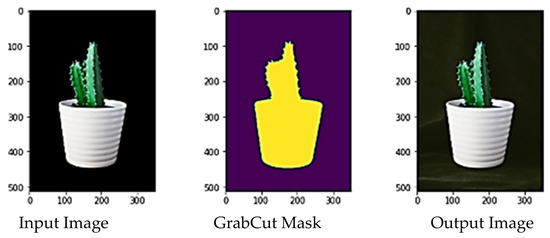
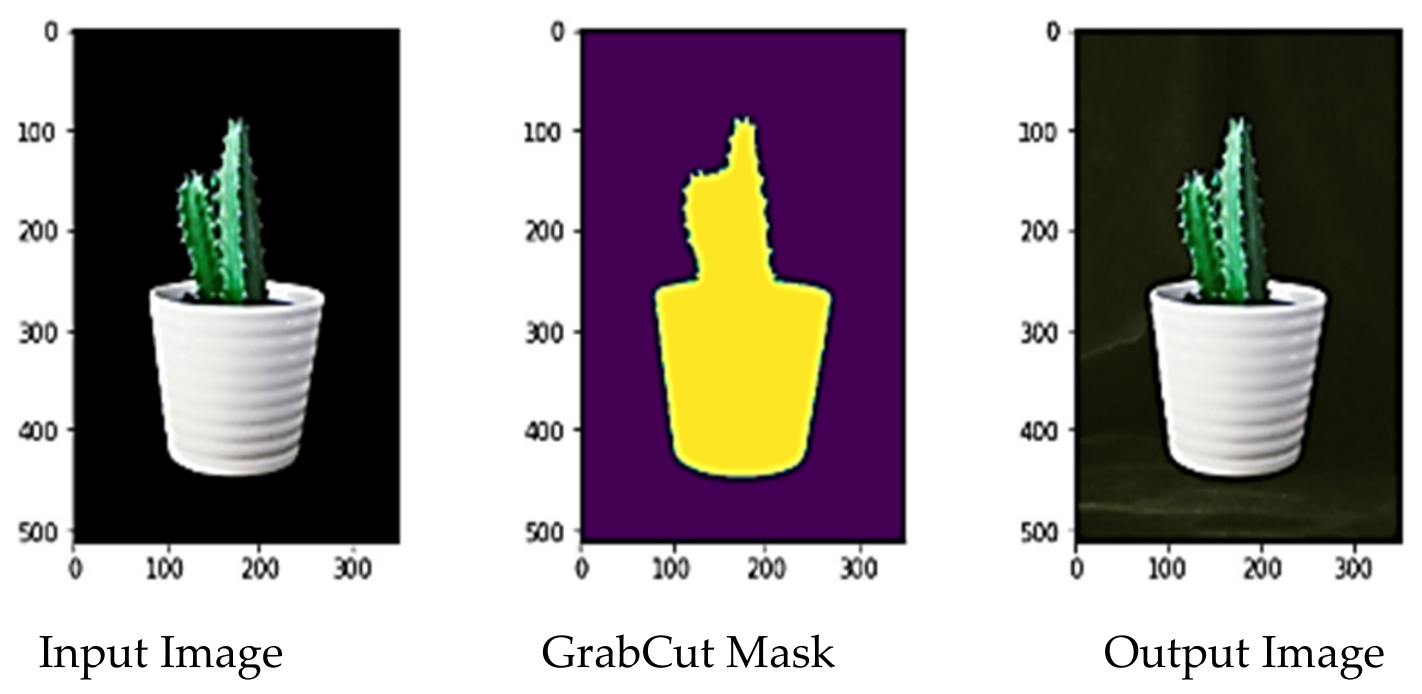
Step10: Display the final results as shown in Figure 5:
Image: Original image (input image)
outputMask: Output mask (resultant from the GrabCut application)
output: Output image (contains the object after separation from the background)
End
We apply a transformation operation to the output mask from the range [0–1] to [0–255]. Then, we create our output image (with the background hidden) by applying the bitwise_and operation and passing the input image with its output mask as shown in Figure 6.
Figure 5.
Results of the first proposed method: GrabCut with the surrounding box showing the masks (selected/possible).
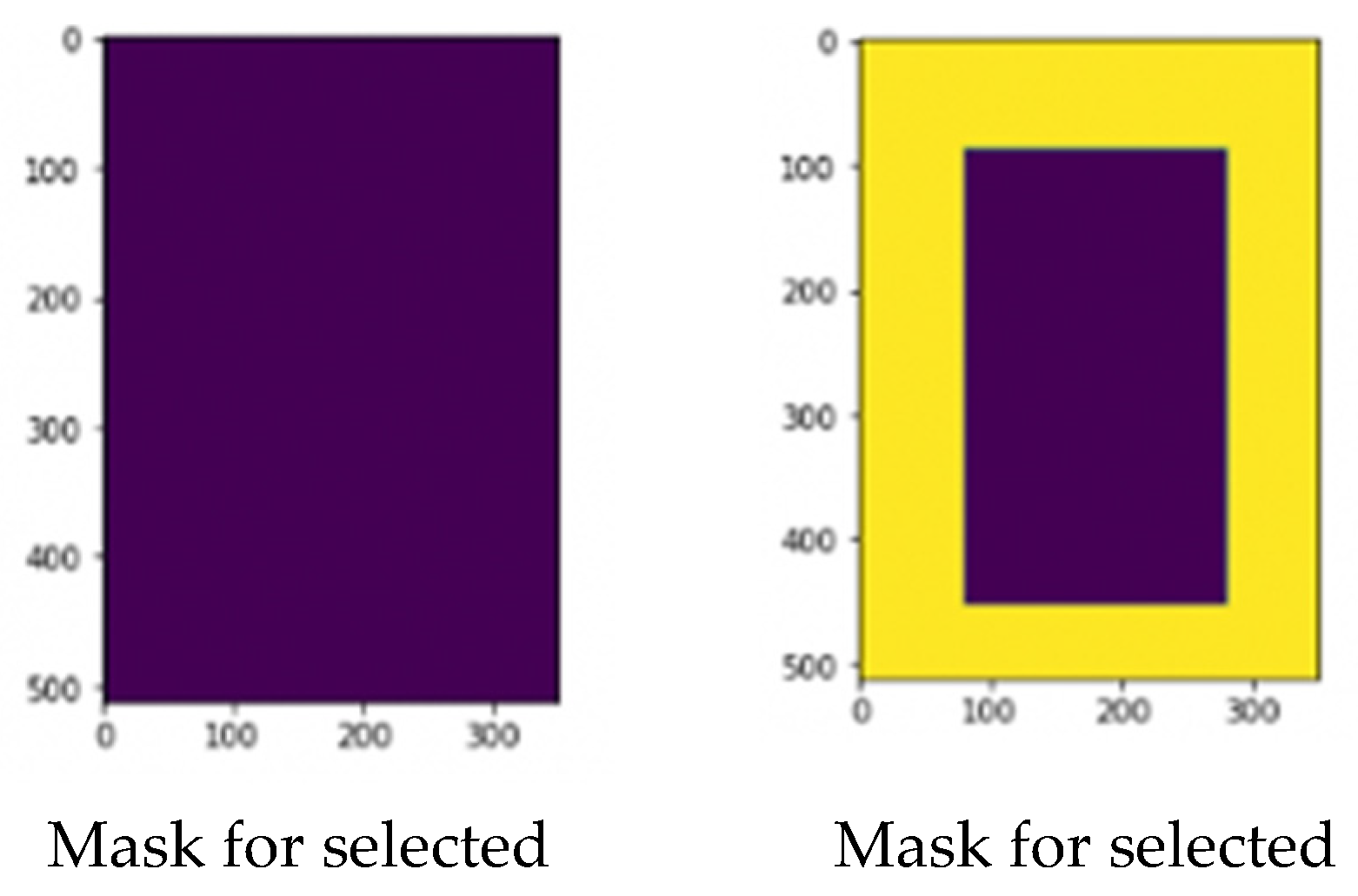
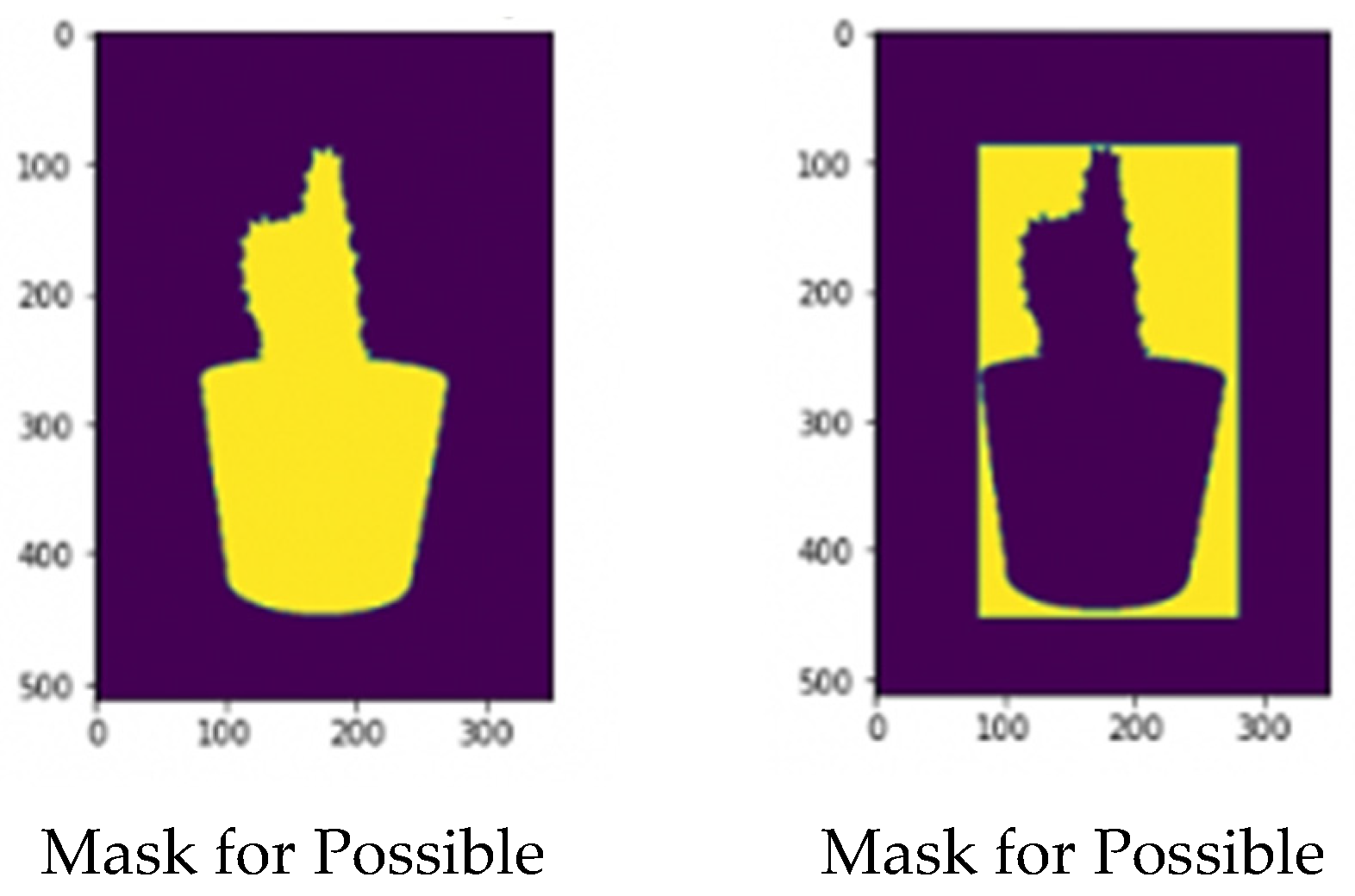
Figure 6.
Bitwise product (bitwise_and).
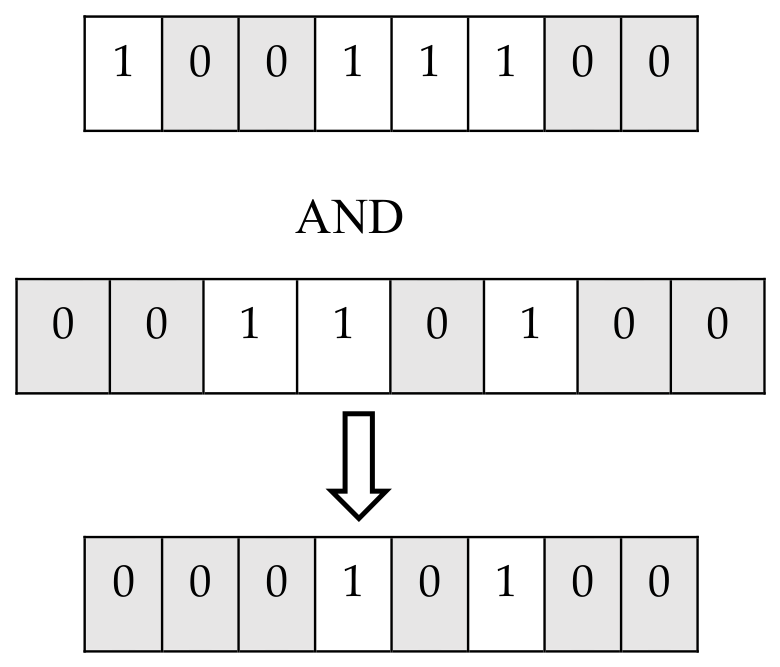
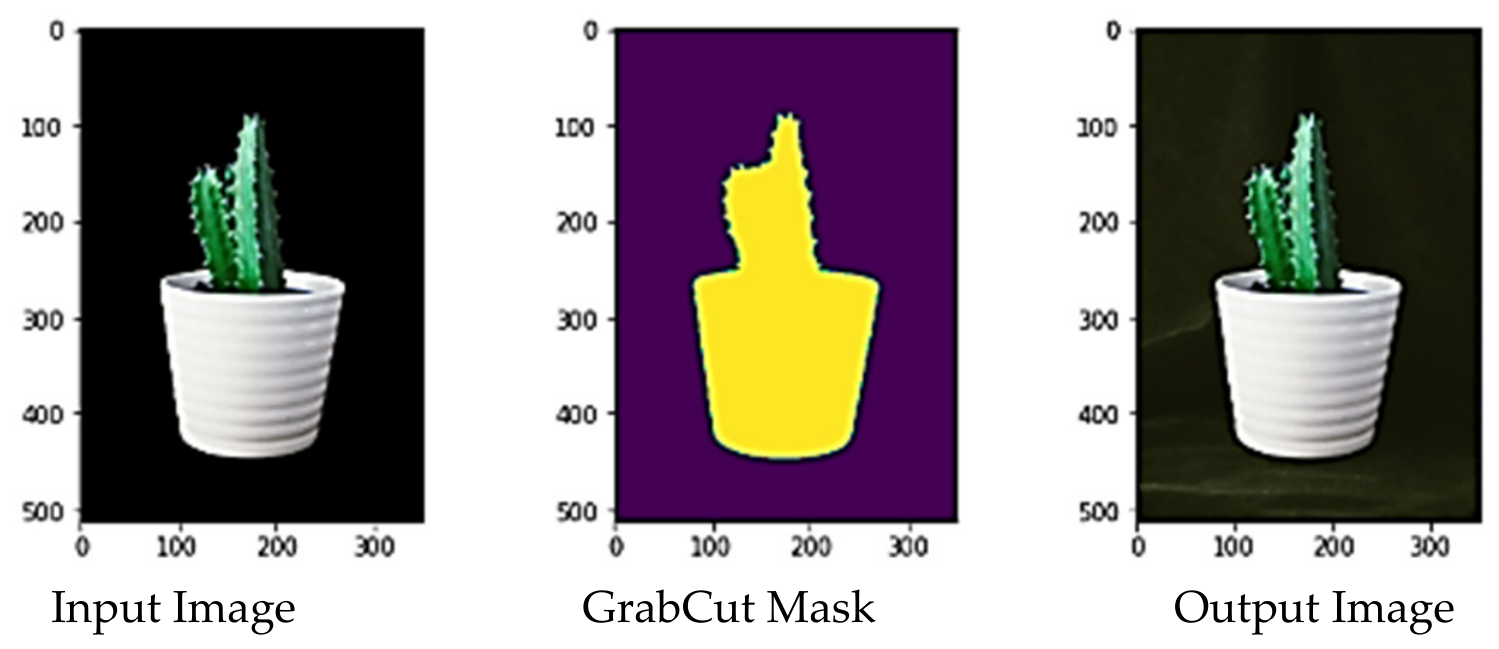
This operation is very useful when working with images, as it allows you to efficiently extract any part of an image by passing the first input image, the second input image, and then the mask. As shown bellow in Figure 7.
Figure 7.
Display the original image, the exit mask, and the exit image.
In summary, the first proposed method involves preparing the necessary inputs for the GrabCut algorithm, including the input image, the coordinates of the square surrounding the object, and the zero fmodel and bmodel arrays. The rect coordinates were manually defined. The algorithm was executed, and then the foreground and background masks (determined/probable) were created. Finally, the output mask and the output image after separation were created.
3.3. Implementing GrabCut with a Proposed Mask
In this step, we can segment the object in the image using a pre-configured mask to improve the separation process. We create this mask manually using image editing software (Photoshop). The GrabCut algorithm works by initializing the mask. First, we initialize the image to be segmented, and then we initialize the proposed mask using one of the methods mentioned previously. Then, we open a new file, name it grabcut_mask, and begin as shown in algorithm bellow:
Applying the GrabCut Algorithm with Proposed Mask
Begin
Step1: Import the necessary libraries, most importantly the OpenCV open-source visualization library and the NumPy numeric Python library.
Step2: Upload the image to be segmented and store it in the “image” variable.
Step3: Upload the mask image (which we created manually using Photoshop) and store it in the “mask” variable.
Step4: Apply the bitwise_and operation between the input image and the proposed mask image and store the segmentation result in the “roughoutput” variable.
Step5: Display the result of applying the image to the proposed mask.
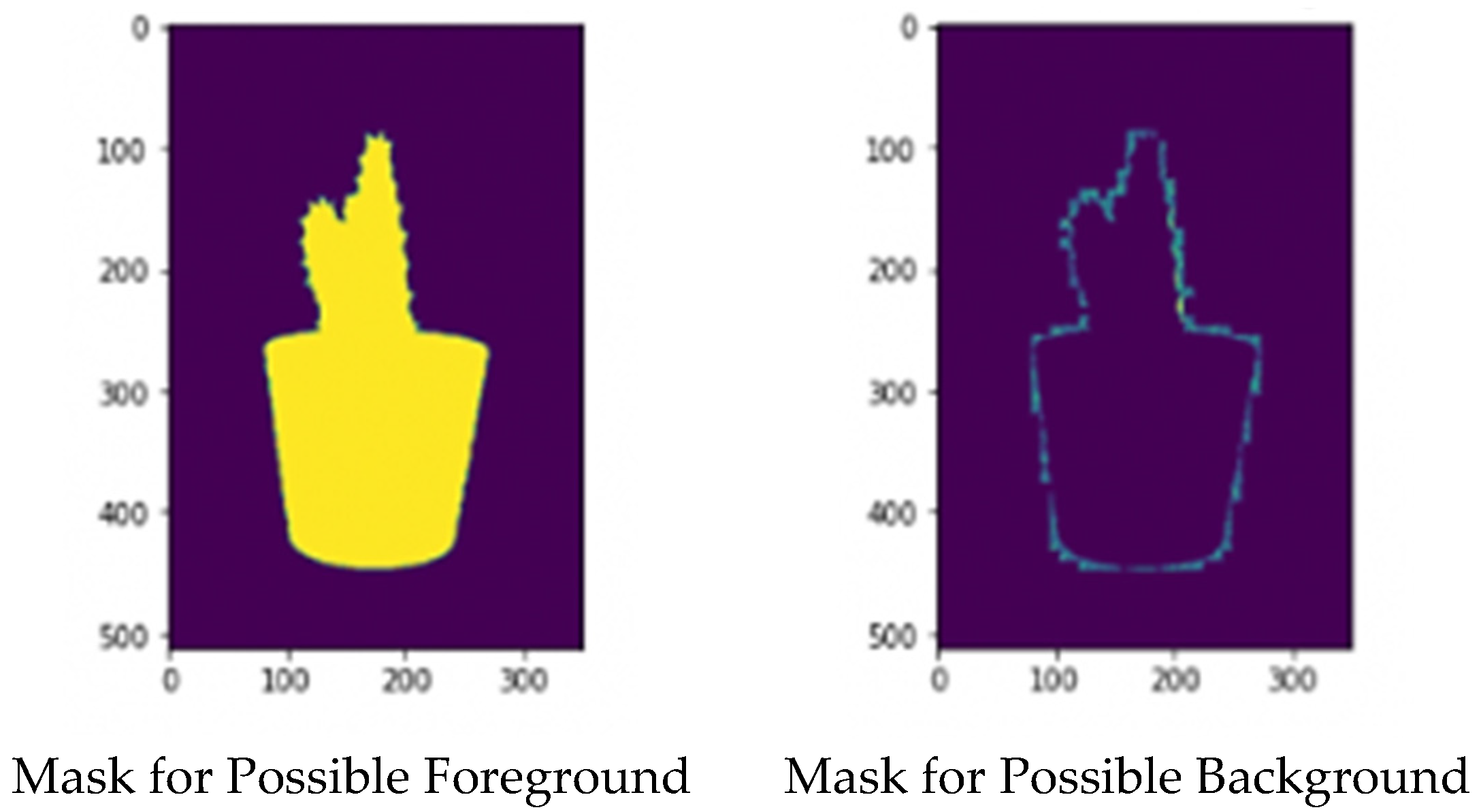
Step6: Assign the foreground and background (selected/potential) values to the mask array. We assigned all mask pixels greater than zero as potential foregrounds, and the remaining pixels were assigned as selected backgrounds.
Step7: Initialize two empty arrays for internal use when separating the foreground from the background (fmodel and bmodel) using the NumPy numeric Python library.
Step8: Apply the GrabCut algorithm to the image using the proposed hashing mask. Note that the third parameter, rect, which is the bounding box (containing the object we want to separate), is initialized to None, meaning nothing, because we will not be using the bounding box method. Also, note that the Mode parameter is set to cv2.GC_INIT_WITH_MASK
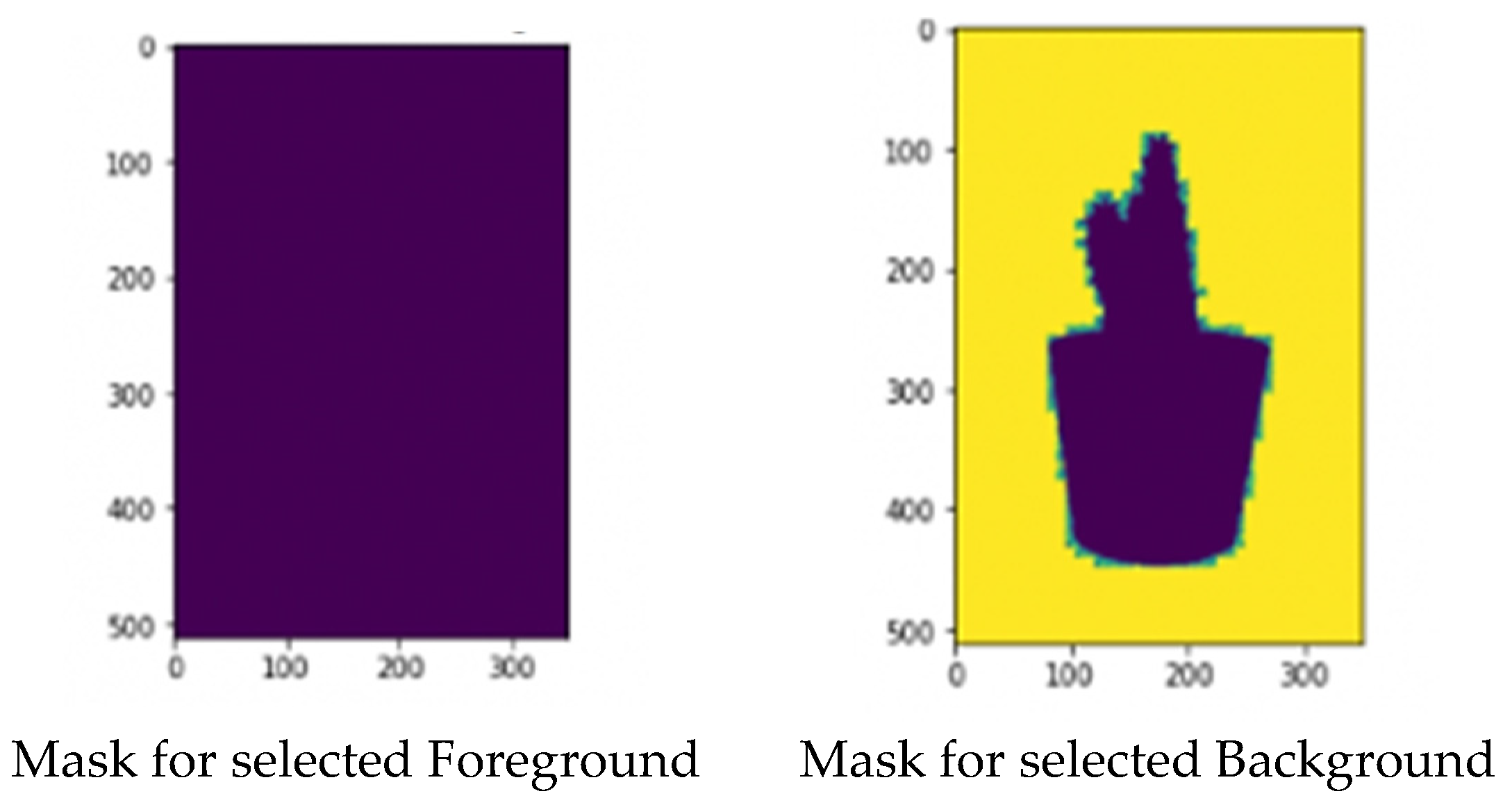
Step9: The algorithm produces mask values, which are the specified/possible values for the background and foreground in the image. Use a loop:
- To create masks based on the current values.
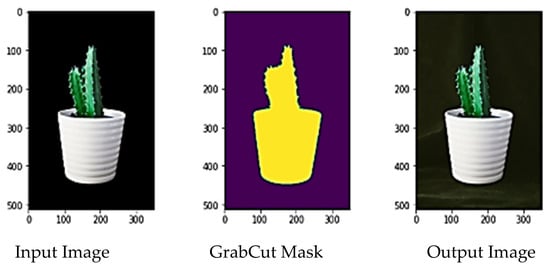
- To display these (selected/potential) values until a key is pressed. The resulting image appears as shown in Figure 8.
Step10: Move on to creating the output mask by finding all the pixels of the background/potential background and assigning the value (0) to them, and then assign the value (1) to all the remaining pixels.
Apply a transformation operation to the output mask from the range [0–1] to [0–255].
- outputMask = (outputMask * 255). astype(“uint8”). Then, we create our output image (with the background hidden) by applying the bitwise_and (as shown in Figure 9) operation and passing the input image with its output mask.
- output = cv2.bitwise_and (image, image, mask = outputMask). This operation successfully creates the object to be separated from the background.
Figure 9.
Displays of the original image, the exit mask, and the exit image.
End
Figure 8.
Results of the second proposed method: The GrabCut tool with the proposed mask displays the (selected/possible) masks.
4. Conclusions
The GrabCut algorithm is a crucial image segmentation algorithm and one of the most important algorithms used in computer vision. We built a model based on the GrabCut image segmentation algorithm, which relies on the Graph Cut algorithm. We begin by drawing a rectangle on an image. This rectangle (the object) is separated from the background using two methods: First, the input image is prepared with a bounding box (a bounding square) that defines the object’s location in the image.
- Prepare the necessary inputs for the GrabCut algorithm, including the input image, the coordinates of the bounding box, and the zero fmodel and bmodel arrays. Note that the rect coordinates were manually defined.
- Execute the algorithm.
- Create the foreground and background masks (determined/probable).
- Create the output mask and the output image after separation.
The second step involves preparing the input image with the proposed mask approximations (a mask similar to a segmentation). This is done in a three-step process:
First, the color distribution of the foreground and background is estimated using a Gaussian Mix Model (GMM). Next, a Markov random field is created to address the pixels (foreground/background). Finally, graph cut optimization is applied to achieve the desired final segmentation. As seen in the previous figure, the segmentation mask is not entirely “clean”; the green background can easily be seen seeping into the mask. However, the segmentation is cleaned up, and the plant is ultimately separated correctly. While repeating these steps may require time and effort to work within the algorithm, GrabCut delivers high-quality results in segmenting the required objects from the input images and obtaining an output image after separation that closely resembles the original image.
We discussed its mechanism of operation, reviewed its most important parameters, and explored the two methods used within it. The experimental results for the GrabCut algorithm showed high efficiency in the foreground extraction process, achieving a Precision value of 94.7%, a Recall value of 90%, and an IoU coefficient of 85.7%, as shown in Table 2. This indicates high accuracy in identifying foreground regions and a reduction in classification errors compared to other traditional methods. The study also showed that GrabCut achieves high accuracy in separating the foreground from the background, reduces user intervention compared to manual cropping methods, and works efficiently with complex images. The GrabCut algorithm relies on a statistical model using Gaussian Mixture Models with energy optimization via Graph Cuts.
Table 2.
Experimental values for metrics evaluating the efficiency of the GrabCut algorithm in extracting foregrounds from images.
Author Contributions
M.K.H., Image Processing, N.M.A., Artificial Intelligent, H.M.A.-M., Cybersecurity. All authors are Computer Science, and in University of Basra. All authors contributed equally to this work. All authors have read and agreed to the published version of the manuscript.
Funding
This research received no external funding.
Institutional Review Board Statement
Not applicable.
Informed Consent Statement
Not applicable.
Data Availability Statement
The data are available from the corresponding author upon request.
Conflicts of Interest
The authors declare no conflicts of interest.
References
- Zeedyk, M.; Linda Wallace, S.; Spry, L. Stop, look, listen, and think?: What young children really do when crossing the road. Accid. Anal. Prev. 2002, 34, 43–50. [Google Scholar] [CrossRef] [Scilit]
- Hussein, M.K.; Alhijaj, A.A. TDL and Ron Rivest, Adi Shamir and Leonard Adleman in Stereo Images Encrypt. J. Adv. Res. Dyn. Control Syst. 2019, 11, 1811–1817. [Google Scholar]
- Sonka, M.; Hlavac, V.; Boyle, R. Image Processing, Analysis and Machine Vision, 4th ed.; Cengage Learning: Stamford, CT, USA, 2013. [Google Scholar]
- Roy, D.E. Computer Vision: Principles, Algorithms, Applications, Learning; Academic Press: Waltham, MA, USA, 2017. [Google Scholar]
- Szeliski, R. Computer Vision: Algorithms and Applications, 2nd ed.; Springer: Cham, Switzerland, 2022. [Google Scholar]
- Ali, H.A.; Jalil, A.J.; Hussein, M.K. Vernam Encryption and Steganography of a Number of Images in the Digital Video. In Proceedings of the International Conference on Electrical, Computer, Communications and Mechatronics Engineering (ICECCME), Online, 7–8 October 2021; pp. 1–6. [Google Scholar] [CrossRef] [Scilit]
- Hussein, M.K.; Jalil, A.J.; Alhijaj, A. Face Recognition Using The Basic Components Analysis Algorithm. IOP Conf. Ser. Mater. Sci. Eng. 2020, 928, 032010. [Google Scholar] [CrossRef] [Scilit]
- Nagendran, N.; Kolhe, A. Security and safety with facial recognition feature for next generation automobiles. Int. J. Recent Technol. Eng. (IJRTE) 2018, 7, 289–294. [Google Scholar]
- Eastman, B. Legal Issues Facing Automated Vehicles, Facial Recognition, and Privacy Rights; SAE Edge Research Report EPR2022016; SAE International: Warrendale, PA, USA, 2022. [Google Scholar] [CrossRef] [Scilit]
- Kaur, D.; Kaur, Y. Various image segmentation techniques: A review. Int. J. Comput. Sci. Mob. Comput. 2014, 3, 809–814. [Google Scholar]
- Wu, H.; Liu, Q.; Liu, X. A review on deep learning approaches to image classification and object segmentation. Comput. Mater. Contin. 2019, 60, 575–597. [Google Scholar] [CrossRef] [Scilit]
- Hussein, M.K.; Alhijaj, A.A. Protection of images by combination of vernam stream cipher, AES, and LSB steganography in a video clip. Bull. Electr. Eng. Inform. 2023, 12, 1578–1585. [Google Scholar] [CrossRef] [Scilit]
- Sauvalle, B.; de La Fortelle, A. Fast and Accurate Background Reconstruction Using Background Bootstrapping. J. Imaging 2022, 8, 9. [Google Scholar] [CrossRef] [Scilit]
- Wang, Z.; Lv, Y.; Wu, R.; Zhang, Y. Review of GrabCut in Image Processing. Mathematics 2023, 11, 1965. [Google Scholar] [CrossRef] [Scilit]
- Pang, S.; Thio, T.H.G.; Siaw, F.L.; Chen, M.; Xia, Y. Research on Improved Image Segmentation Algorithm Based on GrabCut. Electronics 2024, 13, 4068. [Google Scholar] [CrossRef] [Scilit]

Disclaimer/Publisher’s Note: The statements, opinions and data contained in all publications are solely those of the individual author(s) and contributor(s) and not of MDPI and/or the editor(s). MDPI and/or the editor(s) disclaim responsibility for any injury to people or property resulting from any ideas, methods, instructions or products referred to in the content. |
© 2026 by the authors. Licensee MDPI, Basel, Switzerland. This article is an open access article distributed under the terms and conditions of the Creative Commons Attribution (CC BY) license.