1. Introduction
The present paper continues the work of PandaSays [
1] (version number 1.11, Bucharest, Romania) mobile application that uses MobileNet neural network to predict the affective state of the child from his drawings, in order to help parents and tutors that have children diagnosed with autism, to improve the communication with them and understand their affective state. Moreover, a Sign Language module was introduced, to assist children that have hearing impairments.
Autism spectrum disorder (ASD) makes reference to a big range of conditions distinguished by difficulties in speech and nonverbal communication social skills, repetitive behaviors and difficulties in expressing their emotions [
2]. Humanoid robots have been used in therapy to help children diagnosed with autism, by helping improving their communication and social skills and also as a teaching tool, as the following articles will demonstrate.
Article [
3] presents the usefulness of the humanoid robot NAO, for teaching children diagnosed with autism to recognize emotions. NAO robot will execute body gestures as sad and happy. The child had to recognize the emotions that were executed by the robot. The study concluded that NAO robot has potential to improve communication skills for children diagnosed with autism.
In papers [
4] and [
5] is described how humanoid robots can improve verbal and non-verbal communication for children diagnosed with autism spectrum disorder and with hearing impairments. In study [
4], four children diagnosed with autism were selected from the Society for the Welfare of Autistic Children (SWAC). The interaction between NAO robot and the children were made using the Choreographe software of the NAO robot. The session begins with simple questions as: “How are you?”, “What is your name?”, “What is your mother’s name”. The next session includes physical activities as dancing and hand exercises. The study concluded that three of four children responded good to the NAO robot’s interaction and improved their communication skills.
Article [
6] describes how a game involving a humanoid robot, helps children diagnosed with hearing impairments. The research is based on the Robotic Platform Robovie R3. There were two different setups. The first one aimed to test the sign language effectiveness of the virtual robot. The tests were conducted in the classroom. The children watched the robot’s signs from two-three meters away. The second phase was performed with ten hearing impaired children, with ages between ten and sixteen. The training set contained the following signs: “mother”, “spring”, “baby”, “mountain”, “big”, “to come”, “black”, “to throw”. At the end of the research, the children started to play more with the robot and learned sign language, by recognizing robot’s gestures.
The present article is structured as follows:
Related work chapter, where there are presented relevant studies that helped the research.
Second chapter: PandaSays application—the updated machine learning model, in which is given an update regarding the dataset and the improvement of the machine learning algorithms used.
PandaSays mobile application and accessibility integration section, where is presented the level of accessibility of the application, representing an important subject for children diagnosed with autism.
Forth chapter: Case study using PandaSays application and Marty robot, where is shown the usage of the PandaSays application and Marty robot.
Conclusions.
2. Related Work
The study “Using the Humanoid Robot KASPAR to Autonomously Play Triadic Games and Facilitate Collaborative Play Among Children with Autism” uses humanoid robot Kaspar [
7] to teach collaborative and social skills to children, by pairing with them during play [
8]. Six children participated and were engaged in 23 plays with or without the presence of the robot, utilizing a particular imitation and collaborative game.
The game was called “CopyCat”, during which the children can collaborate or pair with the robot. The game consists of choosing a pose indicated on the horizontal screen and copying it from the “choosing” player. In the “CopyCat” game, every shape had a unique color and was correlated to a specific pose. The players had to constantly look at the player who was directing the game and tried to imitate the pose. The game captures the interaction between the director of the game and the player, using KASPAR robot, in some instances. There were 78 sessions in total, and the study concluded that the children collaborated and communicated better with each other.
The paper “IQ Level Assessment Methodology in Robotic Intervention with Children with Autism” explores the link between Intelligence Quotient (IQ) of children diagnosed with autism and their response to the interaction with the humanoid robot and the normal classroom interaction [
9]. Each child took an intelligence test, being supervised by a certified psychologist, working with Stanford-Binet Intelligence Scale, Fifth Edition (SB5). At the end of the sessions, involving robot’s interaction, children decreased their repetitive behaviors, as flapping hands, snapping finger, making high pitch sounds [
9]. Twelve children participated in this study. The majority of children with high IQ level reduced their habits, specific to autism spectrum disorder.
Paper [
10] explores the interaction between children diagnosed with autism and NAO [
11] humanoid robot. In the experiment, the operator controlled the robot from the other room and everything was recorded, using NAO’s video camera. The study had seven modules: Static Interaction (involves no movements, just the reaction of the child when he sees the robot), Head Turning (the robot will move his head left, right and back to the child), Blinking of Eyes LED (the robot’s eyes were blinking for 50 s, having randomly colors as green, red or blue), NAO Talks (the robot says “Hello”, and the action is repeated if there is no response from the child), NAO Song Play (the robots plays a song—“Twinkle twinkle little star”, changing song if there is no response from the child for 30 s), NAO Hand Movement (the robot waves his hand and repeats movement after 20 s) and NAO Song Play and Hand Movement (a combination between modules five and six) [
10]. The purpose of this paper was to monitor the interaction between the robot and the child diagnosed with autism.
The Study “Humanoid Robotic Head Teaching a Child with Autism” uses a system composed of large screens for helping children learning colors, alphabet, digits and easy arithmetic operations [
12]. The system uses different Neural Network architectures.
To refine the performance of the machine learning algorithms, the authors used two Raspberry Pi’s 3, one used for interaction and the other one for recognition. The authors used LeNet-5 neural network. The aim of this paper was to create a product that is useful for teaching and for integration in schools.
Study [
13] is a fragment of the Aurora project, that analyses the ways in which the robots can interact with children diagnosed with autism. The paper uses KASPAR robot and its facial expressions to help children with autism to reduce their isolation and improve their communication skills. After interacting with Kasper, one of the children, who was not communicative at all, started imitating the robot, following its facial expressions and gestures [
13].
The paper “DOMER: A Wizard of Oz interface for using interactive robots to scaffold social skills for children with Autism Spectrum Disorders” presents the development of an archetypal Wizard of Oz, that controls Aldebaran Nao humanoid robot, wirelessly, during a therapy session for children diagnosed with autism [
14]. One of the children that participated in the study showed the first signs of repetitive behavior. The child interacted with the therapist and with the robot. An operator was controlling the robot using DOMER interface. The results have shown that the operator can command the robot with enough fidelity, as the robot can send positive feedback, playing “Simon Says” in an appealing manner.
The study “The Use of Social Robots in the Diagnosis of Autism in Preschool Children”, uses social robots to help children diagnosed with autism. The authors have been monitoring children’s interaction with NAO robot, during two games: “Dance with me” and “Touch me” [
15]. The study concluded that the use of NAO robot is helpful in exposing the deficit of turn-taking in children and help them overcome this.
Paper [
16] uses also NAO robot to demonstrate the improvement of eye-gazing attention of children. The results have shown that 6 children (a total of 12 children participated, with ages between 7 and 17 years old) have pointed their gaze towards the robot.
In the study “A case for low-dose robotics in autism therapy”, a therapy model is described. It uses a humanoid robot no more than 20% of the normal therapy time, in order to improve the child-human communication [
17]. The robot called Troy was designed to match the size of a 4-year-old child, having a small computer as his head, where the affective states were displayed (happy, sad and other emotions). A pre-trial and a post-trial assessments were conducted, resulting more interactions between child and unfamiliar adult in the post-trial one.
In paper [
18], the authors illustrate how they built a robot dialog system (the robot was called LEO), using neural networks, in order to generate answers, without any limitation and attract children’s attention with the robot’s movements. The authors merged the English dialogue corpus of kids with autism to corpus for training the model, using transfer learning. The final step was to verify the effectiveness of the model, and to use LEO robot in interactions with children diagnosed with autism.
The study “Picture completion reveals developmental change in representational drawing ability: An analysis using a convolutional neural network” [
19], explores how bottom-up visual perception changes influence of the descriptive drawing ability of children. The authors designed a group of incomplete stimuli and asked the children with ages between two and eight to continue drawing on them, without any instructions. The study’s findings were that the older children’s drawings were more related to adults’ drawings. Moreover, the older children adapted to the variants of the stimuli in a similar way as adults. The study concluded that the research represents a starting point for representational ability changes, regarding children’s drawings.
Article [
20] discuss the usage of participatory drawing as a non-mechanical visual investigation, conducted in qualitative methodological analysis with children and youth. The authors explain how the participatory drawing can be thought as a strategy that can be implemented with low costs and effortlessly and used in many cultural and social contexts. Drawings can reveal useful information as feelings, expressions and personality of a child.
3. PandaSays Application—The Updated Machine Learning Model
In articles [
21] and [
22], we talked about PandaSays mobile application, that incorporates a machine learning model to predict the affective state of the child from his drawings.
The best model chosen for the PandaSays application was the one trained with MobileNet [
23] neural network.
Paper “Machine Learning based Solution for Predicting the Affective State of Children with Autism,” makes a comparison between MobileNet neural network, VGG16 and Feedfarward Neural networks. The purpose of the article was to find the best model for PandaSays mobile application, to predict the affective state of the children diagnosed with autism spectrum disorder. The dataset was formed from only 597 drawings, less than the current dataset—1453 drawings. The dataset was split in 75% for training, and 25% for testing, same as in current paper. The batch size was 16 and the number of epochs—30. The model resulted from training with VGG16 was underfit and the accuracy obtained was 35%. The accuracy obtained by using MobileNet, was 58%, lower than in the current paper—84.583%. The Feedforward neural network performed poorly, with an accuracy of 28.3333%. The paper concluded that the best model to use was the one created with MobileNet neural network. For all models were received as weights the “imagenet” [
24] dataset and transfer learning was applied.
In article [
25], the accuracy obtained was 56.25%, which was the reason why the algorithm was changed and also the MobileNet’s model creation, as it is explained in the current study.
MobileNet was selected because of its smaller model size, as it contains fewer number of parameters (13 million), in comparison to VGG16 (Visual Geometry Group from Oxford), that has 138 million of parameters and ResNet-50 (Deep residual networks), that has over 23 million parameters. Moreover, MobileNet has smaller complexity, as it has fewer multiplications and additions, making this neural network more suitable to be incorporated into a mobile application.
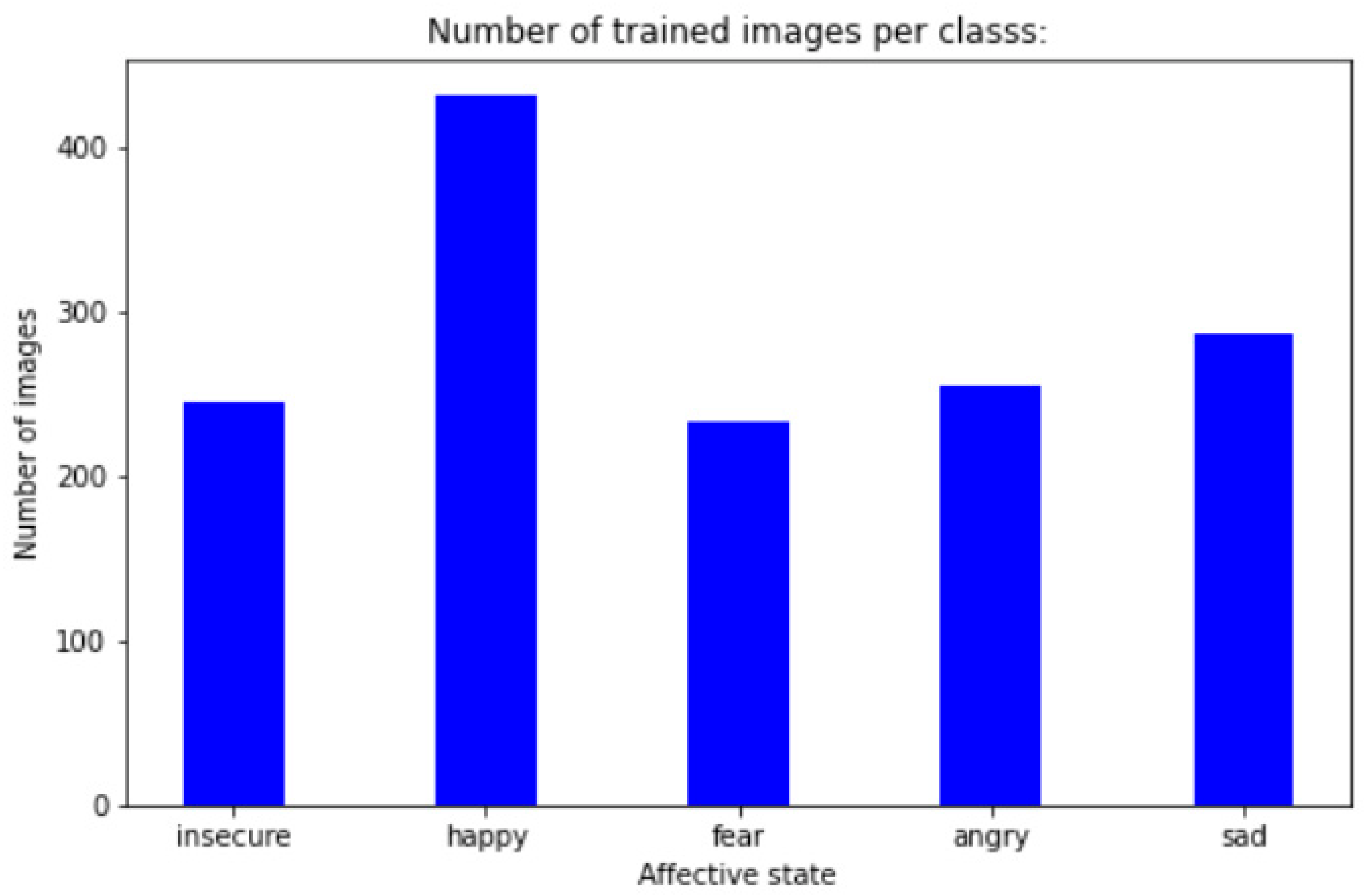
The dataset contains 1453 drawings and the way of how they are structured are shown in
Figure 1.
The dataset was split as follows: 25% test and 75% train. The input shape of the model is equal to (224, 224, 3), 224—representing the width and height, and number 3, representing the three channels (Red, Green, Blue). To avoid overfitting, the preprocessing was applied on the drawings, with the following parameters, using Keras ImageDataGenerator:
The drawings are rotated randomly within the range of 280 degrees, zoomed inside within the range of 0.30. The drawing is shifted horizontally (right to left) with 10% of the total width of the image (width_shift_range) and shifted vertically with 10% of the total height of the image (height_shift_range). The shear_range parameter set to 0.30 means that the drawing will be distorted along an axis within the range of 0.30, so that the image is perceived from different angles. All the drawings were randomly flipped horizontally (horizontal_flip) and vertically (vertical_flip) and the newly created pixels that resulted after the rotation are filled in (fill_mode). The code for the model creation is presented below in Equation (1):
The “include_top” parameter is set to false, which means that the fully connected layers are excluded, in order to permit the new output layer to be trained and added. The model received as weights the “imagenet” dataset. A new model was created, followed by the bootstrapping of the new model onto the pretrained layers. Then, two Dense layers are added onto the new model, followed by a Dropout layer of value 0.35, for regularization and to prevent overfitting. The output layer has 5 neurons (representing the 5 affective states), and it is applied a “softmax” activation function. As optimizer, it was used SGD (Stochastic gradient descent), with a learning rate of 0.001 and a momentum of 0.9. The models summary of the MobileNet, Vgg16 and ResNet-50 neural networks is presented in
Table 1. MobileNet model has 261,302,565 trainable parameters and 2,257,984 non-trainable parameters. VGG16 has 107,161,893 trainable parameters and ResNet-50 has 415,443,237 trainable parameters, representing the largest number of parameters.
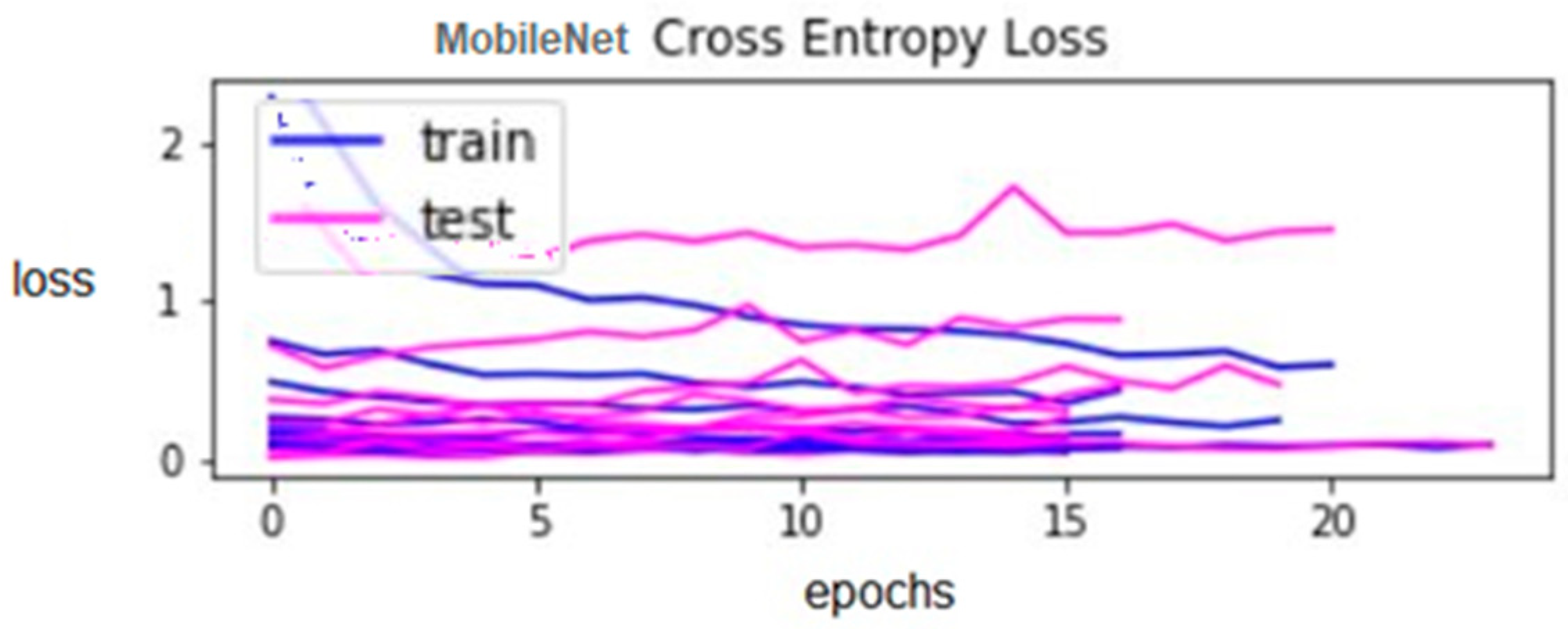
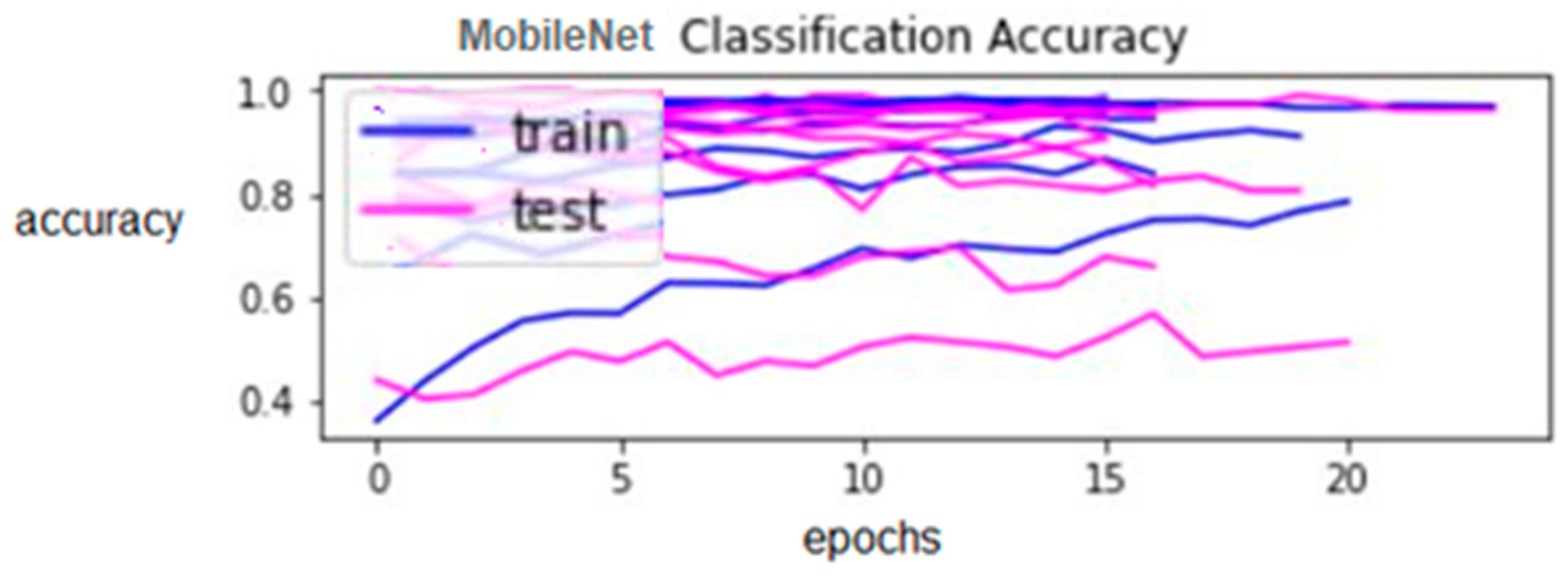
To evaluate the model, it was used a K-fold cross validation, of value of 10. The model was trained for 50 epochs and the batch size was 32. The metrics of interest were loss and accuracy. The loss evolution across the 10 folds is presented in
Figure 3 and the method to calculate it, is presented in Equation (1). The accuracy is given in
Figure 4. The train loss and train accuracy are represented with the blue color and the test loss and test accuracy are represented with magenta color, for 10 folds. It can be noticed that after 20 epochs, the test loss starts to increase, which means that the model will overfit, if is trained more. For displaying the figures, “Matplotlib” module was used from Python 3. The magenta color represents the test values and the blue color represents the train values.
ResNet-50 model mean accuracy was 28.463% and the standard deviation was 0.030, which is better than the MobileNet’s one—0.14. The accuracy is very low in comparison to MobileNet, where it is 84.583%.
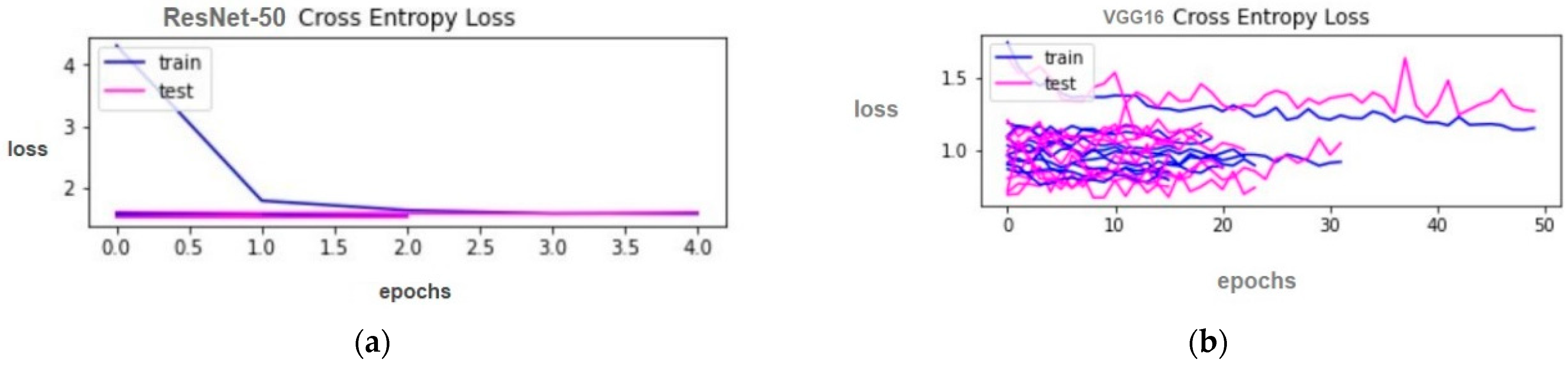
ResNet-50 mean loss was 1.555, which is bigger than MobileNet’s—0.3756. The values for 10 folds, are presented in
Figure 5a.
VGG16 had a mean accuracy of 59.867% and a standard deviation of 0.085. Though the standard deviation is lower than the MobileNet’s one, the accuracy is still under the MobileNet’s.
VGG16 mean loss was 1.006 which is lower than ResNet-50′s, but bigger than MobileNet’s. The loss’s values are presented in
Figure 5b.
Due to the model results and to its low complexity, MobileNet model was selected to be incorporated in the PandaSays mobile application.
For evaluating the model, was used sklearn library. The code was written in Python 3 programming language. To calculate the evaluation of the model was taken into account the number of folds (10), the mobile net model, the batch size of 32 and the number of epochs, which was 50.
For calculating the mean and the standard deviation, was used “numpy” module from Python and predefined methods: std (standard deviation) and mean.
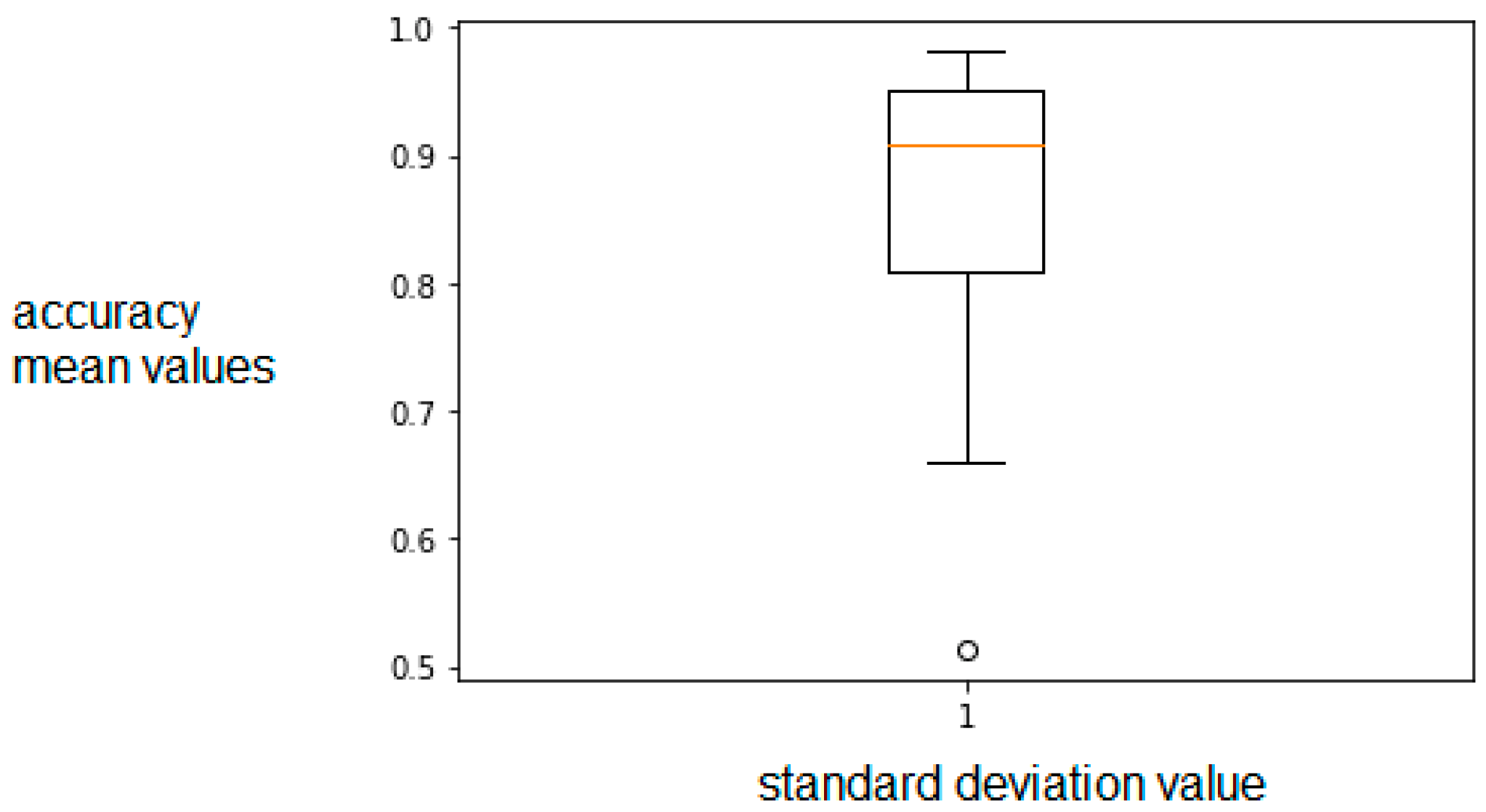
The model performance is presented in
Figure 6. The mean accuracy is 84.583% and the standard deviation is 0.14, for 10 folds, which means that the majority of the values are within the range of 0.14 from the mean value of 84.583%. The mean accuracy was calculated summing all the accuracy results obtained from the model training, with 10 folds and divided the sum to 10. In our previous work [
26], the accuracy obtained was 56.25%, fact that emphasizes the improvement of the work.
For all neural networks (MobileNet, ResNet-50 and VGG16) a method named summarize_performance (), presented in Equation (2), was used to calculate the performance of the specific neural network model. For 10 folds, were obtained 10 losses values and 10 accuracy values. The average loss for MobileNet, calculated by summing all loss values, divided by 10, was 0.3756 and the lowest one was 0.0506. ResNet-50 mean loss was 1.555 and the lowest value was 1.5296. VGG16′s mean loss was 1.006 and the lowest value was 0.7483. As it can be noticed those loss values are bigger than MobileNet’s loss value.
As it can be noticed in
Table 2, the highest precision is represented by the “sad” class and the lowest is represented by “happy” class. The precision is calculated as the ration between the true positives and the sum of true positives and false positives and the recall as the ratio between the true positives and the sum between the true positives and the false negatives [
27]. F1-score has the following Formula (3):
Precision and recall are near 1, which means that the classifier is good. The highest f1-score was achieved by the “fear” class (0.88) and the lowest value was represented by the “happy” class (0.73).
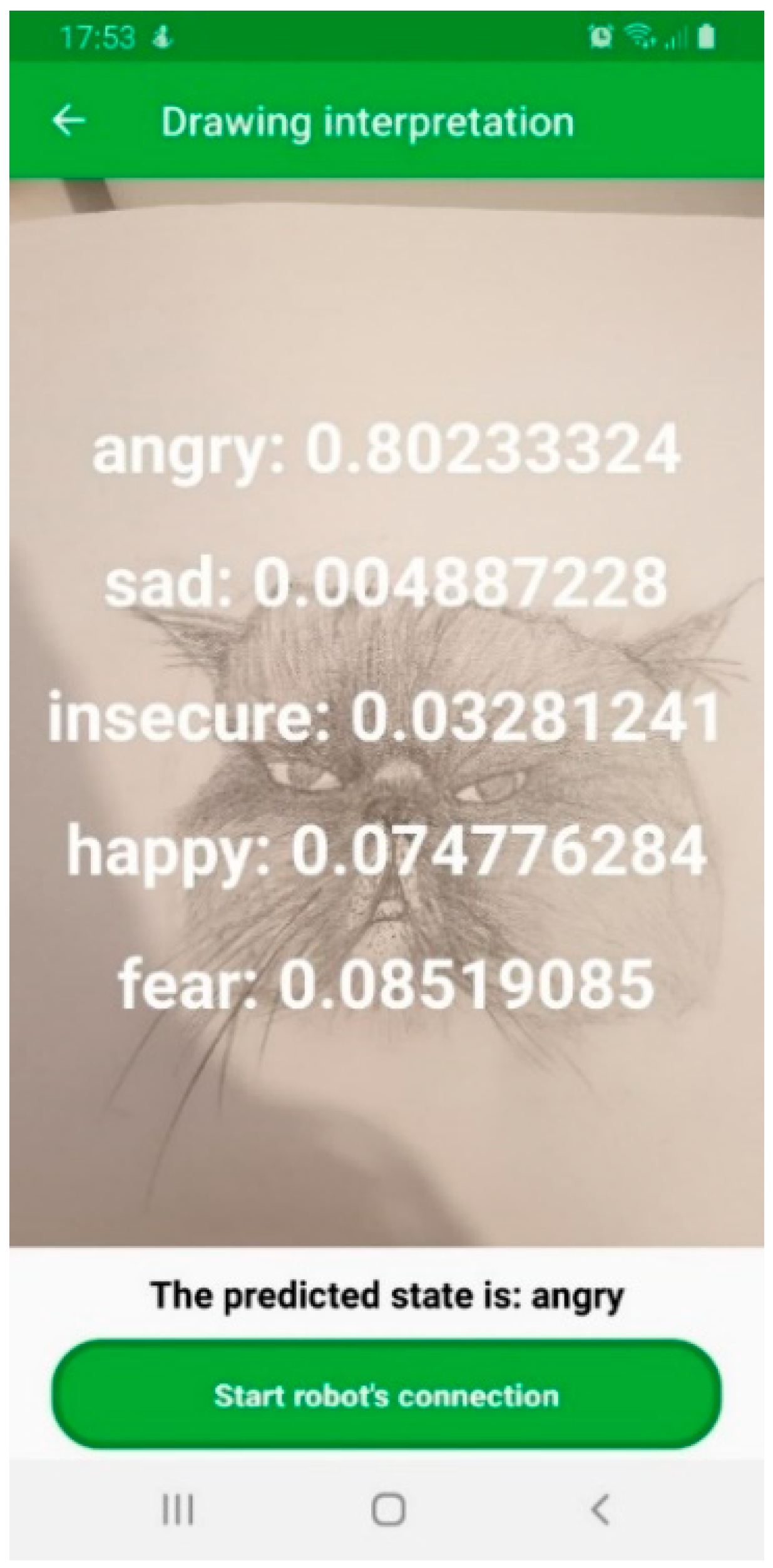
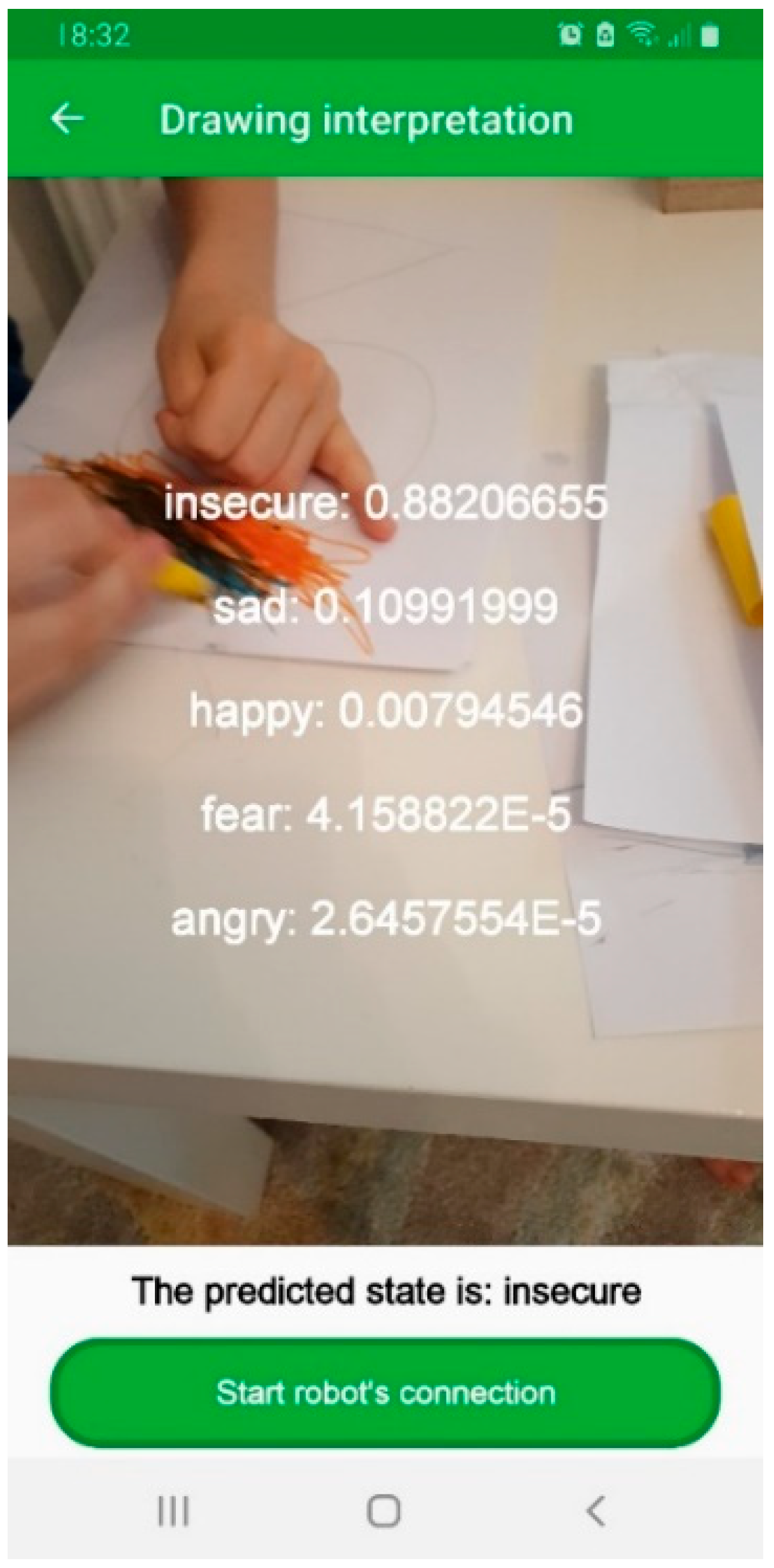
The model trained is converted to a TensorFlow lite file (“.tflite”) and deployed in the mobile application.
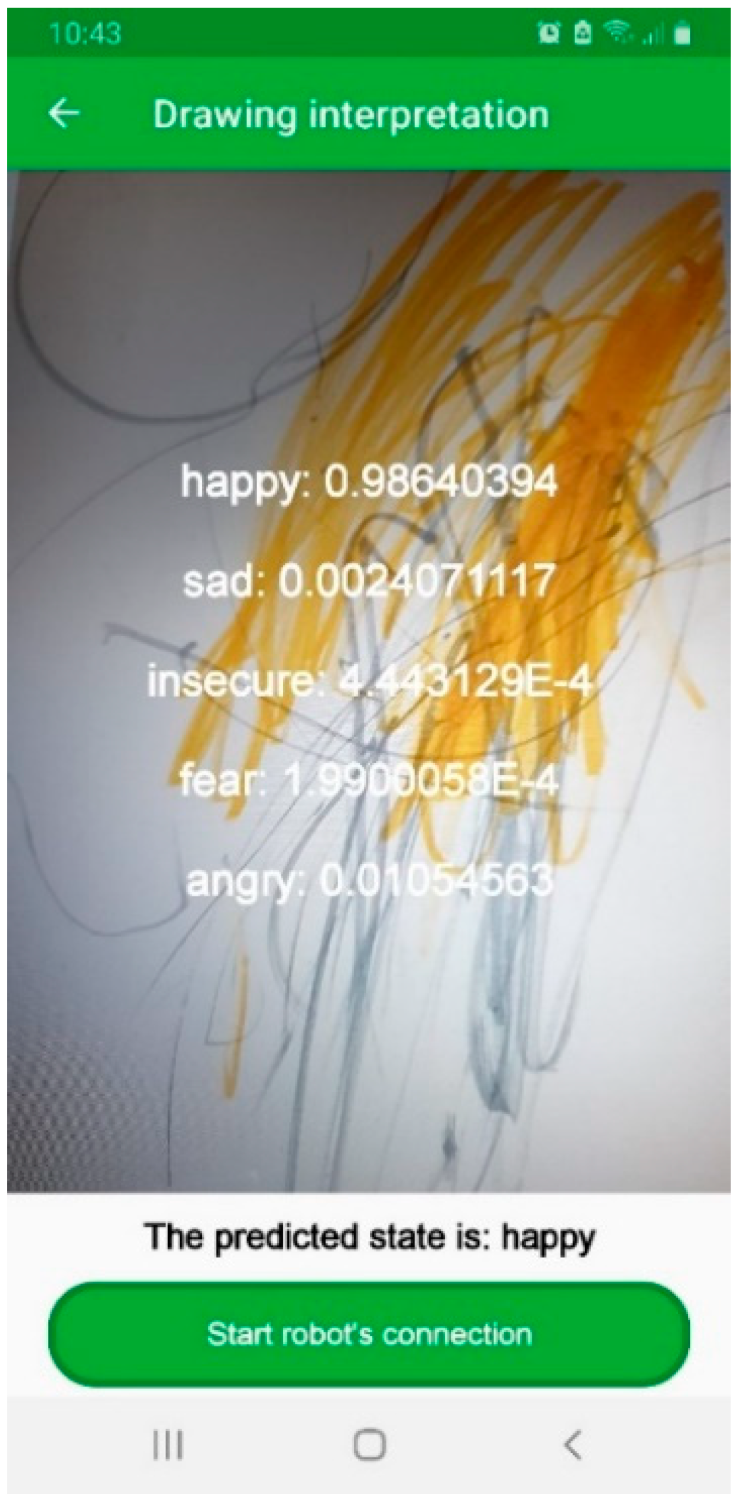
Figure 7 illustrates the prediction of the drawing, with the final output.
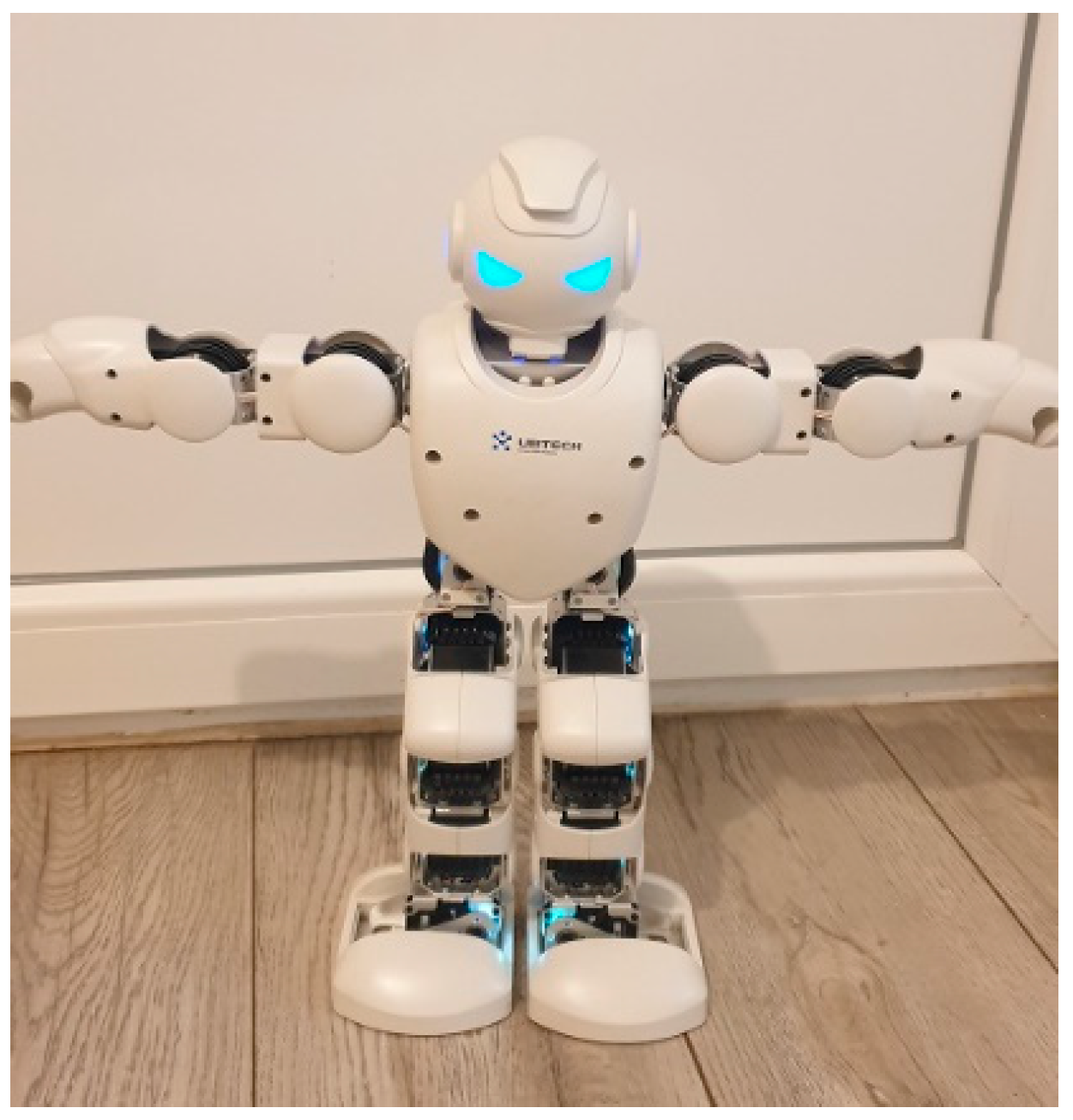
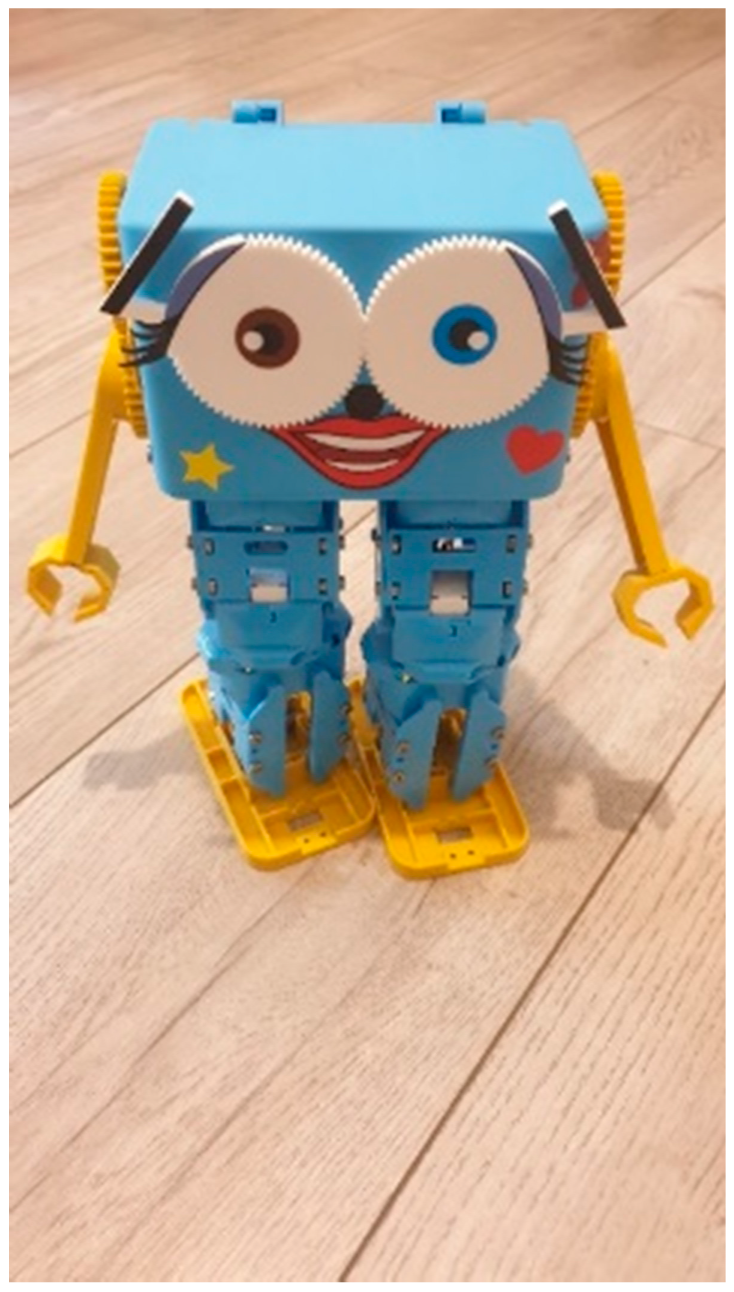
The output of the machine learning model is further sent to Marty [
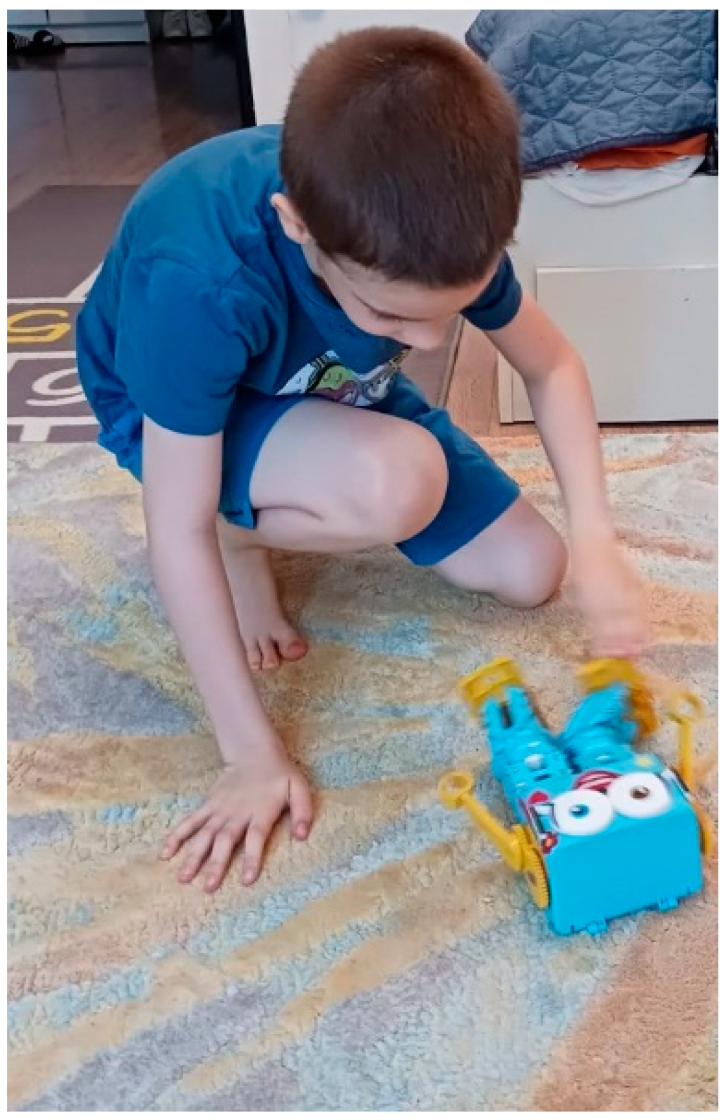
28] robot or Alpha 1P robot. In the next sections, will be presented the robot screen and the interaction with the robot Marty.
4. PandaSays Mobile Application and Accessibility Integration
Other important feature introduced in the PandaSays application is accessibility. According to World Health Organization, 15% of the world population represents people with disabilities [
29]. In this context we can distinguish six important areas of disability [
30]:
Vestibular balance disorder and seizures
Auditory impairments: Conductive hearing loss—happens when the natural movement of sound does not reach the inner ear.
Sensorineural hearing loss—occurs after inner ear damage.
Visual impairments: color blindness, eyesight loss (Diabetic retinopathy [
31], Glaucoma)
Motor impairments: amelia [
32], paralysis, broken arm, broken leg
Cognitive impairments—dyslexia, autism, memory problems, distractions.
Countries have their own standards regarding accessibility. For example, in United Stated of America, there is the law called “Section 508”, that enforces the existence of electronic devices are accessible for people with disabilities. In Europe, there is the “European Accessibility Act”, which represents a directive, aimed to create a legislative environment for accessibility conforming with the rules of Article 9 of the United Nation’s Convention on the Rights of Persons with Disabilities (CRPD) [
33].
To eliminate barriers for people with disabilities and in order to help them, it is crucial to have an accessible application. For making use of the accessibility service, the screen readers can help with reading the content from the application. “TalkBack” application is a screen reader for Android devices and “VoiceOver” is a screen reader for iOS devices.
According to “Web Content Accessibility Guidelines (WCAG) 2.0” [
34], the navigation across the screens should be implemented in the same way and also the layout. The grammar should be correct in the application/website and simple for people diagnosed with autism, in order for them to not get confused. Error messages should be provided and the refresh of the application or website should be avoided, if possible. Web Content Accessibility Principles are centered around a human approach regarding web design, having the acronym POUR (Perceivable, Operable, Understandable, Robust). Perceivable means that the content should be presented to the users in a way they understand it. Operable means that navigation and user interface should pe operable. Understandable refers to the information that is offered by the user interface must be easy to understand and robust principle refers to the fact that the content should be able to be interpreted by the assistive technology [
30].
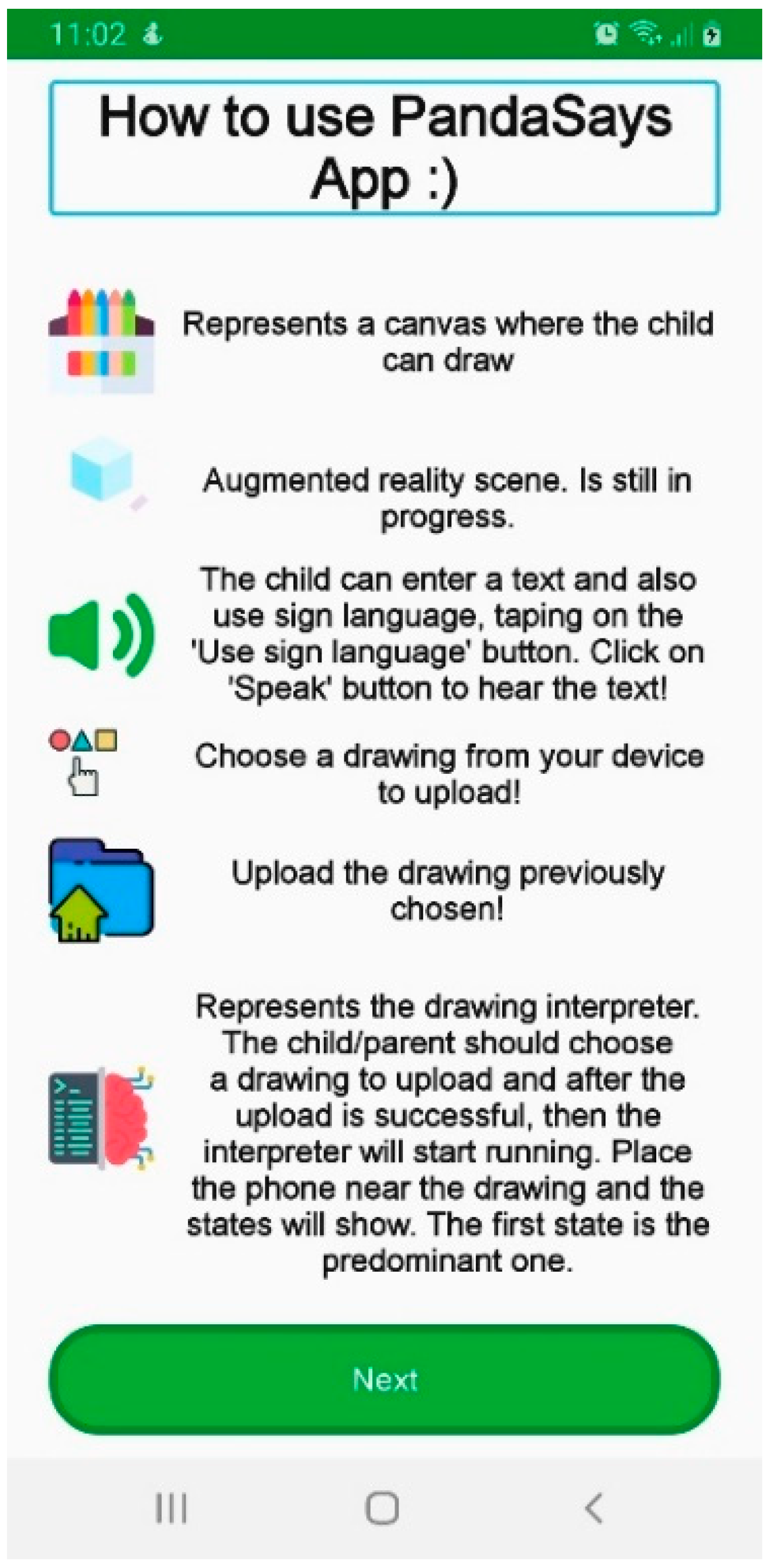
In
Figure 8, the “TalkBack” application is started and emphasizes the title “How to use PandaSays App”. The title has the role of “heading”. The button “Next” has the role of “button”.
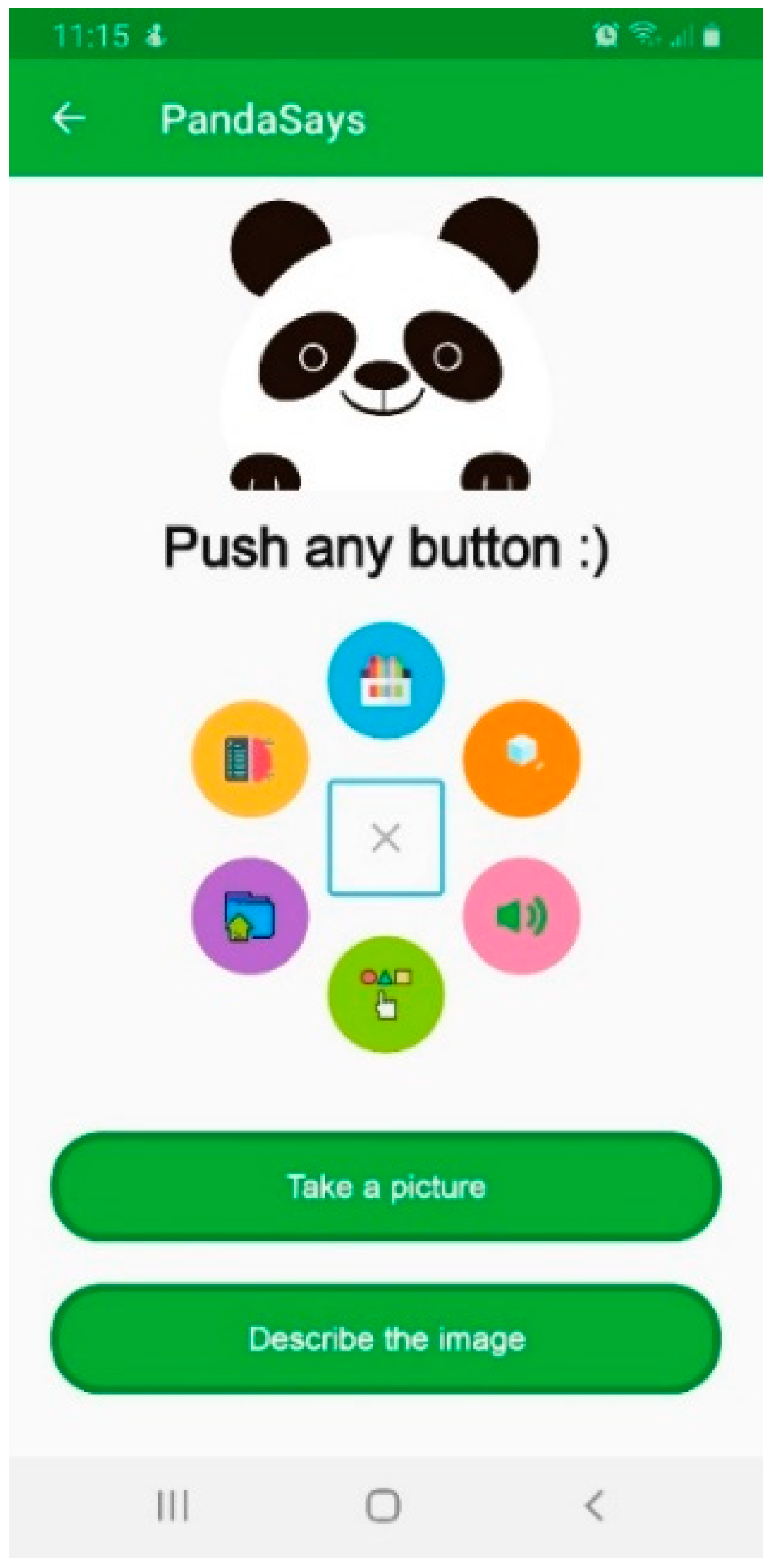
The menu screen is shown in
Figure 9 and represents a circle menu. By clicking the menu button, all screen options will be displayed. On the menu button, the accessibility label “Menu” can be observed. Each element from the menu has its own label, which is announced when it is focused. The elements announced by the accessibility screen reader are: “Draw”—presenting the drawing module, where the child can draw, “Augmented Reality”—representing the augmented reality screen-, “Text-to-Speech”—where the child can write and can use the Sign Language screen-, “Choose Image to upload”—for uploading an image-, “Upload Image”—upload an image/drawing—and “Interpret your Drawing”—representing the machine learning module-.
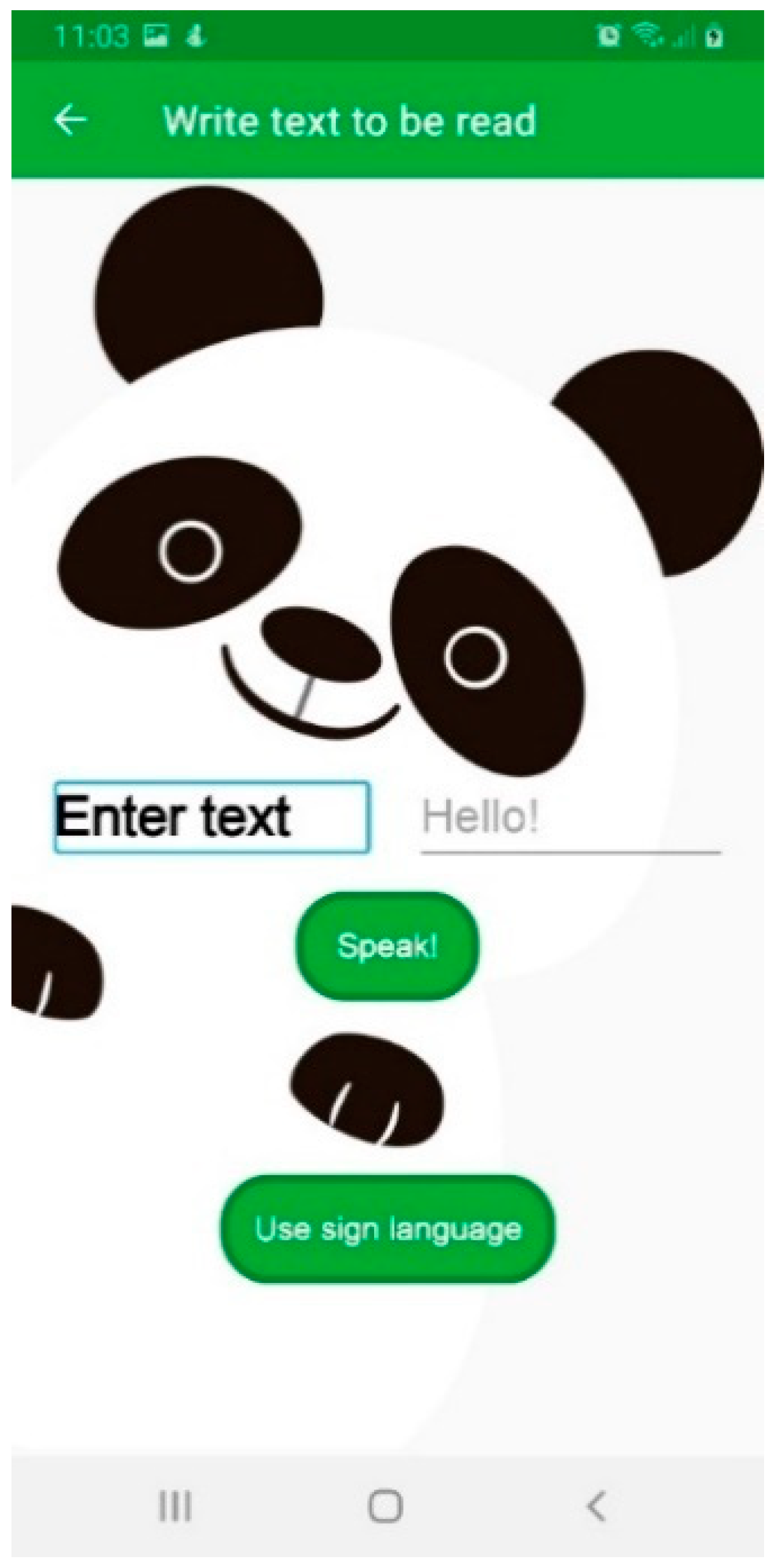
Figure 10 presents the “Text-to-Speech” screen, where it can be observed the text “Enter text” and, on the right of it, there is an edit text, with the hint “Hello!”. The editable text has the “textbox” role.
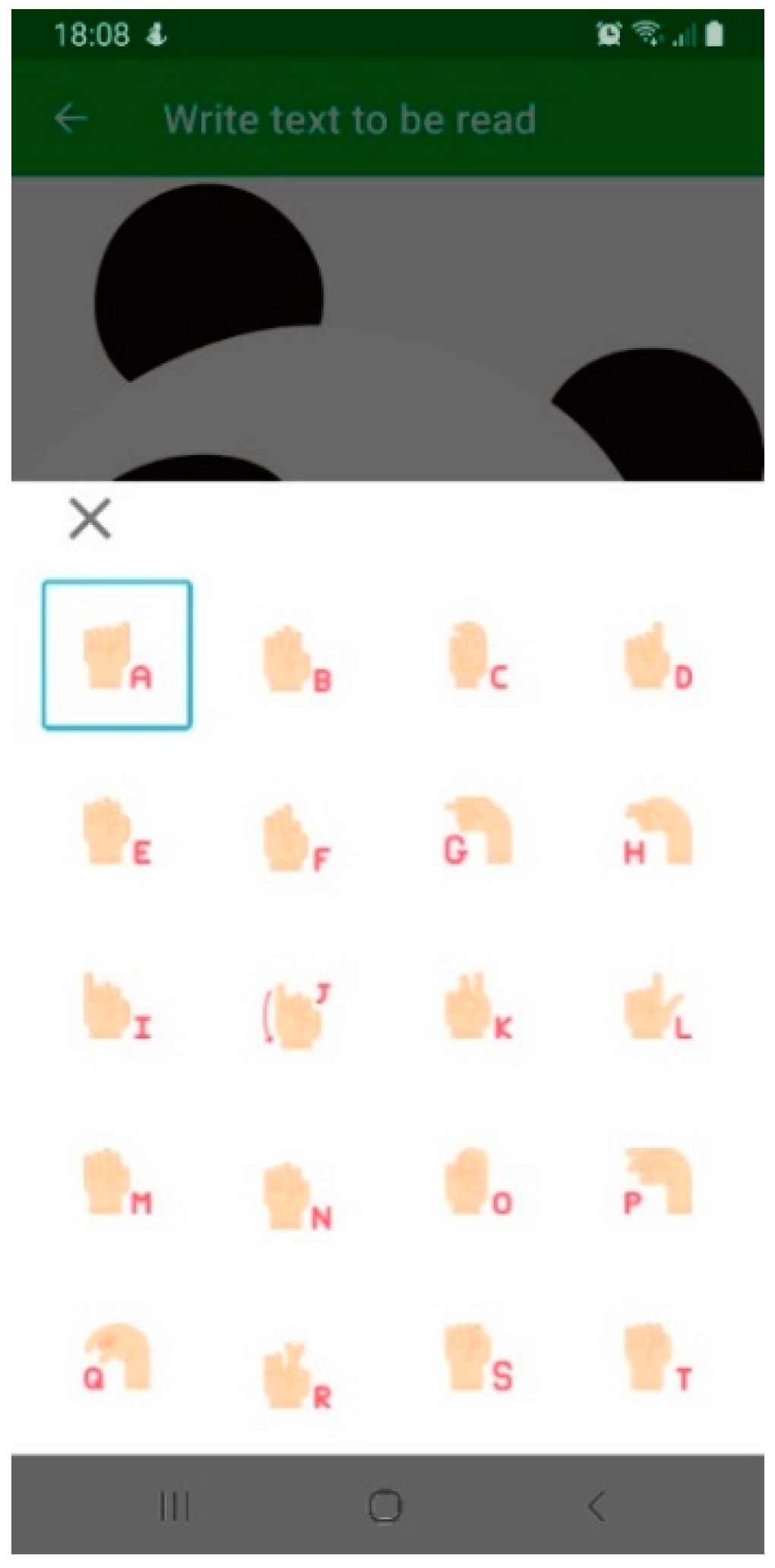
In
Figure 11, the “Sign language” screen is shown, easily being identified the letter “A”. Each letter has the role of a “button”, with a padding of 20 dp.
The font used is “Arial”, which is considered to be more appropriate for helping people with disabilities [
34]. The font size used for regular text is 16 sp (scalable pixels), for subtitle is 20 sp and for title is 24 sp; these dimensions are compliant with the ones recommended to be used for people with disabilities [
30].
Error messages are also important for making the application accessible and helping the user understand what is wrong and what he should do further [
34].
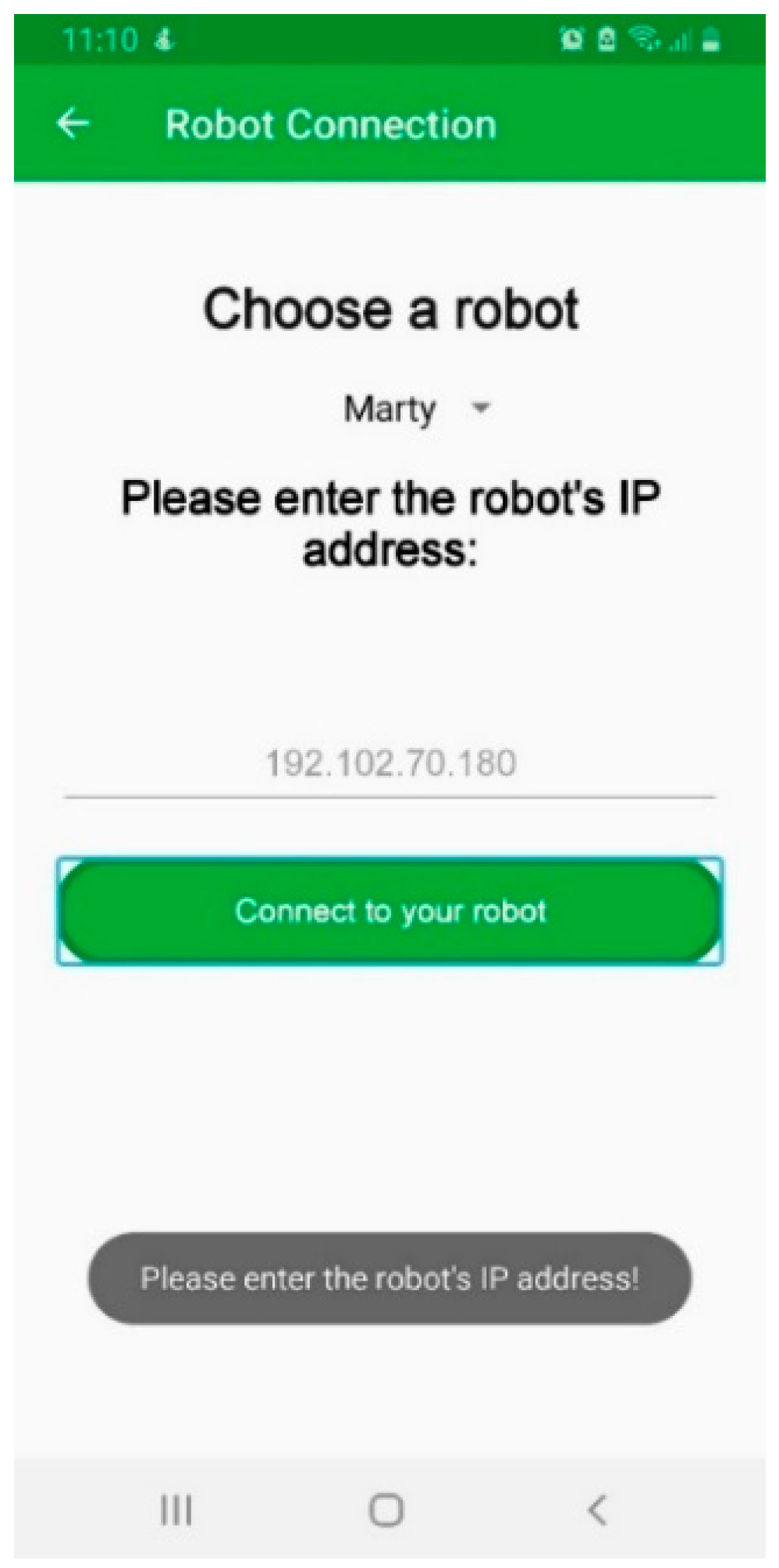
Figure 12 shows an error message, when the user has not introduced yet any IP address and clicks the button “Connect to your robot”.
It can be noticed that the text (written with black color) is readable against the background that is white. This is another important request in making the app accessible.
The images have a specific content description that is read by the Screen Reader, helping the user understand better the application’s functionality.
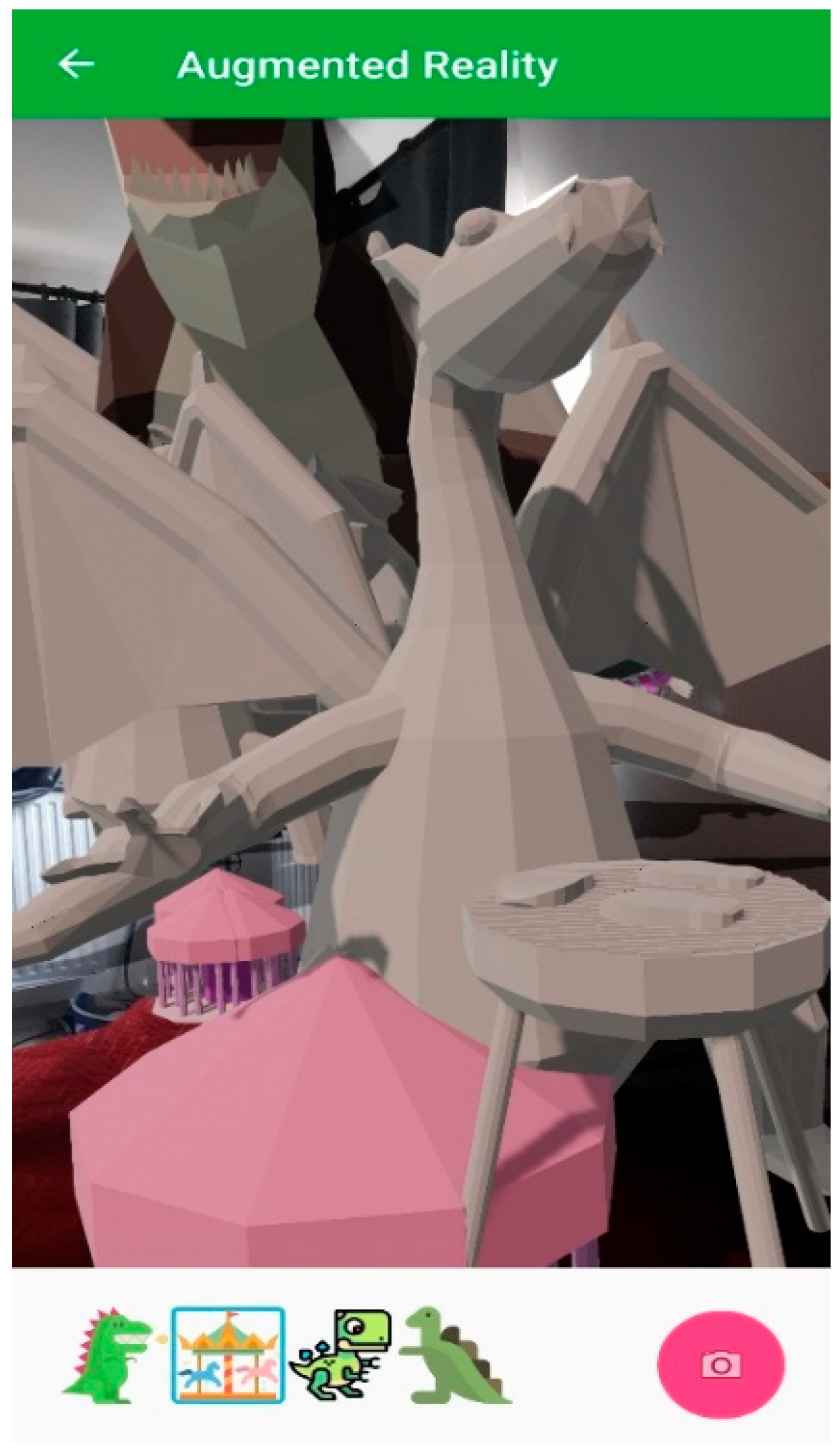
PandaSays application uses Google Play Services for AR (ARCore), provided by Google LLC and governed by the Google Privacy Policy. In
Figure 13 is presented the augmented reality module. The screen reader focuses the carousel icon, having the content description of “carousel”, which is being read by the accessibility service. The other icons, have the content description of “dinosaur”, and they all have the accessibility role of “button”.