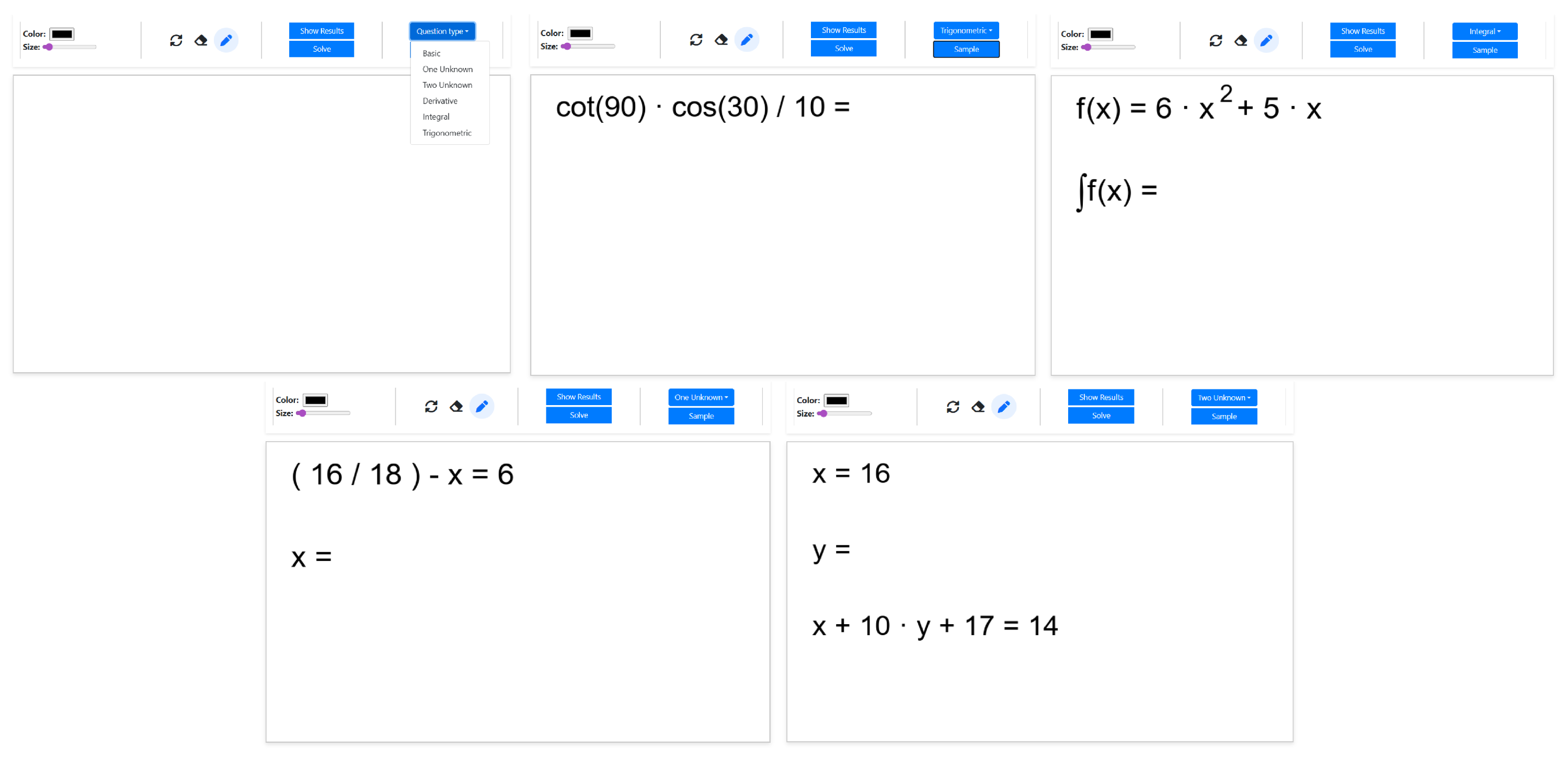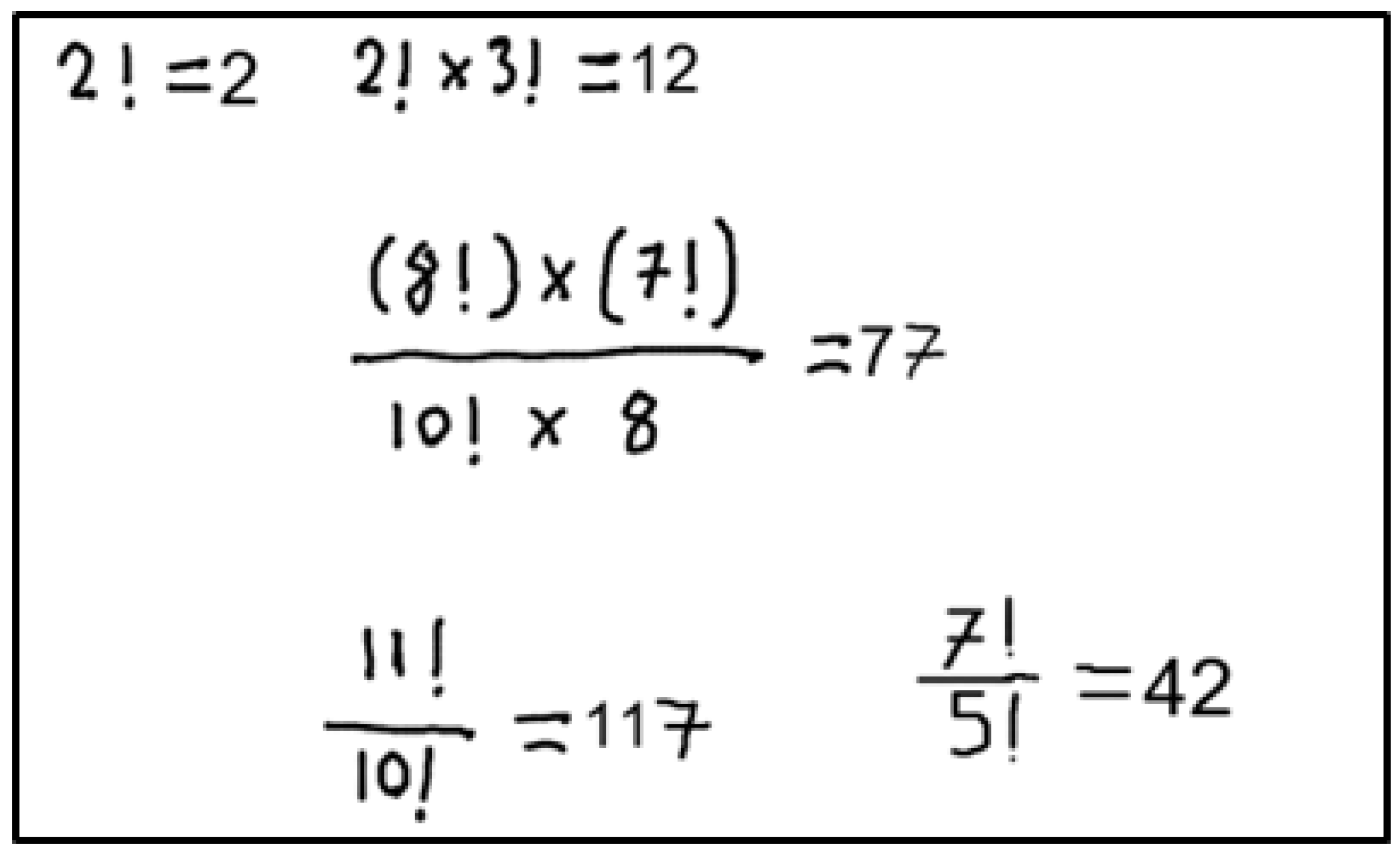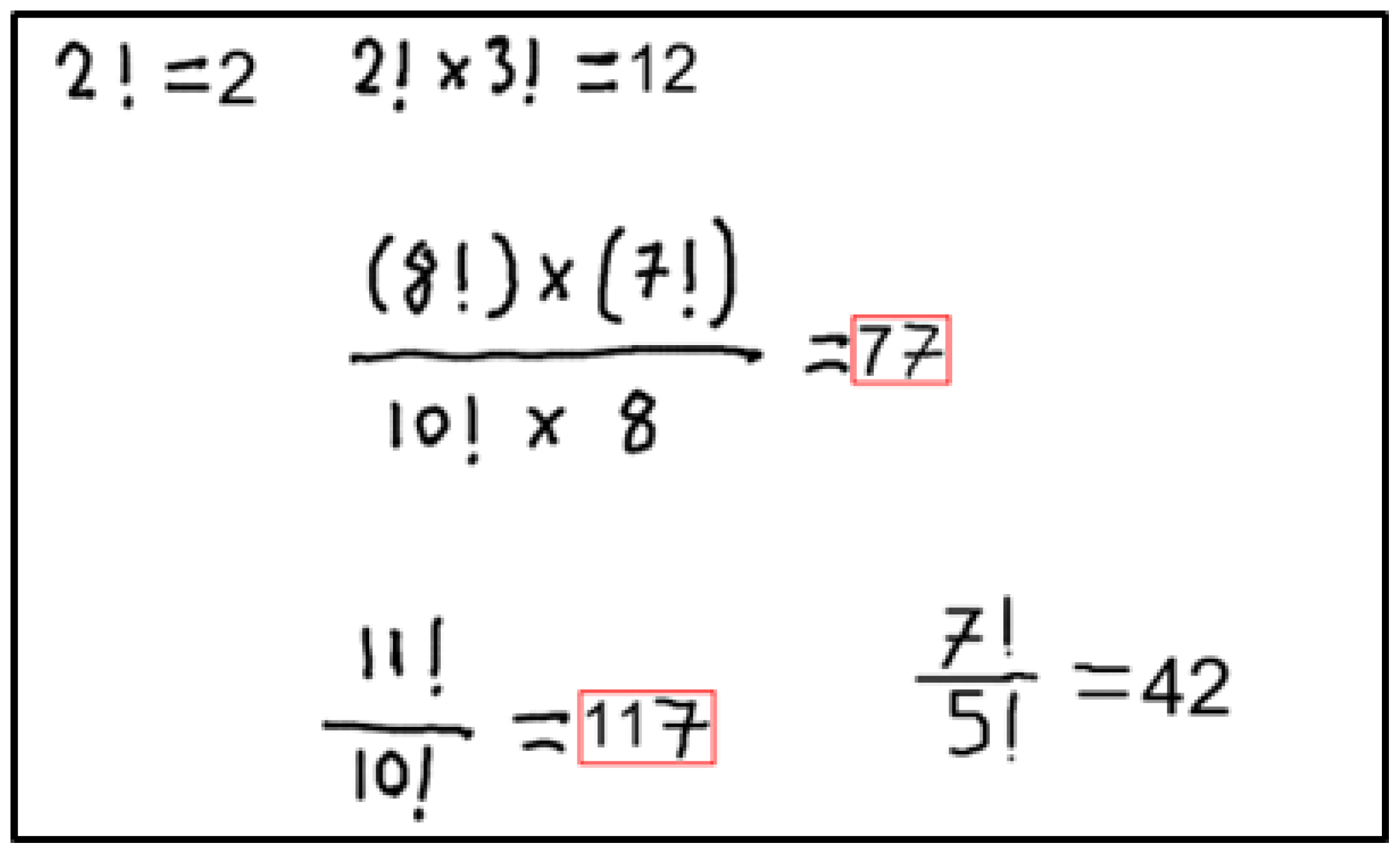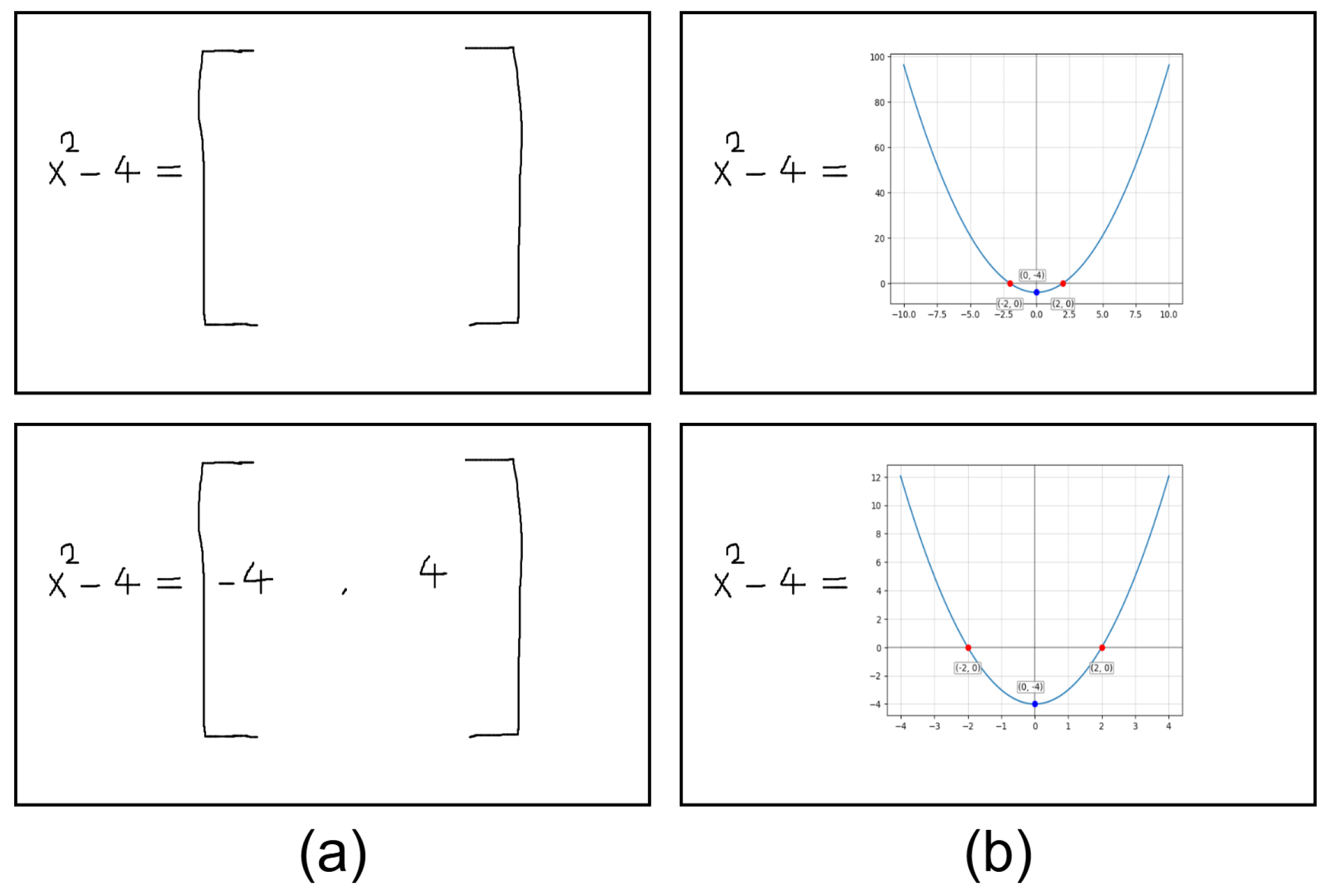



Handwriting-Based Mathematical Assistant Software System Using Computer Vision Methods


Abstract
1. Introduction
- Integration of AI in education: A system that solves mathematical equations quickly, checks users’ results, and produces the function graph visually has been proposed. The system will support users in learning mathematics and performing complex operations efficiently.
- Self-designed Image processing Algorithms: The algorithms were developed to determine which equation the input characters belong to, as described in detail in the methodology section. These approaches can also be generalized to other problems that require image preprocessing.
- Hybrid usage of deep learning and rule-based method: Mathematical characters were first classified using CNN networks, then, using rule-based approaches, classification performance improved. These hybrid approaches can inspire other applications.
2. Related Works
2.1. Contour-Based Character Classification
2.2. Mathematical Assistant Systems
3. Methodology
3.1. Character and Section Detection Algorithm
| Algorithm 1 Section Extraction Procedure |
|
| Algorithm 2 Character Detection Procedure |
|
3.2. Statement Detection Algorithm
| Algorithm 3 Statement Operator Detection |
|
| Algorithm 4 Statement Expansion and Rotation Correction |
|
3.2.1. Slope Angle Calculation Algorithm
3.2.2. Distance Calculation
3.3. Applying Predefined Rules
3.4. Statement Solving Algorithm
| Algorithm 5 Statement Solving: Statement Parsing and Preparation |
|
| Algorithm 6 Statement Solving: Equation Solving and Output Generation |
|
3.5. Random Question Generation
3.6. Data Storage Mechanism
4. Experimental Results
4.1. Dataset and Data Preparation
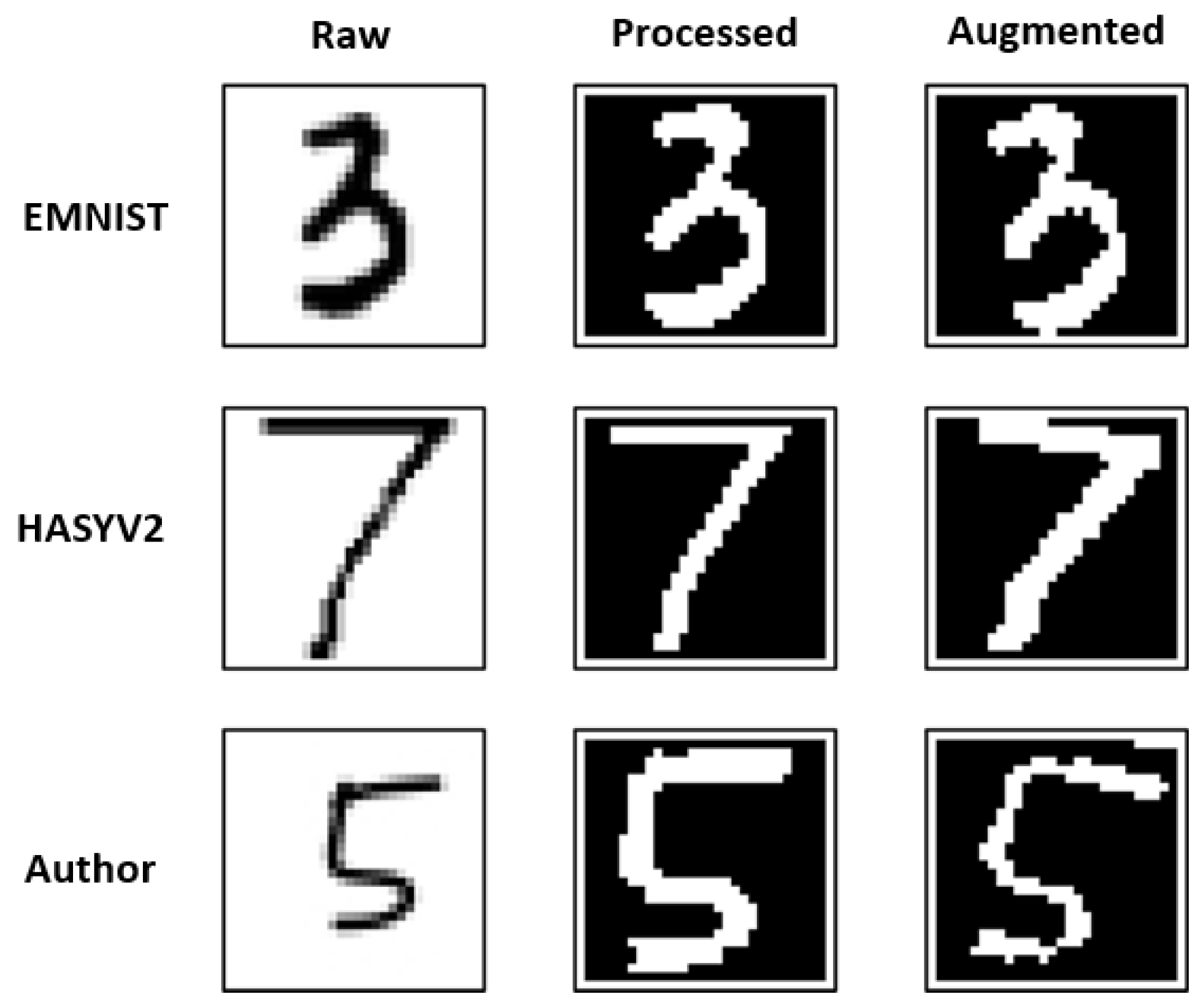
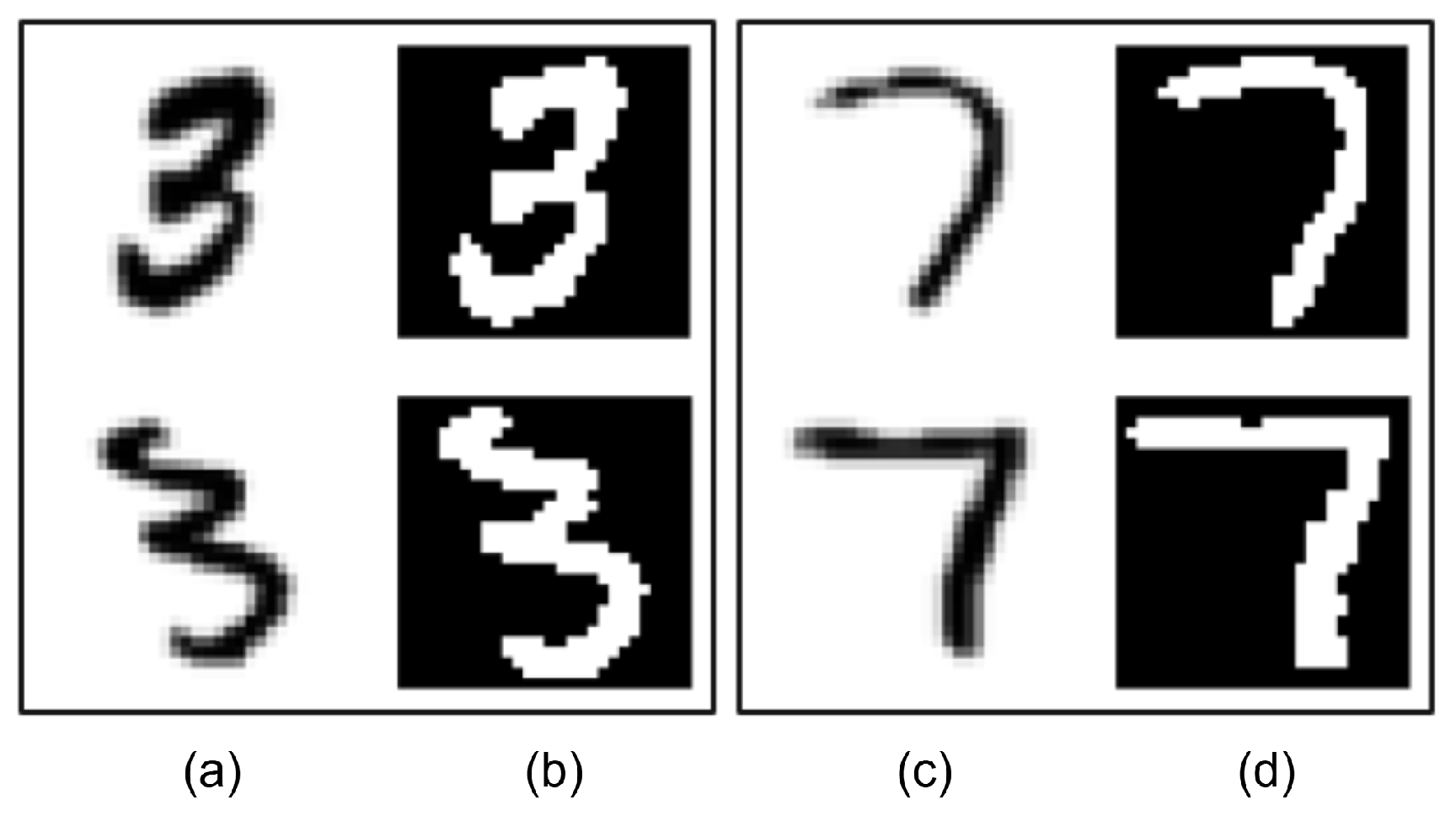
4.2. Image Preprocessing
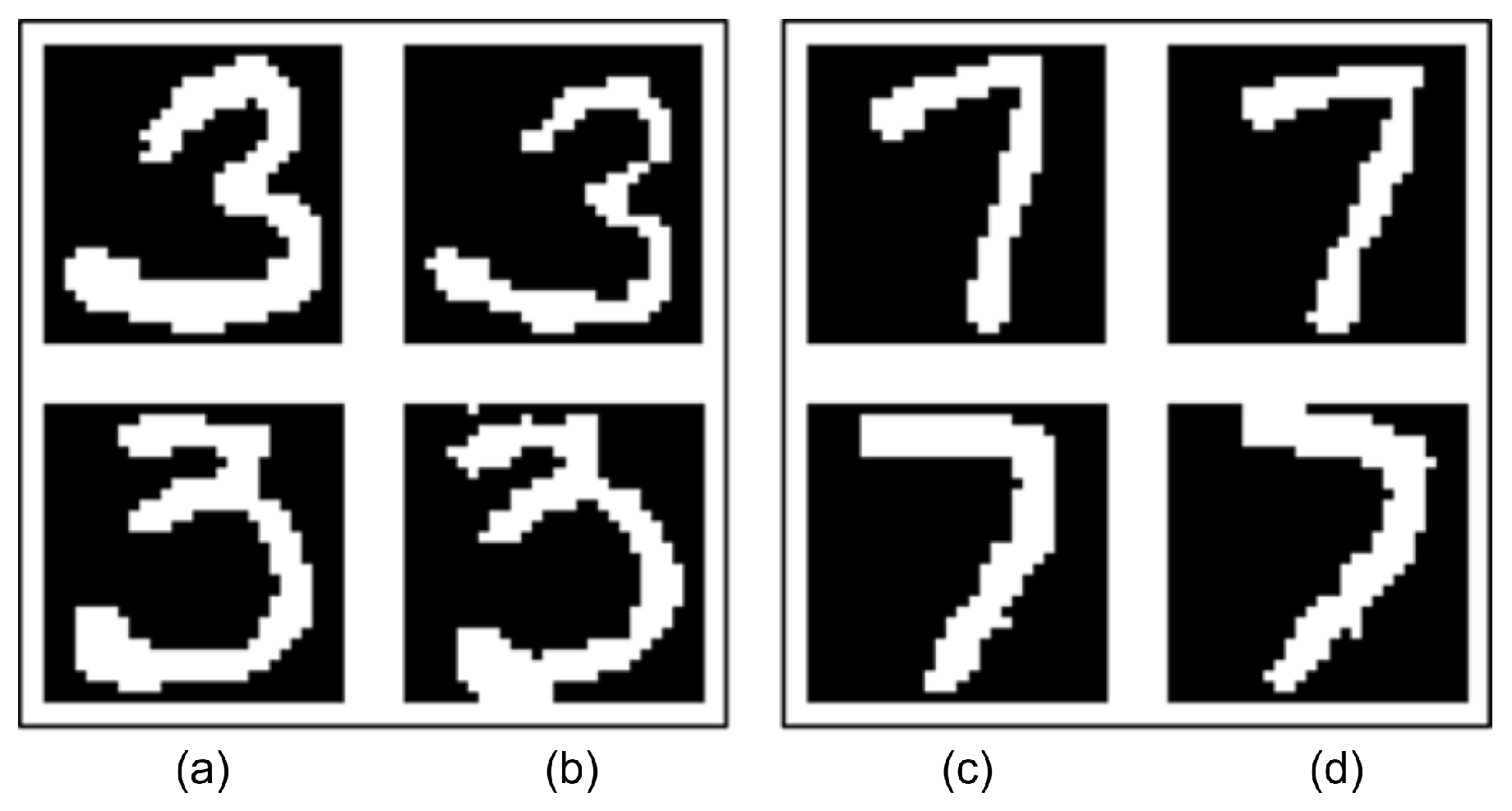
4.3. Image Augmentation
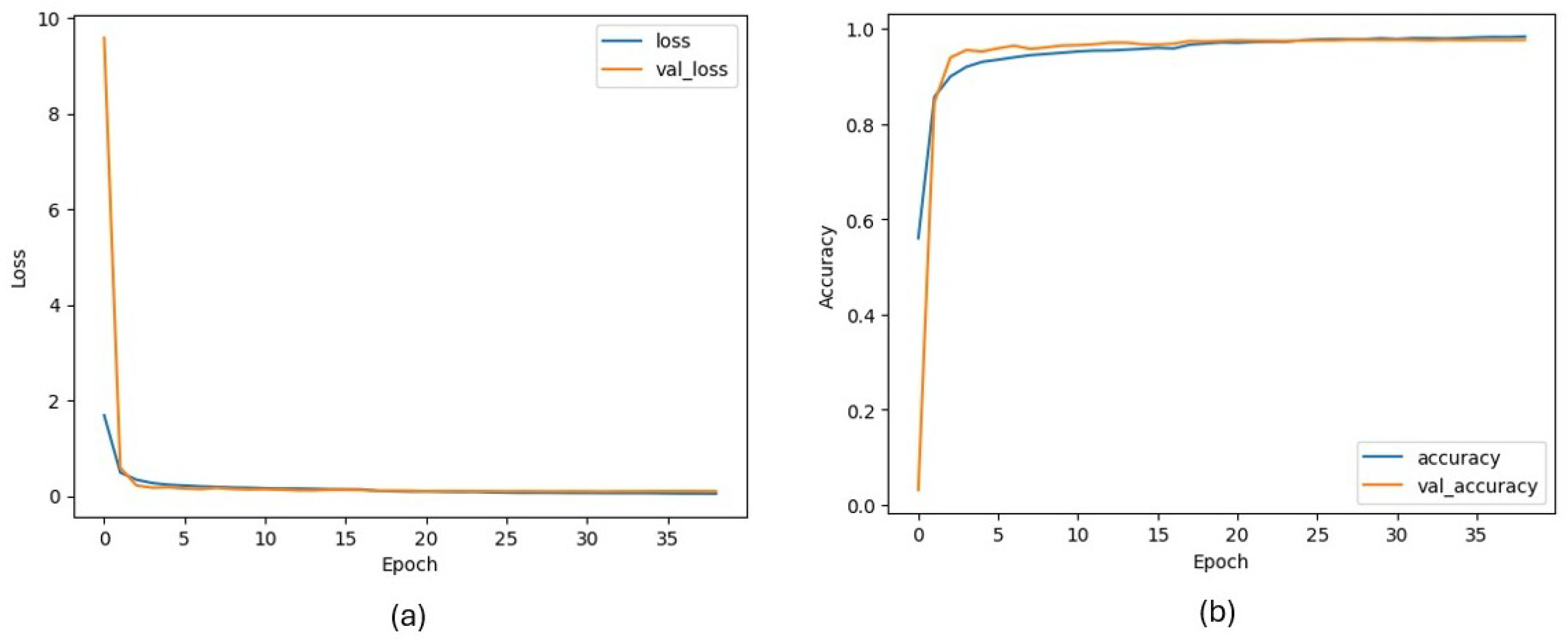
4.4. CNN Model Training Results for Character Classification Task
4.5. Comparative Evaluation with Classical and Deep Learning Models
4.6. Final Character Classification Results
4.7. Section Detection Results
4.8. Statement Detection Results
4.9. System Results and Real-World Examples
5. Discussion
5.1. Powerful Points
5.2. Weak Points
5.3. Comparison with Generative AI Approaches
5.4. Comparison with Existing Studies and Systems

| System/Study | Type | Section-Based Local Analysis | Graph | Error Detection | Notes |
|---|---|---|---|---|---|
| MyScript Math [49] | Commercial | X | ✓ | X | Section-based analysis and error warnings unavailable; operates on a single formula; limited support for italic characters. |
| CNN [28] | Academic | X | X | X | Solves basic equations and trigonometric functions; requires image upload; italic characters not recognized. |
| CNN-based approach [26,27] | Academic | X | X | X | Supports only single equations; no section-based evaluation. |
| Image processing approach [31] | Academic | X | X | X | Solves single handwritten equations using grayscale conversion, thresholding, and contour cropping. |
| CNN-KNN hybrid [32] | Academic | X | X | X | Designed for handwritten physics symbol classification; does not analyze mathematical expressions. |
| Proposed | Academic | ✓ | ✓ | ✓ | Users can perform multiple operations in different boxes on the same page; variables remain independent. |
5.5. Implication in Education
5.6. Future Directions
6. Conclusions
Author Contributions
Funding
Data Availability Statement
Conflicts of Interest
Appendix A. User Evaluation Summary
| User | Age | Status | Score | Comment |
|---|---|---|---|---|
| User 1 | 23 | Used | Liked using the system and found it helpful. | |
| User 2 | 21 | Used | Had a good experience; thought the tool worked well. | |
| User 3 | 45 | Used | Was happy with the system and found it useful. | |
| User 4 | 52 | Used | Had some trouble using the system; needs improvements. | |
| User 5 | 55 | Used | Did not fully enjoy the experience; found parts unclear. | |
| User 6 | 14 | Used | Enjoyed the tool and used it comfortably. | |
| User 7 | 48 | Used | Thought the system was okay but not necessary. | |
| User 8 | 50 | Used | Good experience; found the tool easy to understand. | |
| User 9 | 24 | Used | Liked the system; everything worked as expected. | |
| User 10 | 32 | Used | An average experience; some features could be better. | |
| User 11 | 10 | Just Saw | Loved the idea. | |
| User 12 | 12 | Just Saw | Very impressed and thought the idea was great. | |
| User 13 | 9 | Just Saw | Loved the idea. |
References
- Trung, D.N. Developing Abstracting and Generalizing Thinking for Middle School Students in Teaching the Topic of Equations and Non-Equations. Int. J. Soc. Sci. Hum. Res. 2024, 2383–2389, e2025194. [Google Scholar] [CrossRef] [Scilit]
- Zakariyah, S. Foundation Mathematics for Engineers and Scientists with Worked Examples; Routledge: London, UK, 2024. [Google Scholar] [CrossRef] [Scilit]
- Muller, R.H. The Role of Mathematics in Science. Anal. Chem. 1964, 36, 103A. [Google Scholar] [CrossRef] [Scilit]
- Langoban, M. What Makes Mathematics Difficult as a Subject for most Students in Higher Education? Int. J. Engl. Educ. 2020, 9, 214–220. [Google Scholar]
- Menon, V.; Chang, H. Emerging neurodevelopmental perspectives on mathematical learning. Dev. Rev. 2021, 60, 100964. [Google Scholar] [CrossRef] [Scilit]
- Abd Algani, Y.M. Solving Mathematics Anxiety, Lack of Confidence and Negative Attitude with Artificial Intelligence Models: Insights from Stakeholders. J. Math. Educ. Teach. Pract. 2024, 5, 89–100. [Google Scholar] [CrossRef]
- Li, Q.; Cho, H.; Cosso, J.; Maeda, Y. Relations Between Students’ Mathematics Anxiety and Motivation to Learn Mathematics: A Meta-Analysis. Educ. Psychol. Rev. 2021, 33, 1017–1049. [Google Scholar] [CrossRef] [Scilit]
- Gabriel, F.; Buckley, S.; Barthakur, A. The impact of mathematics anxiety on self-regulated learning and mathematical literacy. Aust. J. Educ. 2020, 64, 227–242. [Google Scholar] [CrossRef] [Scilit]
- Wang, B.; Peng, Y.; Cao, Z. How Chinese Undergraduate Students’ Perceptions of Assessment for Learning Influence Their Responsibility for First-Year Mathematics Courses. Mathematics 2024, 12, 274. [Google Scholar] [CrossRef] [Scilit]
- Tan, L.Y.; Hu, S.; Yeo, D.J.; Cheong, K.H. A Comprehensive Review on Automated Grading Systems in STEM Using AI Techniques. Mathematics 2025, 13, 2828. [Google Scholar] [CrossRef] [Scilit]
- Zhang, L. Comparison and Competition of Traditional and Visualized Secondary Mathematics Education Approaches: Random Sampling and Mathematical Models Under Neural Network Approach. Mathematics 2025, 13, 2793. [Google Scholar] [CrossRef] [Scilit]
- Bekiaris, E.; Panou, M.; Kalogirou, K. Ambient intelligence in driving simulation for training young drivers. In Proceedings of the Road Safety on Four Continents: 15th International Conference, Abu Dhabi, United Arab Emirates, 28–30 March 2010; Volume 15, pp. 645–652. [Google Scholar]
- Öztel, İ.; Öz, C. Traffic Education for Inexperienced Drivers with Virtual Driving Simulator. Sak. Univ. J. Comput. Inf. Sci. 2019, 2, 82–88. [Google Scholar] [CrossRef] [Scilit]
- Boboc, R.G.; Butilă, E.V.; Butnariu, S. Leveraging Wearable Sensors in Virtual Reality Driving Simulators: A Review of Techniques and Applications. Sensors 2024, 24, 4417. [Google Scholar] [CrossRef] [Scilit] [PubMed]
- Murtaza, M.; Ahmed, Y.; Shamsi, J.A.; Sherwani, F.; Usman, M. AI-Based Personalized E-Learning Systems: Issues, Challenges, and Solutions. IEEE Access 2022, 10, 81323–81342. [Google Scholar] [CrossRef] [Scilit]
- Masters, K. Artificial intelligence in medical education. Med. Teach. 2019, 41, 976–980. [Google Scholar] [CrossRef] [Scilit] [PubMed]
- Xu, Y.; Jiang, Z.; Ting, D.S.W.; Kow, A.W.C.; Bello, F.; Car, J.; Tham, Y.C.; Wong, T.Y. Medical education and physician training in the era of artificial intelligence. Singap. Med. J. 2024, 65, 159–166. [Google Scholar] [CrossRef] [Scilit] [PubMed]
- Baskaya, Y.H.; Yolcu, B.; Kaymak, Z.D.; Akyaman, S.; Turan, Z.; Çit, G. Effects of beef tongue and virtual reality in episiotomy training on self-efficacy and anxiety in midwifery students: Randomized controlled trial. Clin. Simul. Nurs. 2025, 107, 101817. [Google Scholar] [CrossRef] [Scilit]
- Demir-Kaymak, Z.; Turan, Z.; Çit, G.; Akyaman, S. Midwifery students’ opinions about episiotomy training and using virtual reality: A qualitative study. Nurse Educ. Today 2024, 132, 106013. [Google Scholar] [CrossRef] [Scilit] [PubMed]
- Çit, G.; Ayar, K.; Öz, C. A real-time virtual sculpting application by using an optimized hash-based octree. Turk. J. Electr. Eng. Comput. Sci. 2016, 24, 2274–2289. [Google Scholar] [CrossRef] [Scilit]
- Opesemowo, O.A.G. Artificial Intelligence in Mathematics Education: The Pros and Cons. In Encyclopedia of Information Science and Technology, 6th ed.; IGI Global: Palmdale, PA, USA, 2024; pp. 1–18. [Google Scholar] [CrossRef] [Scilit]
- He, Y.H. AI-driven research in pure mathematics and theoretical physics. Nat. Rev. Phys. 2024, 6, 546–553. [Google Scholar] [CrossRef] [Scilit]
- Kretzschmar, V.; Sailer, A.; Wertenauer, M.; Seitz, J. Enhanced Educational Experiences through Personalized and AI-based Learning. Int. J. Stud. Educ. 2024, 6, 191–209. [Google Scholar] [CrossRef] [Scilit]
- We Are Teachers Staff. 4 Strategies to Help Kids Understand Math Using Visualization. 2016. Available online: https://www.weareteachers.com/4-strategies-to-help-kids-understand-math-using-visualization/ (accessed on 26 April 2016).
- Rif’at, M.; Sudiansyah, S.; Imama, K. Role of visual abilities in mathematics learning: An analysis of conceptual representation. Al-Jabar J. Pendidik. Mat. 2024, 15, 87–97. [Google Scholar] [CrossRef] [Scilit]
- Narayan, A.; Muthalagu, R. Image Character Recognition using Convolutional Neural Networks. In Proceedings of the 2021 Seventh International Conference on Bio Signals, Images, and Instrumentation (ICBSII), Chennai, India, 25–27 March 2021; pp. 1–5. [Google Scholar] [CrossRef] [Scilit]
- Droby, A.; El-Sana, J. ContourCNN: Convolutional neural network for contour data classification. In Proceedings of the 2021 International Conference on Electrical, Computer, Communications and Mechatronics Engineering (ICECCME), Mauritius, 7–8 October 2021; pp. 1–7. [Google Scholar] [CrossRef] [Scilit]
- Patil, A.; Varma, T. Handwritten Mathematical Expression Solver using CNN. Int. J. Res. Appl. Sci. Eng. Technol. 2022, 10, 1205–1211. [Google Scholar] [CrossRef] [Scilit]
- Chebli, A. The Effect of Time Variables as Predictors of Senior Secondary School Students’ Mathematical Performance Department of Mathematics Education Freetown Polytechnic. Int. J. Innov. Sci. Res. Technol. 2024, 9, 606–612. [Google Scholar] [CrossRef] [Scilit]
- Nagaraju, S.P.; Munnangi, V.; Murari, W.; Nandika, S.; Munaganti, V. Handwritten Calculator Using Optical Character Recognition (OCR). Int. J. Sci. Res. Eng. Dev. 2025, 8, 1926–1933. [Google Scholar]
- Nandish, M.; Ananya, B.; Bhumika, H.C.; Dimple, N.; Darshan, H.Y. CNN based Recognition of Handwritten Mathematical Expression. Int. J. Res. Appl. Sci. Eng. Technol. 2025, 13, 2001–2006. [Google Scholar] [CrossRef] [Scilit]
- Kolte, U.; Naik, S.; Kumbhar, V. A CNN-KNN Based Recognition of Online Handwritten Symbols within Physics Expressions Using Contour-Based Bounding Box (CBBS) Segmentation Technique. J. Comput. Sci. 2024, 20, 783–792. [Google Scholar] [CrossRef] [Scilit]
- Pereira Júnior, C.; Rodrigues, L.; Costa, N.; Macario Filho, V.; Mello, R. Can VLM Understand Children’s Handwriting? An Analysis on Handwritten Mathematical Equation Recognition. In Artificial Intelligence in Education. Posters and Late Breaking Results, Workshops and Tutorials, Industry and Innovation Tracks, Practitioners, Doctoral Consortium and Blue Sky, Proceedings of the 25th International Conference, AIED 2024, Recife, Brazil, 8–12 July 2024; Olney, A.M., Chounta, I.A., Liu, Z., Santos, O.C., Bittencourt, I.I., Eds.; Springer: Cham, Switzerland, 2024; pp. 321–328. [Google Scholar]
- Guan, T.; Lin, C.; Shen, W.; Yang, X. PosFormer: Recognizing Complex Handwritten Mathematical Expression with Position Forest Transformer. In Computer Vision—ECCV 2024, Proceedings of the 18th European Conference, Milan, Italy, 29 September–4 October 2024; Leonardis, A., Ricci, E., Roth, S., Russakovsky, O., Sattler, T., Varol, G., Eds.; Springer: Cham, Switzerland, 2025; pp. 130–147. [Google Scholar]
- Lin, Z.; Li, J.; Dai, G.; Chen, T.; Huang, S.; Lin, J. Contrastive representation enhancement and learning for handwritten mathematical expression recognition. Pattern Recognit. Lett. 2024, 186, 14–20. [Google Scholar] [CrossRef] [Scilit]
- Sympy Documentation. Welcome to SymPy’s Documentation. 2025. Available online: https://docs.sympy.org/latest/index.html (accessed on 19 October 2025).
- Cohen, G.; Afshar, S.; Tapson, J.; Van Schaik, A. EMNIST: Extending MNIST to handwritten letters. IEEE Trans. Pattern Anal. Mach. Intell. 2017, 39, 2725–2739. [Google Scholar] [CrossRef] [Scilit]
- Thoma, M. The HASYv2 dataset. In Proceedings of the 25th International Conference on Pattern Recognition (ICPR), Beijing, China, 10–14 December 2017; pp. 1–6. [Google Scholar] [CrossRef] [Scilit]
- Tendilla, S.E.; Dumago, I.R.R.; Atienza, F.A.L.; Cortez, D.M.A. An Enhancement of Optical Character Recognition (OCR) Algorithm Applied in Translating Signages to Filipino. Proc. Int. Conf. Electr. Eng. Inform. 2024, 1, 32. [Google Scholar] [CrossRef]
- Akinbade, D.; Ogunde, A.O.; Odim, M.O.; Oguntunde, B.O. An Adaptive Thresholding Algorithm-Based Optical Character Recognition System for Information Extraction in Complex Images. J. Comput. Sci. 2020, 16, 784–801. [Google Scholar] [CrossRef] [Scilit]
- Bradski, G. The OpenCV Library. Dr. Dobb’s J. Softw. Tools 2000, 25, 120–123. [Google Scholar]
- Soille, P. Erosion and Dilation. In Morphological Image Analysis: Principles and Applications; Springer: Berlin/Heidelberg, Germany, 2004; pp. 63–103. [Google Scholar] [CrossRef] [Scilit]
- Yolcu, G.; Oztel, I.; Kazan, S.; Oz, C.; Bunyak, F. Deep learning-based face analysis system for monitoring customer interest. J. Ambient Intell. Humaniz. Comput. 2019, 11, 237–248. [Google Scholar] [CrossRef] [Scilit]
- Sahin, V.H.; Oztel, I.; Yolcu Oztel, G. Human Monkeypox Classification from Skin Lesion Images with Deep Pre-trained Network using Mobile Application. J. Med. Syst. 2022, 46, 79. [Google Scholar] [CrossRef] [Scilit] [PubMed]
- Oztel, I.; Yolcu Oztel, G.; Sahin, V.H. Deep Learning-Based Skin Diseases Classification using Smartphones. Adv. Intell. Syst. 2023, 5, 2300211. [Google Scholar] [CrossRef] [Scilit]
- Oztel, I. Ensemble Deep Learning Approach for Brain Tumor Classification Using Vision Transformer and Convolutional Neural Network. Adv. Intell. Syst. 2025, 7, 2500393. [Google Scholar] [CrossRef] [Scilit]
- Krizhevsky, A.; Sharang, J.; Team, M. Mathpix: A System for Recognizing Handwritten Mathematical Expressions. arXiv 2016, arXiv:1604.00788. [Google Scholar]
- Deng, Y.; Kanervisto, A.; Ling, J. Image-to-Markup Generation with Coarse-to-Fine Attention. In Proceedings of the 34th International Conference on Machine Learning (ICML), Sydney, Australia, 6–11 August 2017; pp. 980–989. [Google Scholar]
- Using Math Equations and Formulas—help.myscript.com. Available online: https://help.myscript.com/notes/create-content/math/ (accessed on 23 November 2025).




| Layer | Type | Kernel | Filters/Units | Input Size | Output Size |
|---|---|---|---|---|---|
| conv1-1 | Conv2D | 3 × 3 | 64 | 32 × 32 × 1 | 30 × 30 × 64 |
| dropout1 | Dropout | – | – | 30 × 30 × 64 | 30 × 30 × 64 |
| conv1-2 | Conv2D | 5 × 5 (same) | 64 | 30 × 30 × 64 | 30 × 30 × 64 |
| batchnorm1 | BatchNorm | – | – | 30 × 30 × 64 | 30 × 30 × 64 |
| pool1 | MaxPool | 2 × 2 | – | 30 × 30 × 64 | 15 × 15 × 64 |
| dropout2 | Dropout | – | – | 15 × 15 × 64 | 15 × 15 × 64 |
| conv2-1 | Conv2D | 3 × 3 | 128 | 15 × 15 × 64 | 13 × 13 × 128 |
| dropout3 | Dropout | – | – | 13 × 13 × 128 | 13 × 13 × 128 |
| conv2-2 | Conv2D | 5 × 5 (same) | 128 | 13 × 13 × 128 | 13 × 13 × 128 |
| batchnorm2 | BatchNorm | – | – | 13 × 13 × 128 | 13 × 13 × 128 |
| pool2 | MaxPool | 2 × 2 | – | 13 × 13 × 128 | 6 × 6 × 128 |
| dropout4 | Dropout | – | – | 6 × 6 × 128 | 6 × 6 × 128 |
| conv3-1 | Conv2D | 3 × 3 | 256 | 6 × 6 × 128 | 4 × 4 × 256 |
| dropout5 | Dropout | – | – | 4 × 4 × 256 | 4 × 4 × 256 |
| conv3-2 | Conv2D | 3 × 3 | 256 | 4 × 4 × 256 | 2 × 2 × 256 |
| batchnorm3 | BatchNorm | – | – | 2 × 2 × 256 | 2 × 2 × 256 |
| dropout6 | Dropout | – | – | 2 × 2 × 256 | 2 × 2 × 256 |
| flatten | Flatten | – | – | 2 × 2 × 256 | 1024 |
| dense1 | Dense | – | 1024 | 1024 | 1024 |
| dropout7 | Dropout | – | – | 1024 | 1024 |
| output | Dense (Softmax) | – | 49 | 1024 | 49 |
| Parameter | Value |
|---|---|
| Batch Size | 128 |
| Epoch | 200 |
| Model Input Shape | (32, 32, 1) |
| Model Output Size | 49 |
| Optimizer | Adam |
| Loss Function | Categorical Crossentropy |
| Initial Learning Rate | 0.0010 |
| Early Stopping–Monitor | Validation Loss |
| Early Stopping–Patience | 7 |
| Early Stopping–Mode | Minimum |
| Learning Scheduler–Monitor | Validation Loss |
| Learning Scheduler–Factor | 0.5 |
| Learning Scheduler–Minimum LR | 1 × 10⁻⁶ |
| Learning Scheduler–Patience | 3 |
| Metric/Information | Value |
|---|---|
| Validation Accuracy | 0.9785 |
| Unfiltered EMNIST Test Accuracy | 0.7265 |
| Unfiltered HASYv2 Test Accuracy | 0.7885 |
| Filtered EMNIST Test Accuracy | 0.9737 |
| Filtered HASYv2 Test Accuracy | 0.9707 |
| Filtered EMNIST Characters | [‘1’, ‘I’, ‘S’, ‘n’, ‘L’, ‘F’, ‘f’, ‘D’, ‘2’, ‘Z’] |
| Filtered HASYv2 Characters | [‘1’, ‘I’, ‘S’, ‘n’, ‘t’, ‘T’, ‘9’, ‘integral’] |
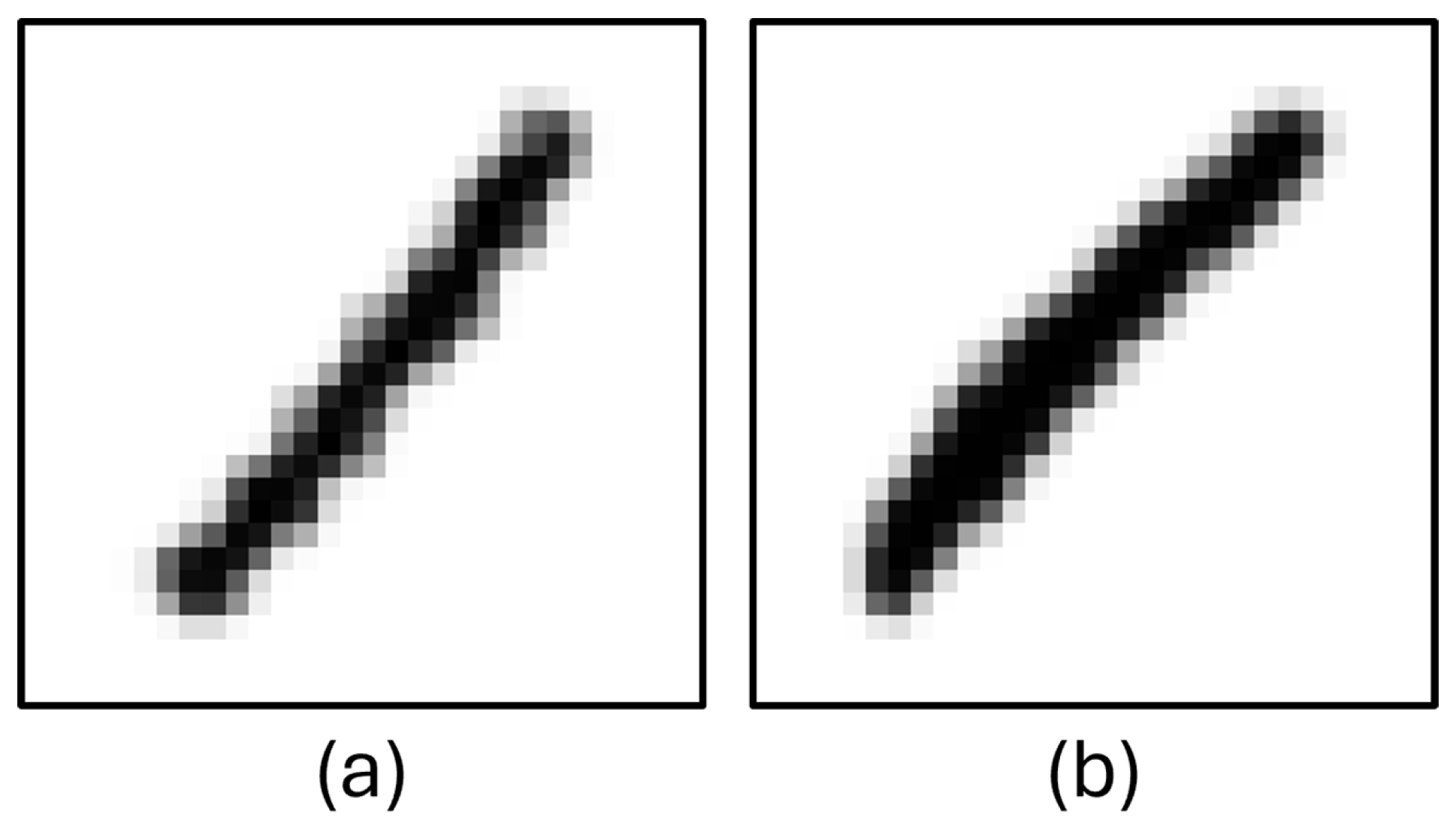
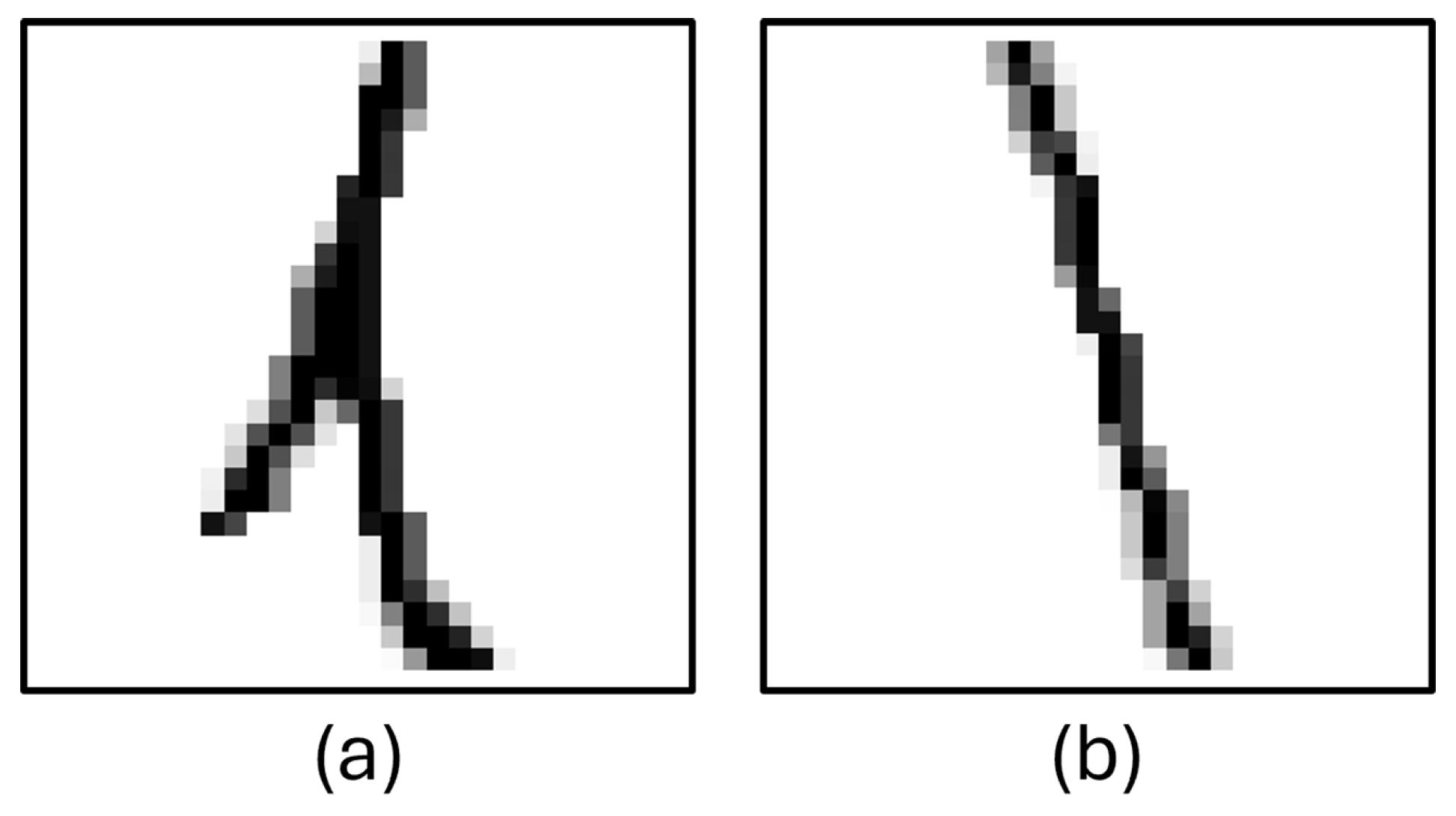
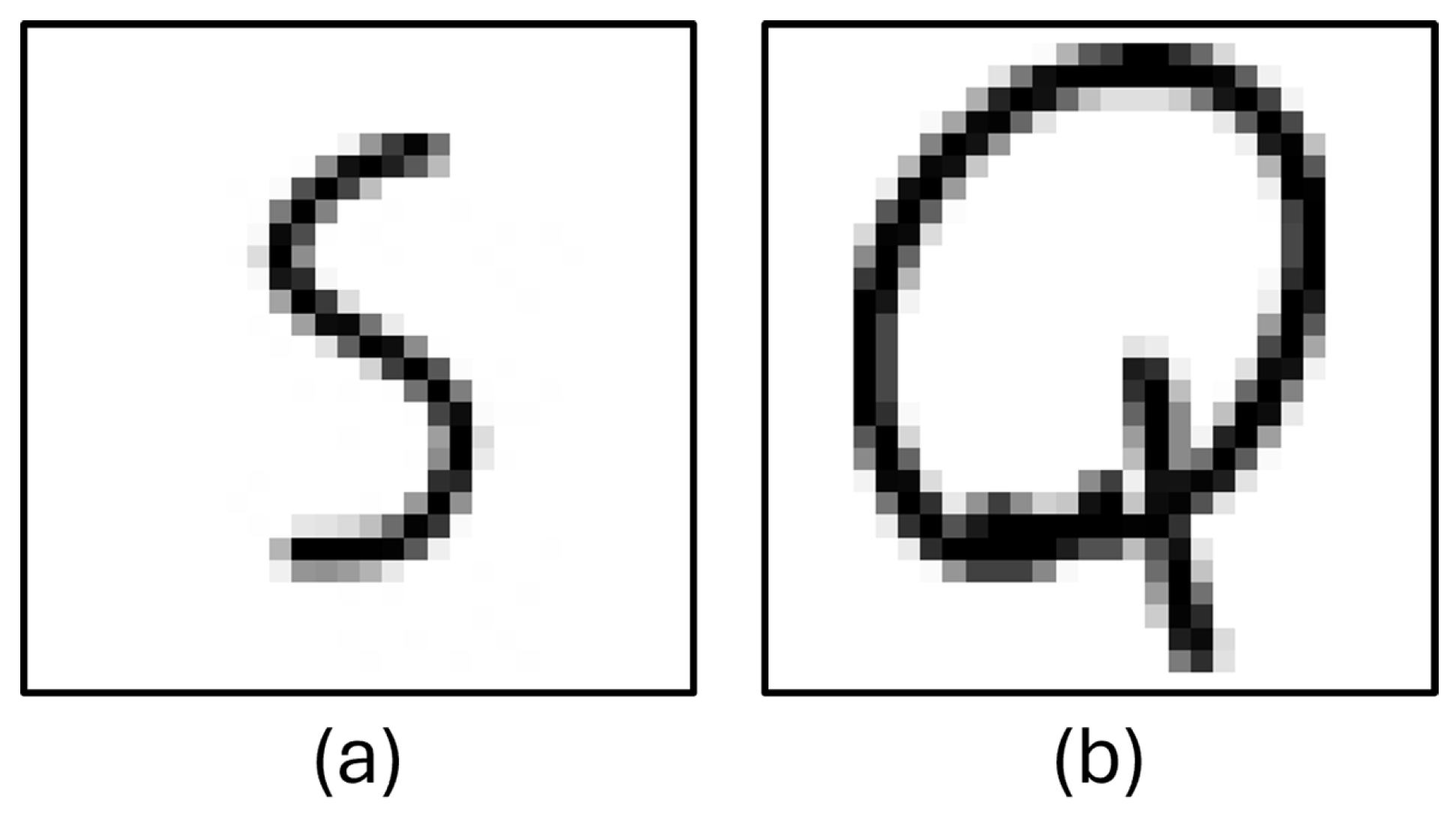
| Unfiltered HASYv2–Wrong Predictions |  |
| Unfiltered EMNIST–Wrong Predictions |  |
| PCA Components | KNN Neighbors | Validation Acc. | Non-Filtered EMNIST | Non-Filtered HASYv2 | Filtered EMNIST | Filtered HASYv2 |
|---|---|---|---|---|---|---|
| 10 | 1 | 0.81 | 0.50 | 0.56 | 0.74 | 0.65 |
| 20 | 1 | 0.91 | 0.61 | 0.66 | 0.87 | 0.79 |
| 30 | 1 | 0.92 | 0.63 | 0.67 | 0.90 | 0.82 |
| 30 | 5 | 0.92 | 0.62 | 0.65 | 0.89 | 0.80 |
| 30 | 9 | 0.91 | 0.61 | 0.64 | 0.89 | 0.77 |
| 30 | 13 | 0.90 | 0.60 | 0.62 | 0.88 | 0.74 |
| 100 | 1 | 0.92 | 0.62 | 0.70 | 0.90 | 0.80 |
| 200 | 1 | 0.91 | 0.61 | 0.66 | 0.88 | 0.76 |
| 300 | 3 | 0.91 | 0.61 | 0.67 | 0.89 | 0.78 |
| 400 | 1 | 0.91 | 0.61 | 0.67 | 0.88 | 0.77 |
| 500 | 1 | 0.90 | 0.61 | 0.66 | 0.88 | 0.77 |
| PCA | Kernel-C | Gamma | Validation Acc. | Non-Filtered EMNIST | Non-Filtered HASYv2 | Filtered EMNIST | Filtered HASYv2 |
|---|---|---|---|---|---|---|---|
| 60 | Linear-0.5 | Scale | 0.88 | 0.58 | 0.67 | 0.85 | 0.71 |
| 100 | RBF-1.0 | Scale | 0.95 | 0.64 | 0.70 | 0.94 | 0.88 |
| 80 | Poly-1.0 | Auto | 0.95 | 0.65 | 0.72 | 0.94 | 0.89 |
| 120 | RBF-2.0 | 0.01 | 0.95 | 0.65 | 0.72 | 0.94 | 0.90 |
| Model | Epochs | Batch | Validation Acc. | Non-Filtered EMNIST | Non-Filtered HASYv2 | Filtered EMNIST | Filtered HASYv2 |
|---|---|---|---|---|---|---|---|
| MobileNetV2 | 78 | 128 | 0.51 | 0.27 | 0.34 | 0.40 | 0.44 |
| ResNet50 | 61 | 128 | 0.88 | 0.58 | 0.66 | 0.85 | 0.76 |
| ResNet50V2 | 56 | 128 | 0.83 | 0.53 | 0.64 | 0.78 | 0.74 |
| VGG16 | 49 | 128 | 0.93 | 0.64 | 0.69 | 0.91 | 0.90 |
| VGG19 | 51 | 128 | 0.94 | 0.63 | 0.69 | 0.91 | 0.90 |
| Proposed Model | 29 | 128 | 0.97 | 0.72 | 0.78 | 0.97 | 0.97 |
| Model | Validation Acc. | Non-Filtered EMNIST | Non-Filtered HASYv2 | Filtered EMNIST | Filtered HASYv2 |
|---|---|---|---|---|---|
| MobileNetV2 | 0.51 | 0.27 | 0.34 | 0.40 | 0.44 |
| ResNet50 | 0.88 | 0.58 | 0.66 | 0.85 | 0.76 |
| ResNet50V2 | 0.83 | 0.53 | 0.64 | 0.78 | 0.74 |
| VGG16 | 0.93 | 0.64 | 0.69 | 0.91 | 0.90 |
| VGG19 | 0.94 | 0.63 | 0.69 | 0.91 | 0.90 |
| KNN | 0.92 | 0.63 | 0.67 | 0.90 | 0.82 |
| SVM | 0.95 | 0.65 | 0.72 | 0.94 | 0.90 |
| Proposed Model | 0.97 | 0.72 | 0.78 | 0.97 | 0.97 |
| Category | Total | Correct Detection | Wrong Detection | Success Rate (%) |
|---|---|---|---|---|
| Image | 259 | 227 | 32 | 87.64 |
| Character | 4494 | 4452 | 42 | 99.06 |
| Statement | 511 | 478 | 33 | 93.54 |
Disclaimer/Publisher’s Note: The statements, opinions and data contained in all publications are solely those of the individual author(s) and contributor(s) and not of MDPI and/or the editor(s). MDPI and/or the editor(s) disclaim responsibility for any injury to people or property resulting from any ideas, methods, instructions or products referred to in the content. |
© 2025 by the authors. Licensee MDPI, Basel, Switzerland. This article is an open access article distributed under the terms and conditions of the Creative Commons Attribution (CC BY) license (https://creativecommons.org/licenses/by/4.0/).
Share and Cite
Alkan, A.; Oztel, G.Y. Handwriting-Based Mathematical Assistant Software System Using Computer Vision Methods. Mathematics 2025, 13, 4001. https://doi.org/10.3390/math13244001
Alkan A, Oztel GY. Handwriting-Based Mathematical Assistant Software System Using Computer Vision Methods. Mathematics. 2025; 13(24):4001. https://doi.org/10.3390/math13244001
Chicago/Turabian StyleAlkan, Ahmet, and Gozde Yolcu Oztel. 2025. "Handwriting-Based Mathematical Assistant Software System Using Computer Vision Methods" Mathematics 13, no. 24: 4001. https://doi.org/10.3390/math13244001
APA StyleAlkan, A., & Oztel, G. Y. (2025). Handwriting-Based Mathematical Assistant Software System Using Computer Vision Methods. Mathematics, 13(24), 4001. https://doi.org/10.3390/math13244001