


Abstract
Modern web application development using frameworks such as React often requires writing a significant amount of initial code before reaching the stage where development becomes engaging. To address this, we developed Lunor, a domain-specific language that can be used in the early phases of front-end development by allowing developers to describe web interfaces in a clear, human-readable syntax that incorporates Markdown for defining the content of a web application. The proposed solution integrates three key components: the Lunor language definition, a template-based code generation, and a Visual Studio Code (VS Code) extension built on the Language Server Protocol, forming a comprehensive environment for efficient web development. Lunor enables rapid prototyping and the creation of simple, yet fully functional web applications, while the generated code remains compatible with standard web technologies for further expansion. Lunor demonstrates that domain-specific languages can simplify front-end web development effectively and integrate seamlessly into the modern web development process.
MSC:
68N19; 68U35
1. Introduction
The use of code generation in web development has become increasingly common. These tools create skeleton code automatically for components, data models, application programming interface (API) endpoints, or configurations, allowing the developers to focus on further development and design rather than routine implementation details. Modern back-end and front-end frameworks, such as Express, Angular, React [1], Next.js, and React Native, all include such tool support. For instance, Vite provides automatic project scaffolding, generating all the necessary configuration files and folder structures for React or Vue applications within seconds. Frameworks like Express include generators (e.g., express-generator) that create a complete server-side application skeleton, including routes, views, and a middleware setup. On the data layer, tools such as mongoose-gen can produce Mongoose models and CRUD operations from schema definitions automatically, saving developers from repetitive coding. In the React ecosystem, Expo simplifies the creation of React Native applications by generating skeleton code and configuration for mobile projects. These, usually command-line tools, share a common goal: to reduce the manual setup, enforce best practices, and allow the developers to focus on building a unique application logic rather than rewriting standard code structures.
While many of these commonly used code generation tools in web development handle only basic scaffolding and skeleton creation, the more advanced code generators go further, by producing complete application structures, or even fully functional websites. A good example of this is static site generators such as Jekyll and Hugo (in static export mode), which transform the structured content (often written in Markdown) into fully rendered HTML pages with predefined layouts and navigation. These tools combine templates, configuration files, and content data to generate large, consistent websites automatically, without requiring manual coding for each page. By separating the content from the presentation, such generators streamline website support and allow the developers to focus on content rather than repetitive implementation tasks connected with design, etc.
Such complex code generators are rare for dynamic web applications, as these systems must integrate a wide range of functionalities from different technologies, making automated generation far more challenging. Unlike static site generators, which deal primarily with content rendering and layout, dynamic applications require features such as user authentication, database interactions, real-time communication, and state management across multiple layers of the stack. These aspects often depend on the specific business logic, framework conventions, and runtime dependencies that are difficult to generalize. As a result, while static site generation can be automated effectively, dynamic application code generation typically demands more customization, manual intervention, and domain-specific knowledge, to ensure correctness, performance, and maintainability.
In this paper, we present a solution that enables the creation of dynamic web applications using a custom-built domain-specific language (DSL) [2] called Lunor. The solution consists of three key components—(1) a definition of a DSL Lunor, (2) a template-based code generation (TBCG) [3], and (3) a Visual Studio Code (VS Code) extension—which together form a comprehensive integrated development environment (IDE). Lunor allows developers to describe the functionality of front-end web applications in a clear, human-readable syntax that includes Markdown for specifying component content. A Lunor program is transformed automatically into React, more specifically, TypeScript code [4], that can be integrated directly into any React-based web application. Lunor provides an effective approach for rapid prototyping and the development of elementary web applications. Lunor’s modular architecture, based on the Language Server Protocol (LSP) [5,6], ensures flexibility, extensibility, and precise control over code generation. While designed primarily for the early stages of development, Lunor-generated code can be expanded further using standard React technologies, making it a valuable tool for accelerating the initial phases of dynamic web application development.
This work makes several key contributions to the field of DSLs and web application development. We present Lunor, a novel textual DSL that combines the familiar notation of Markdown with our custom directives, to enable rapid development of front-end web applications. We provide a complete implementation of a code generator that transforms Lunor programs into React components, and a language server for a DSL that provides real-time syntactic and semantic analysis, offering the developers a modern development experience. Finally, the validation of Lunor’s practical applicability through the development of an extensive web application demonstrates that our DSL and its toolchain scale beyond simple code generation tools to support real-world initial web application development.
The remainder of this paper is structured as follows. Section 2 reviews related work in the areas of DSLs for web development, code generation, and LSP, positioning Lunor within the broader context of the existing solutions. Section 3 provides a detailed description of the Lunor language, including its Markdown-based syntax, directive system, and support for dynamic web application features. Section 4 introduces the LSP, explaining its architecture and communication mechanisms. Section 5 describes the overall architecture of the Lunor system, detailing the separation between the server and client components, their respective responsibilities, and the communication patterns that enable real-time code analysis. Section 6 presents the implementation details of the core system components, including the parser, code generator, language server, and VS Code extension. Section 7 demonstrates the practical application of Lunor through a generated web application, illustrating how the language facilitates rapid development of a web application. Finally, Section 8 concludes the paper with a summary of contributions, a discussion of the limitations, and suggestions for future work.
2. Related Work
DSLs can be viewed as programming languages designed for a specific domain or problem area. They provide appropriate built-in abstractions and notation. The notation can be either textual or visual [7,8]. DSLs are typically small and more declarative than imperative. They offer substantial gains in expressiveness and ease of use compared with general-purpose languages (GPLs) in their domain of application. Different studies demonstrate that DSLs can improve code understanding, development efficiency, productivity, and maintainability significantly [9,10,11]. Lunor exemplifies a textual DSL tailored specifically for the domain of front-end web application development, integrating the familiar notation of Markdown with extensions for dynamic functionality. By providing high-level abstractions, Lunor represents an alternative to conventional web application scaffolding tools that generate the initial skeleton code.
Code generators are programs that produce code automatically from the input specifications [3]. They translate the specifications from one representation to another, typically from a higher to a lower level of abstraction. This translation can produce various outputs, ranging from machine code (in compilers) to high-level programming code. The code produced by the generator (written by the expert developer) is usually at a higher quality than code written by the average programmer. In the field of model-driven engineering (MDE) [12], code generation is understood as model-to-text transformation (M2T) [13]. Lunor is a typical example of a code generator, since it transforms automatically high-level input specifications written in a human-readable, Markdown-based, domain-specific notation into executable React components in TypeScript.
Among the various approaches to implementing code generators [14], TBCG [3] has emerged as a prominent technique that addresses some of these challenges by separating static text fragments from dynamic generation logic. TBCGs use templates to produce source code from both the static and dynamic parts. The templates are executed by a template engine, which computes the dynamic part and replaces the meta-codes with static code according to the run-time input. According to the systematic mapping study by Syriani et al. [14], three main template styles exist: output-based, predefined, and rule-based. Lunor first parses the input source code into an abstract syntax tree (AST). The AST is then traversed, and code generation logic is applied based on node types (e.g., Components) that heavily rely on the React output structure. This approach positions Lunor in the category of output-based TBCGs, as the generated code’s structure mirrors the target React component format directly.
Lunor uses LSP [6] to implement language features, as will be shown further in the paper. LSP has been used for DSLs before [15,16,17,18,19]. Study [15] demonstrates how the LSP enables the decoupling of domain-specific language implementations from specific IDEs, addressing a critical challenge in DSL adoption where language workbenches [20] traditionally lock users into particular IDEs. The study [15] shows how to use LSP to integrate a DSL into different IDEs (Theia and Eclipse), measuring the implementation effort for each IDE integration. The research identifies the key benefits of LSP for DSLs, including reduced effort for supporting multiple IDEs. The Lunor language exemplifies these findings directly, as it leverages LSP through its TypeScript-based language server to provide comprehensive IDE support in VS Code, but is not limited to this IDE. In addition, we included key language features (Code Completion, Hover, Goto Definitions, Workspace Symbols, Find References, and Diagnostics) in the Lunor environment identified in [15].
The paper [21] presents a TBCG tool designed to create fully functional web applications derived from database models automatically. The authors describe a software architecture for automatic software construction that generates web applications using predefined templates. Their system enables web application development by interpreting a database schema to produce the corresponding models, CRUD operations, and user interfaces. The tool simplifies web development by automating both code and configuration generation, allowing the developers to create complete and customizable web applications efficiently. The results demonstrate the generation of several applications but are restricted to the specific type of web applications (information systems). The paper reports significant time and cost savings. Similarly, Lunor supports rapid prototyping of fully functional applications, but employs a DSL and language features with LSP for code generation, and is not limited to specific types of web application.
Several research directions have been explored to improve web application development processes [22,23], with the creation of DSLs emerging as a particularly promising approach [24,25]. In [25], the author investigated the use of code generation to reduce repetitive setup tasks usually done by developers in single-page React applications. Based on an analysis of nine React projects and developer interviews in a company, three generators were implemented and evaluated: an OpenAPI Generator for back-end communication code, a boilerplate generator, and an OpenID Connect authentication generator. The evaluation assessed implementation ease, maintenance effort, manual work savings, and customization capabilities, finding that the OpenAPI Generator performed best overall, while the boilerplate generator offered better productivity gains and maintainability among the custom generators, though these were easier to customize than the OpenAPI Generator. The research concluded that code generation is most suitable for components that can be modeled at higher abstraction levels, such as back-end communication code, and that boilerplate code represents an ideal target for smaller TBCGs. This work demonstrates that TBCG can address repetitive development tasks in web application projects effectively, aligning with Lunor’s approach of using domain-specific abstractions and code generation to accelerate front-end development while reducing boilerplate code. However, Lunor goes beyond simple boilerplate generation, by supporting the creation of functional front-end web applications through its comprehensive DSL, and provides a toolchain with LSP inside a widely used IDE, VS Code.
To provide a comprehensive overview of how Lunor positions itself within the landscape of the existing approaches, Table 1 summarizes the key characteristics of related work in DSL-based web development, code generation tools, and language server implementations. The comparison highlights several dimensions: the target domain, the type of code generation approach, the IDE integration mechanism, support for language features, and the scope of the generated output. While the existing tools excel in specific areas, such as Atencio et al.’s database-driven application generator for information systems or Eskelinen’s focused boilerplate generators, Lunor distinguishes itself by combining multiple strengths: a high-level, Markdown-based notation, comprehensive LSP-based IDE integration in VS Code with core language feature support, template-based code generation producing React components, and applicability across diverse web application types rather than being restricted to specific domains. This combination positions Lunor as a holistic solution for rapid prototyping, which addresses both the language design and tooling infrastructure challenges that typically hinder DSL adoption in a (web) development context.
Table 1.
Comparative overview of Lunor with related work on several dimensions.
3. The Lunor Language
We aimed to design a language that enables efficient front-end development through a simple and readable syntax, supporting component-based structures and logical expressions without requiring repetitive or boilerplate code. The language follows the best practices of modern web technologies, allowing the developers to continue their workflow in a familiar and consistent way after using Lunor. A key goal was to provide automatic transformation of Lunor code into React components, ensuring smooth integration with the existing development environments such as VS Code, and offering full support for language features within the IDE.
3.1. Integration of Markdown Notation
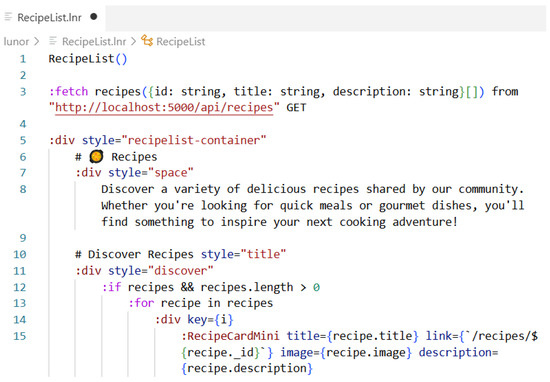
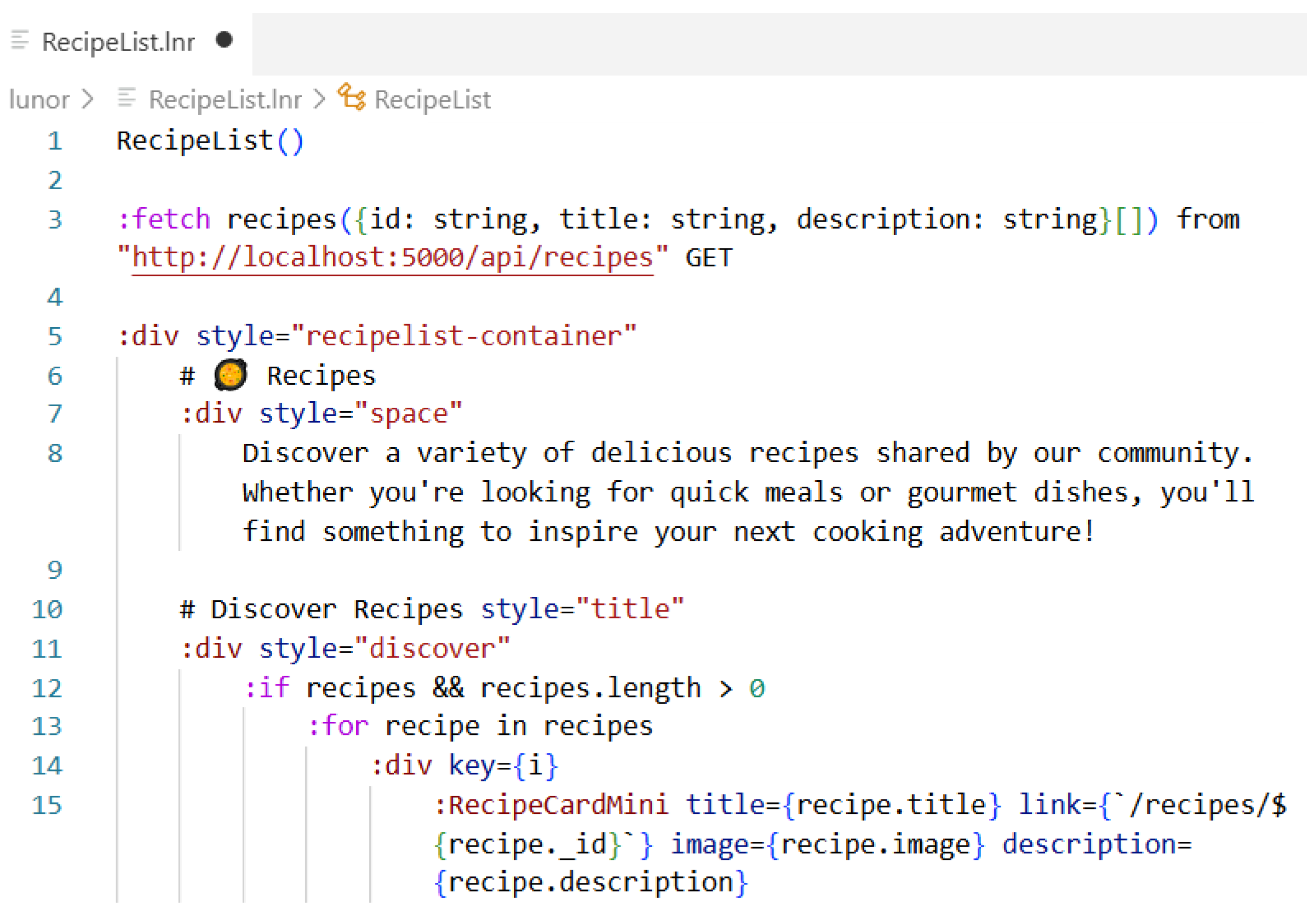
We decided to base the syntax of the Lunor language on Markdown, as it is used widely, simple, and provides sufficient basic elements for defining the content. At its core, Lunor supports standard Markdown syntax, including common elements such as headings, bold and italic text, lists, links, and images (observe the use of a heading with the symbol # in Figure 1).
Figure 1.
Example of the Lunor program.
3.2. Directives
Since Markdown supports only static content, which would not make sense to translate directly into React, we introduced several extensions to make the language dynamic. The extensions are in the form of directives. The Lunor language supports five main categories of directives:
- Component;
- Structural;
- Attribute;
- Data;
- Logic.
These directives are discussed in the following subsections. In general, they enable the developers to define reusable components, control flow, bind data, and modify the attributes or structure dynamically.
3.2.1. Component Directives
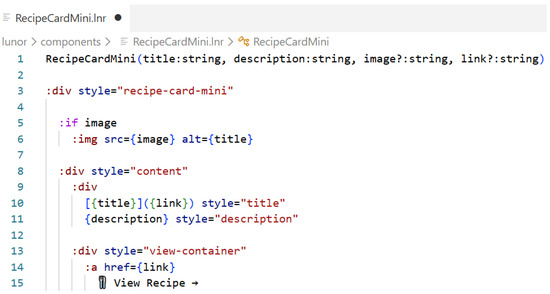
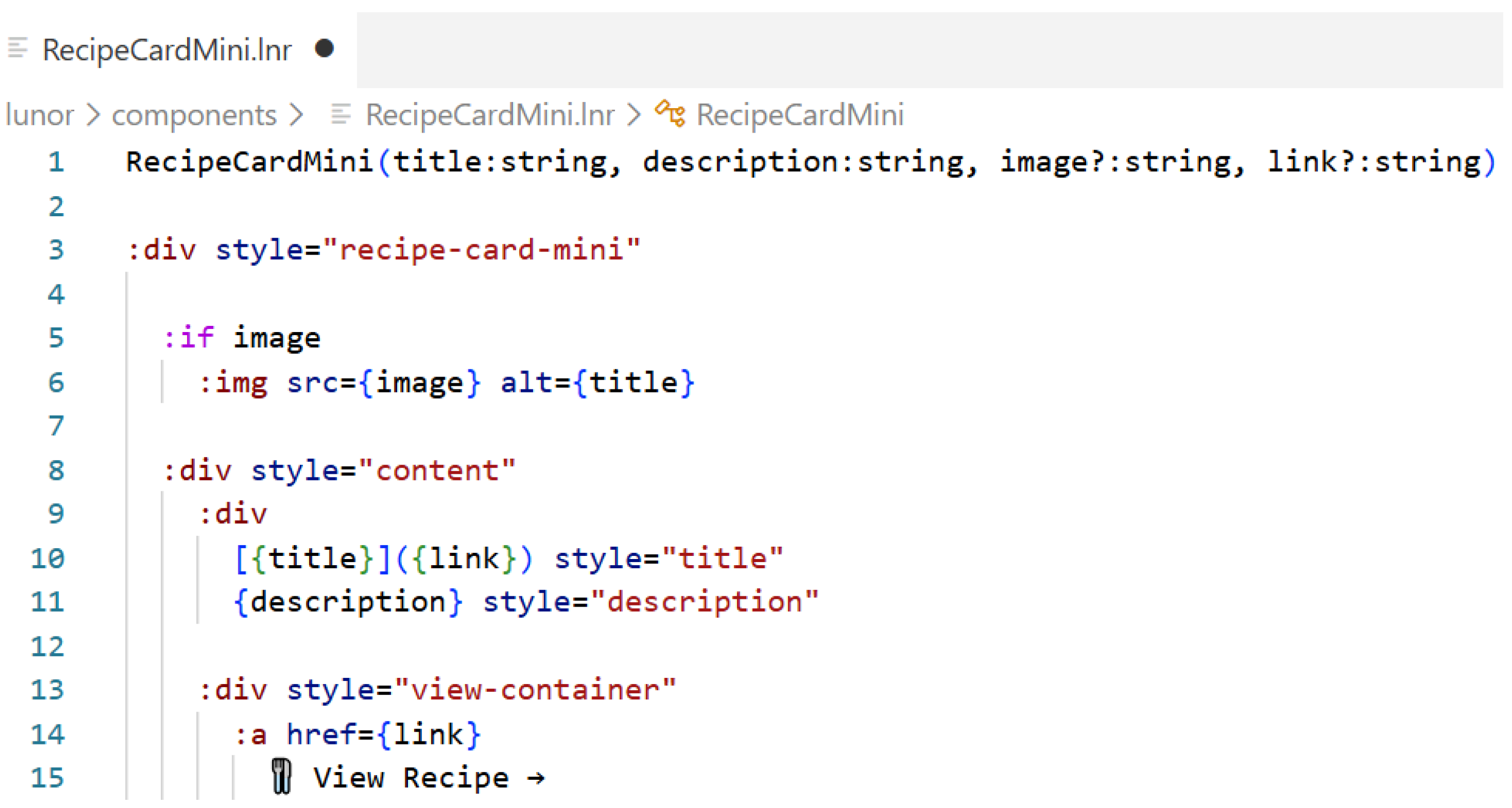
The structure of the Lunor language is designed around components, where each component is defined in a separate file within the components/ folder. Every file must begin with a component definition line (see Figure 2), where the component name (starting with a capital letter) and its parameters are declared inside parentheses. Since the Lunor code is translated into TypeScript, the users can optionally specify the data types of each parameter, and indicate whether parameters are required or optional. An example of such a definition is shown in Figure 2 at line 1, where the component RecipeCardMini is defined with four parameters.
Figure 2.
Component definition in Lunor.
The components can also invoke other components (see Figure 1, line 15), creating a hierarchical structure that allows for modular and reusable design. Furthermore, the components defined within the components/ folder can be used anywhere in the project without importing them explicitly at the beginning of a file, since the Lunor compiler handles all the necessary imports automatically when the code is translated into React.
3.2.2. Structural Directives
In Lunor, we introduced two types of structural directives—design and control—to ensure both clarity and flexibility in defining the structure and logic of the applications.
The design directives are based on familiar HTML elements, such as the <div> tag (see line 7 in Figure 1), allowing the developers to structure layouts easily using well-known web concepts.
The control directives, on the other hand, introduce logical flow into the language through conditions and loops (e.g., the directives if and for at lines 12 and 13 in Figure 1). The conditional expressions follow the same logic as in general-purpose languages, while loops use a simplified for-each notation.
3.2.3. Attribute Directive
In addition to functionality, the visual appearance of web applications is an essential aspect of the user experience. In Lunor, the developers can define styling through attribute directives, which allow adding styles to both the Markdown elements and HTML-based design directives. Styling is applied using the style keyword, where the value specifies the CSS classes that are defined further with TailwindCSS [27], providing a simple, yet powerful way to control the look and feel of the components. This approach keeps the syntax clean and consistent, while enabling highly customizable and responsive design directly within the Lunor code, as illustrated in Figure 1 (see attribute style inside directives div in lines 7 and 11).
Currently, TailWindCSS is the only UI component library supported within the Lunor language syntax. In the future, other UI libraries can be integrated at the attribute level for language directives.
3.2.4. Data Directives
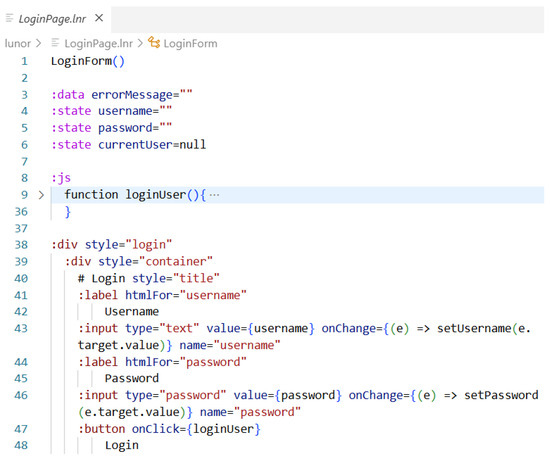
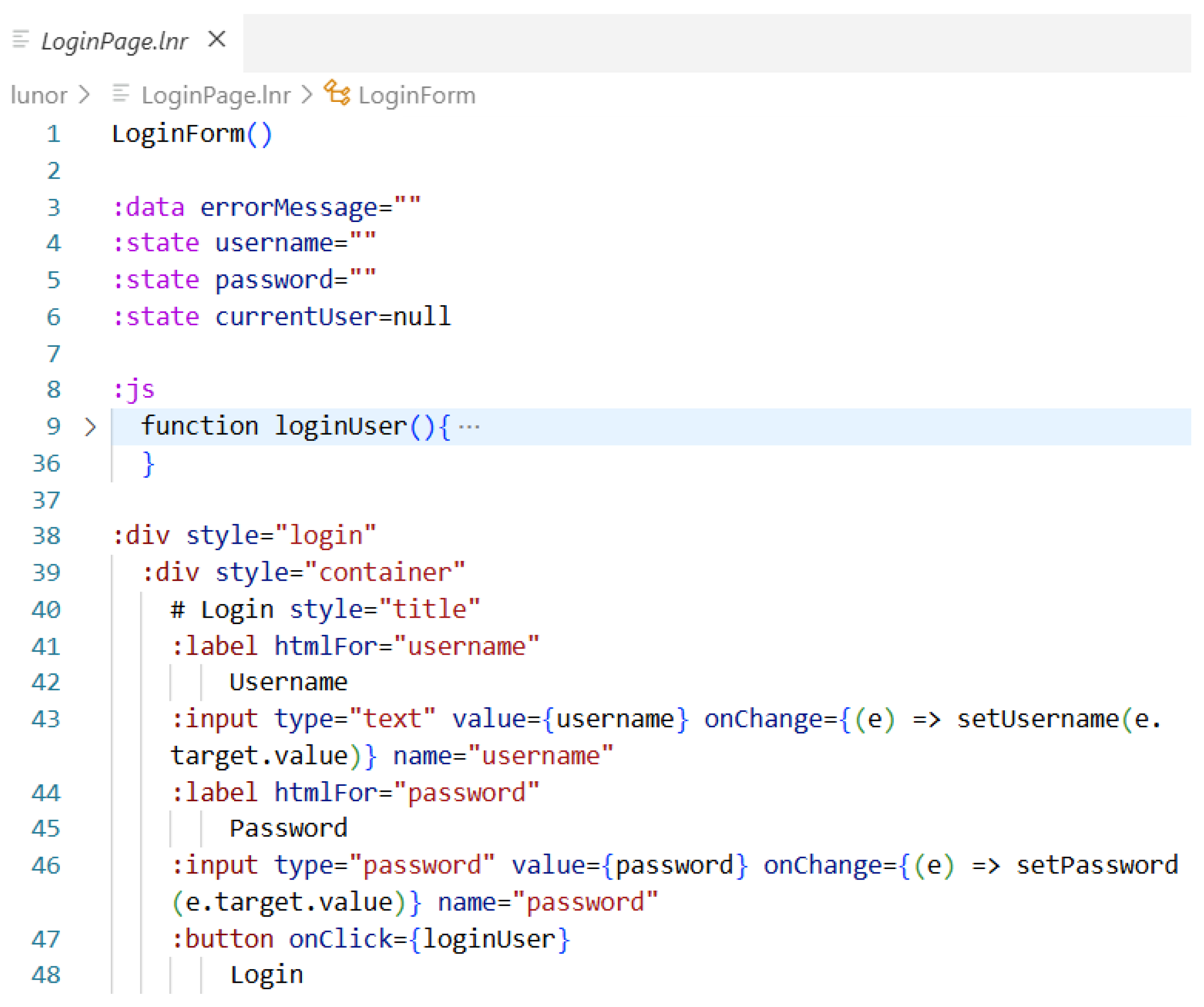
In Lunor, data directives are used to define and manage variables within a component. Two types of variables can be declared: common variables, using the data keyword, and state variables, using the state keyword. The latter are linked directly to the React useState hook, enabling dynamic updates and re-rendering of the component when state changes occur. This ensures that Lunor remains aligned closely with React’s reactive principles, while maintaining a simplified syntax for data handling. An example of variable definitions is shown in Figure 3 (lines 3–6).
Figure 3.
Data definition in the Lunor program.
3.2.5. Logic Directives
Lunor also supports logic directives, which enable data fetching from the back-end systems when a page is loaded. This is achieved using the :fetch keyword (see lines 3–4 in Figure 1), followed by a declaration that specifies the target variable to store the retrieved data and the expected data type from the back-end. The directive also includes the from parameter to define the URL of the request, and the method parameter to specify the HTTP method (e.g., GET or POST). Optionally, the auth keyword can be added to enable authenticated requests. This approach provides a clear and declarative way to integrate back-end data into the Lunor components while maintaining a concise and readable syntax.
Lunor does not provide built-in mechanisms for validating incorrect URLs or detecting schema changes at the language level. In this respect, its behavior is comparable to standard React development. Any inconsistencies in endpoint definitions or data structures are therefore handled at the level of the generated code and the underlying React/TypeScript code, rather than by Lunor directly. If the back-end API evolves (e.g., changes in URL), the corresponding Lunor :fetch directives must be manually updated to reflect these changes, just as would be necessary in manually written React code. Developers remain responsible for maintaining consistency between their Lunor specifications and actual back-end API through standard software engineering practices (e.g., using REST API documentation tools).
3.2.6. Support for the JavaScript Functions
Since we wanted to achieve a large set of functionality despite the simplicity of the language we added the option for the user to add code written in TypeScript or JavaScript which is not compiled, but is only glued into the newly generated code. The code must be marked with the keyword :js and indented accordingly, as the function LoginUser() in Figure 3. Including from libraries is also allowed, which is later transferred to the beginning of the generated file.
3.3. Syntax of Lunor Language
The syntax of Lunor is designed to prioritize clarity and conciseness while maintaining expressiveness. The directives, which form the foundation of Lunor’s dynamic capabilities, are defined using a colon (:) prefix followed by the directive name. This syntactic choice was inspired by Angular’s approach, where the asterisk (*) serves as shorthand for the more verbose <ng-template> syntax. By using the colon symbol, Lunor eliminates the need for explicit keyword declarations such as lunor before each directive, resulting in cleaner and more readable code. This convention applies uniformly across all the directive types, ensuring consistency throughout the language.
To distinguish between the different categories of directives, Lunor employs a simple, yet effective naming convention based on capitalization. The user-defined directives, which correspond to the custom components created by the developers, must begin with a capital letter (e.g., :RecipeCard, :LoginForm). In contrast, the built-in Lunor directives (including structural, attribute, data, and logic directives) start with a lowercase letter (e.g., :div, :if, :style, :fetch). This distinction allows the developers to identify the nature and origin of a directive within the code immediately, enhancing code comprehension and reducing cognitive load.
One of the most significant syntactic features of Lunor is its use of indentation-based nesting to define the hierarchical relationships and scope. Unlike traditional markup or programming languages that require explicit closing tags or braces, Lunor relies entirely on indentation to determine the structure and containment of the directives and their children. When a directive is declared, any content or nested directives that follow on subsequent lines with increased indentation are considered children of that directive automatically. This approach not only produces visually clean and readable code but also eliminates redundancy by removing the need for closing tags or repeated directive names. The indentation-based syntax is applied consistently across all the directive types (structural, component-based, or logical), creating a uniform and intuitive coding experience. This design decision aligns Lunor with modern language trends that favor meaningful whitespace, such as Python and YAML, while adapting these principles specifically for web application development.
4. Language Server Protocol
Beyond developing the Lunor language itself, we recognized the importance of providing robust support within IDEs to ensure a productive and seamless developer experience. Nowadays, the developers expect their programming languages to be accompanied by intelligent tooling that provides real-time feedback, assists with code completion, and helps prevent errors before runtime. To achieve this goal for Lunor, we found an ideal solution in the Language Server Protocol (LSP) [6], a standardized approach to implementing language features across different IDEs. The LSP was introduced in 2016. Since its introduction, more than 50 language servers have been implemented, covering the most widely used programming languages, including Python, Java, and JavaScript. Extensions are available for more than 10 IDEs, including VS Code [28]. Beyond its utility for general-purpose languages, the LSP can also be used for DSLs, such as Lunor, as they require similar language capabilities, including syntax validation, code completion, error diagnostics, and navigation features.
4.1. Communication Between Language Servers and Integrated Development Environments
The core idea behind the LSP open standard is to introduce a protocol for communication between language servers and clients (IDEs), such that a single language server can be used across multiple IDEs with minimal effort. In the classical approach, functionality implementation is required separately for each IDE – to support a language in three different editors would require three separate implementations of the same features. The LSP solves this problem by standardizing the communication interface, allowing a single language server implementation to work with any LSP-compatible IDE.
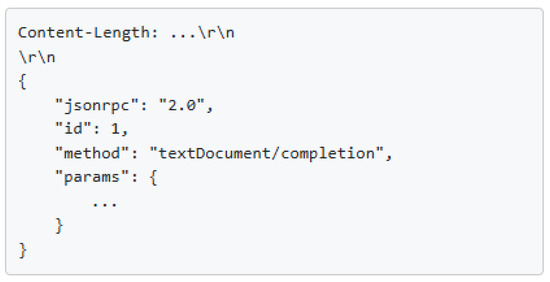
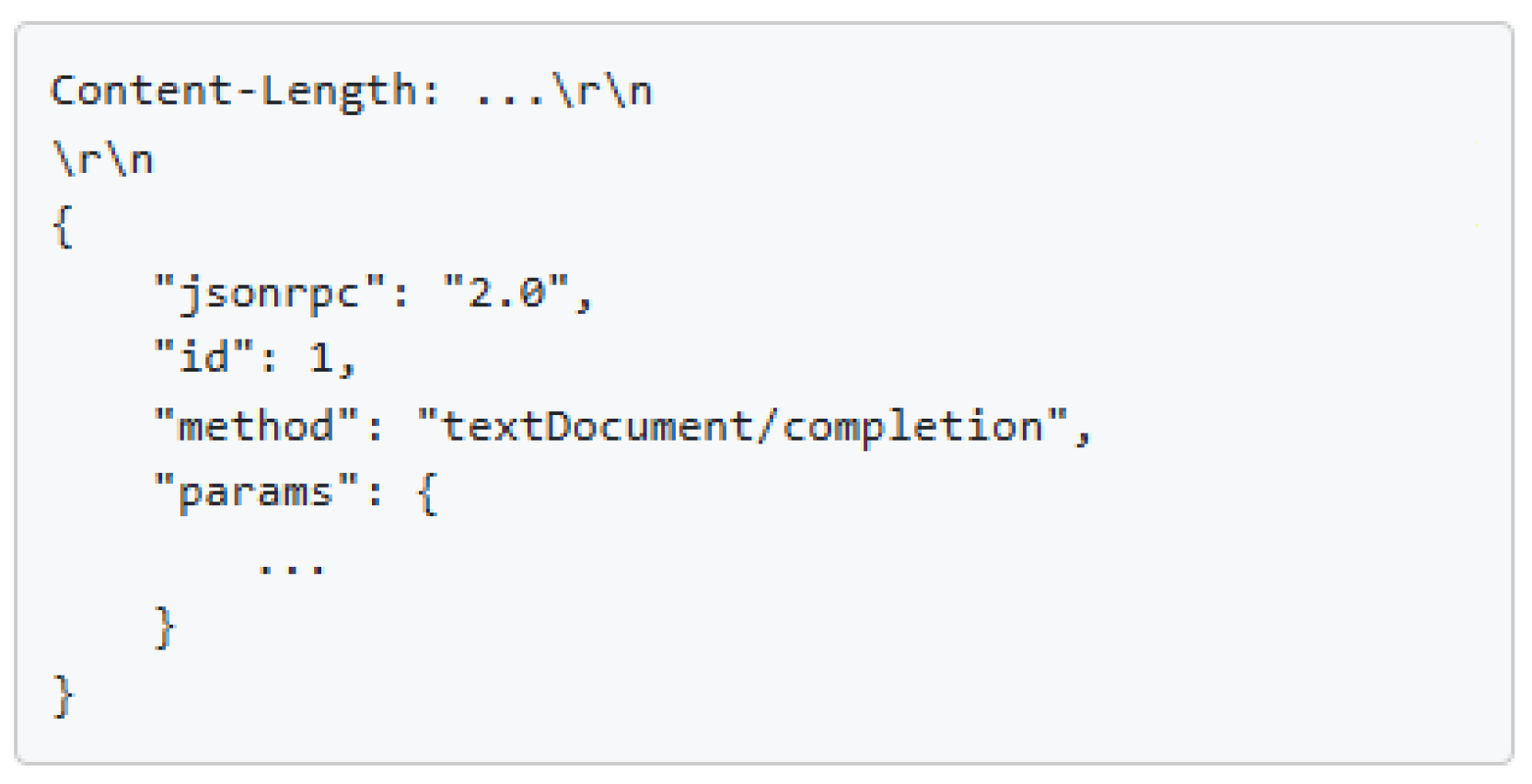
The language server runs in a separate process, where the IDE communicates with the language server via the protocol using JSON-RPC messages. The message consists of a header and a content part (see Figure 4). The structure of the header fields follows the HTTP (Hypertext Transfer Protocol) semantics. Two header fields are supported: content length and type. The content part of the message contains the actual payload, where the JSON-RPC version, message ID, selected method, and parameters are given. The selected method specifies the request—in Figure 4, completion on a text document is desired (message text textDocument/completion).
Figure 4.
Data definition in the Lunor program.
The communication pattern between the language server and IDE during document editing follows a well-defined sequence. When a user opens a file, the IDE notifies the language server that the document is open, typically sending the complete document content. Whenever a change occurs in the open document, the IDE reports this to the language server, either by sending the full updated content or incremental changes, depending on the language server’s declared capabilities. The language server then analyzes the changes, and notifies the IDE of any errors and warnings through diagnostic messages. If the user wishes to access the definition of a particular symbol, the IDE communicates this to the language server using two parameters: the path to the document and the text position from which the request was triggered. The language server responds with the path to the document, and the position where the symbol definition is located. When the user closes the document, the IDE notifies the language server, and the document is no longer held in memory.
In cases where a user works with multiple programming languages simultaneously, the IDE typically starts a corresponding language server for each language (consider a single project in web development containing TypeScript, css, and json files). It is important to understand that language servers do not necessarily support all the functions enabled by the LSP. Instead, they use a capability system to communicate which functionalities they actually support. Each capability encompasses a specific set of language features, such as definition lookup, symbol handling, or text formatting suggestions.
4.2. Language Features
Language features are intelligent language functions provided by the language server. They operate typically on a pair of data: a text document and a position. The main categories of language features are
code understanding
(e.g., hover, goto definition) and
coding assistance
functions (e.g., diagnostics, autocomplete). These features execute based on the current state of the document.
As previously mentioned, a language server does not necessarily support all the functionalities defined in the protocol specification. Similarly, each IDE does not necessarily support all the functionalities implemented on the language server. Therefore, both environments coordinate at startup to establish their shared capabilities.
The LSP Standard enables the implementation of numerous language functionalities, including:
Navigation
(locating different code elements),
Find References
(locating all the references to a symbol throughout the project),
Hierarchies
(call and type hierarchy visualization showing their relationships),
Hover
(displaying additional information when hovering with the mouse over a code),
Code Lens
(interactive information displayed above code lines),
Folding and selection
(code folding and intelligent text selection support),
Symbols
(document symbol lists and semantic highlighting),
Completion
(context-aware code completion suggestions),
Diagnostics
(error and warning reporting from the language server to the client),
Signature Help
(function and method parameter information during typing),
Code actions
(automated fixes and refactoring suggestions),
Formatting
(code formatting for documents, regions, or during typing),
Renaming
(safe symbol renaming across the codebase), and
Linked editing
(simultaneous editing of the related code elements).
In the development of Lunor’s language server, we implemented the language features that we determined to be meaningful and appropriate for the Lunor language, prioritizing those that provide the most value for web application development workflows.
4.3. VS Code Extension
Some IDEs already support the LSP, including Atom, Brackets, Emacs, IntelliJ IDEA, Sublime Text, Visual Studio, and VS Code. For our implementation, we chose VS Code, which is used widely by developers for web application development. VS Code enables the development of language servers using the LSP through the creation of an extension. The extension is implemented using the
vscode-language server library
(https://github.com/microsoft/vscode-languageserver-node, accessed on 15 January 2026), which provides the core infrastructure for building language servers for VS Code.
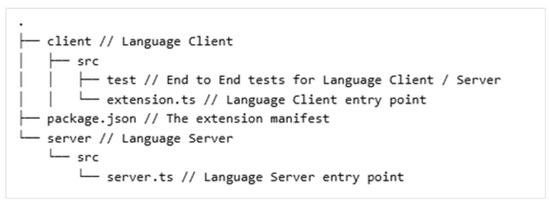
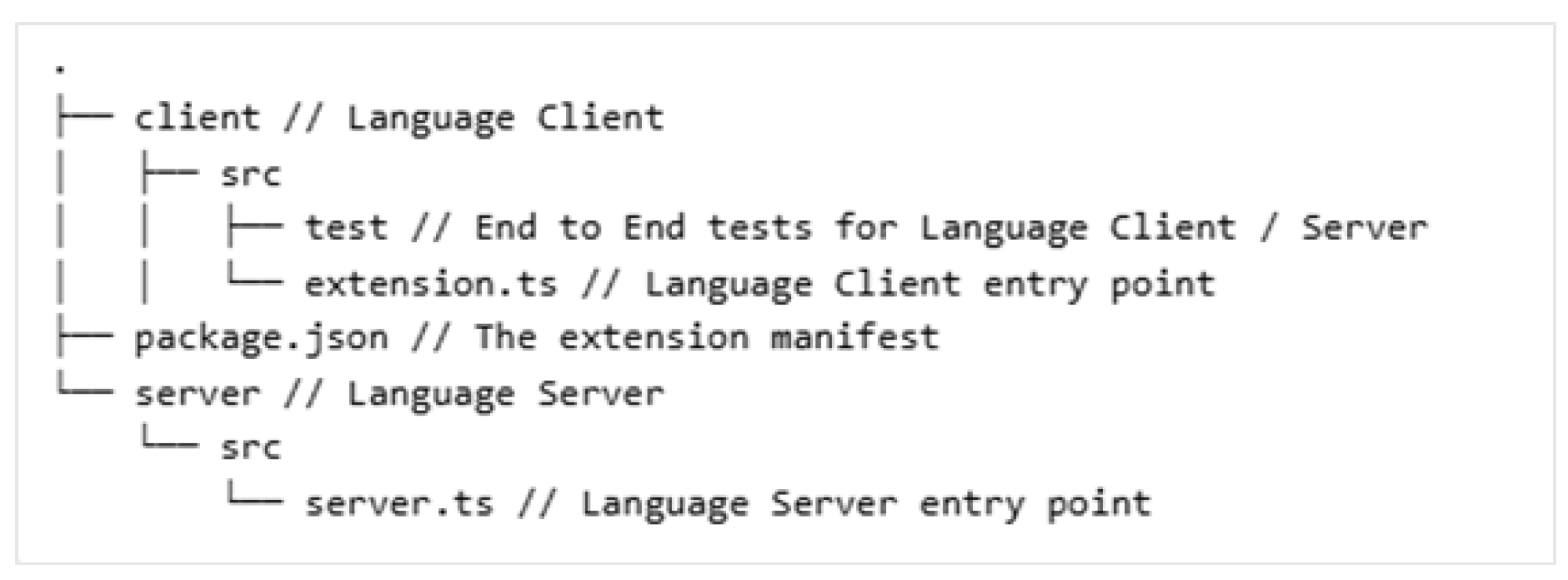
The structure of the VS Code extension project for the language server is presented in Figure 5. The project is divided into a server and a client component (folders client/ and server/). Within the src/ folders of each component are the main files, extension.ts and server.ts, which handle communication between the two parts and perform the defined functionalities. In the files for both components and in the package.json file, we specify all the functionalities that we wish to support with the developed extension. This includes registering the language identifier, specifying the supported file extensions, declaring the language server capabilities, and defining any custom commands that the users can invoke.
Figure 5.
The structure of the VS Code extension project.
For the Lunor extension we implemented several key features to enhance the development experience. The extension activates automatically when files with the .lnr extensions are opened, establishing communication with the language server to provide real-time feedback. Syntax highlighting is configured to recognize Lunor-specific constructs such as directive markers, component invocations, and embedded Markdown elements, providing visual distinction between the different language elements. The extension also registers the custom commands accessible through the command palette, including the code generation command that transforms the Lunor source files into React components.
5. Architecture of the Lunor Toolchain
As defined by the VS Code extension project, the Lunor project is structured as a comprehensive solution divided into server and client components that together provide a complete toolchain for code programming, analysis, and generation. The architecture is based on the principle of separation of concerns, where the server handles analytical and compilation tasks, while the client is responsible for the display, editing, and final rendering of the results. This modular design ensures flexibility, maintainability, and adherence to the established language tooling Standards.
For Lunor, we implemented a comprehensive set of language features designed to provide developers with a modern, intelligent coding experience comparable to that of mainstream programming languages. These features include:
- Signature Help: assists users in understanding the component parameters and their types;
- Code Completion: offers context-aware suggestions for the directives, components, and variables;
- Error Handling and Diagnostics: provides real-time feedback on syntax errors and invalid usage;
- Quick Fix: suggests automated corrections for common issues;
- Document Outline: presents a hierarchical view of the components and structural elements;
- Hover: displays detailed documentation and type information.
5.1. Server Component
In addition to language feature support, the Lunor server component is also responsible for analyzing input files, performing parsing operations, and generating an intermediate representation in the form of an abstract syntax tree (AST). Additional semantic analyses can be performed based on this structure. These analyses enable early error detection, and provide meaningful feedback to the developers during the programming process. The Lunor language server also handles the transformation of the AST into output React code, which can then be extended further and integrated into existing projects.
5.2. Client Component
As described in Section 4, the client is primarily a VS Code editor that communicates with the language server and enables different language features during programming with Lunor. We additionally provided functionalities (custom commands) that call the generation of React code in the language server. The generated code is then written to the appropriate location in the project structure, ready for immediate use within the React application.
5.3. User Interaction and Workflow
The VS Code extension activates automatically when a file with the Lunor file extension .lnr is opened, ensuring that the IDE is ready without manual intervention. Once activated, the extension establishes a connection with the language server and begins monitoring the file changes, enabling real-time feedback from the language server. These diagnostics are displayed directly in the VS Code editor using integrated features, including error or warning indicators, and hover tooltips that provide detailed explanations.
When the users wish to generate React code from their Lunor source files, they invoke a generation command through the editor’s command palette or a dedicated interface element. The compiled React code is then saved to the src/ folder of the project. The intended workflow assumes that this occurs within a React project created in advance using tools such as Vite, ensuring that the generated code is immediately usable and the web application restarts automatically with the new components. This seamless integration allows developers to prototype web applications in Lunor rapidly and then continue the development using standard React tooling and practices.
6. Lunor Language Implementation and Integration with VS Code
The development of the Lunor language and its supporting toolchain required the creation of several interconnected components, each addressing a specific aspect of the language processing pipeline. This section describes the technical implementation of the core components that, together, form the complete Lunor development environment. First, we present the parser, which transforms the Lunor source code into an AST through lexical and syntactic analysis. Second, we discuss the code generator, which traverses the AST and produces well-formed React components with proper TypeScript code. Third, we examine the language server implementation, which provides a real-time code analysis, error detection, and intelligent editing features through the use of LSP. Then, we describe the VS Code extension, which serves as the primary user interface for Lunor programmers, and integrates syntax highlighting and other language features. Later, we discuss the incorporation of code generation commands into a cohesive development experience. Together, these components create a complete toolchain that supports the entire workflow from writing the Lunor code to generating a React web application.
6.1. Parser
The design of Lunor was conducted without relying on formal grammar specification methods such as EBNF, an approach that aligns with findings from the systematic mapping study by Kosar et al. [2], which demonstrated that 83.2% of domain-specific languages are developed informally without formalized grammar syntax or semantic definitions. Furthermore, Lunor exemplifies the language invention pattern [29], being designed from scratch without direct derivation from or extension of an existing language.
The parser is the central component of the Lunor implementation, responsible for transforming the source code into a structured intermediate representation suitable for further processing. We developed the parser manually in TypeScript, without any parser generators like ANTLR [30] or TextX [31], to ensure maximum flexibility and precise control over the parsing logic specific to the Lunor language and the needs of LSP. While parser generators such as ANTLR could also be used to implement a Lunor parser and integrate it with an LSP-based architecture, we opted for a simpler (manual) implementation. This choice reduced the overall complexity of the toolchain. The main trade-off of this approach is that grammar definitions and certain validations must be implemented explicitly in the parser logic rather than being derived automatically from a formal grammar specification.
The parser operates through a two-phase analysis process. In the first phase, the input text is transformed into a sequence of tokens. This tokenization process identifies and categorizes the individual Lunor language elements. The second phase is based on syntactic analysis of the token sequence according to the language grammar. During this phase, the parser constructs an AST, where each node type represents a specific logical element of the language, such as components, structural directives, conditional directives, or Markdown content elements.
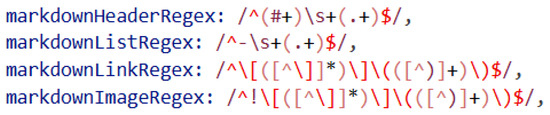
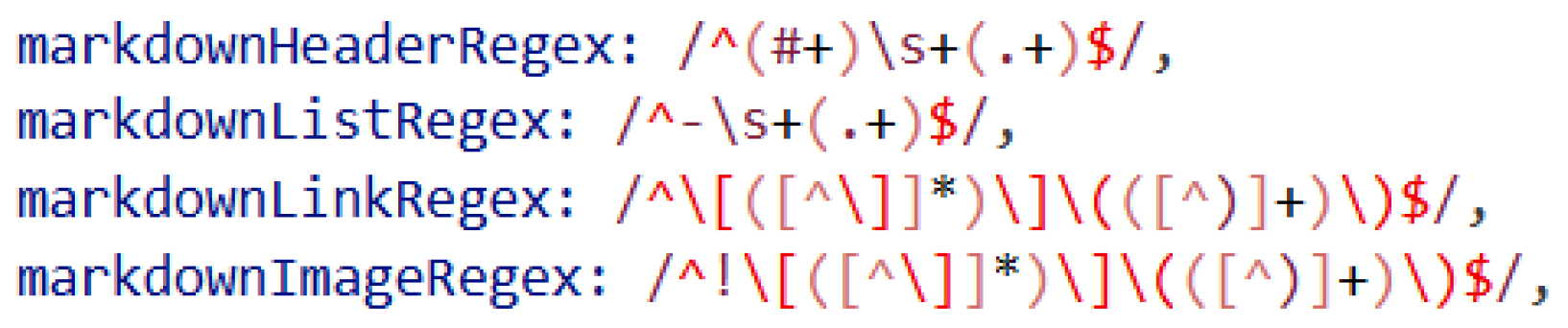
To recognize the various constructs within the Lunor syntax, we employed a set of regular expressions. Figure 6 illustrates the regular expressions used for identifying some of the Markdown constructs. When the parser detects a specific pattern in a line of input, it generates the corresponding node type in the AST. The parsing process also maintains auxiliary data structures for elements that appear before the actual content, such as variable declarations and import statements, which are later used during code generation to produce proper TypeScript imports and variable initialization code.
Figure 6.
Regular expressions for some Markdown tokens in Lunor.
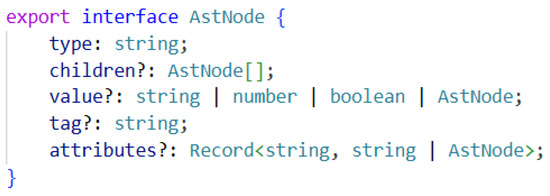
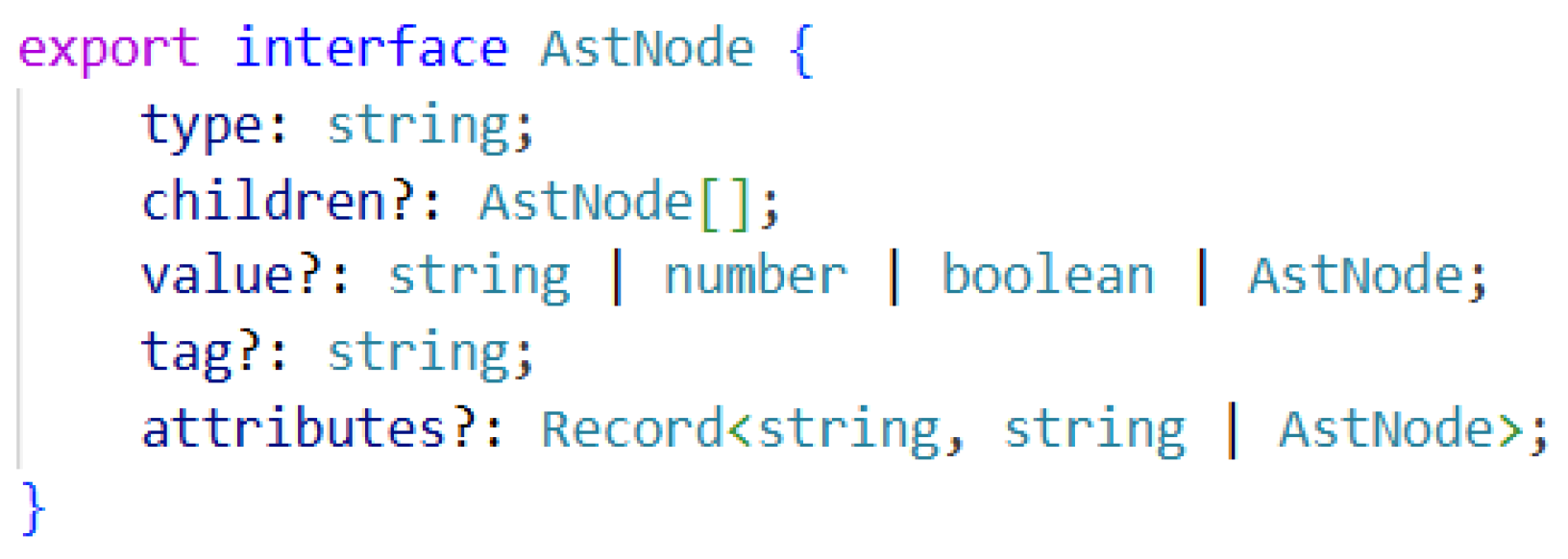
In designing the internal structure of the AST, we followed the principle that the tree should be as straightforward as possible for subsequent transformation into React code. Each language construct is represented by a distinct node type containing the necessary information for further processing. The base AST node contains the fundamental properties common to all node types, as shown in Figure 7. These properties typically include the node type identifier, children node references for hierarchical structures, value, etc.
Figure 7.
Node definition in AST.
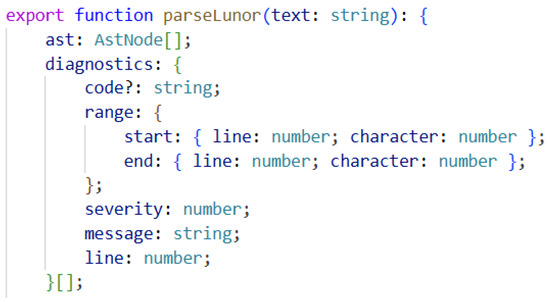
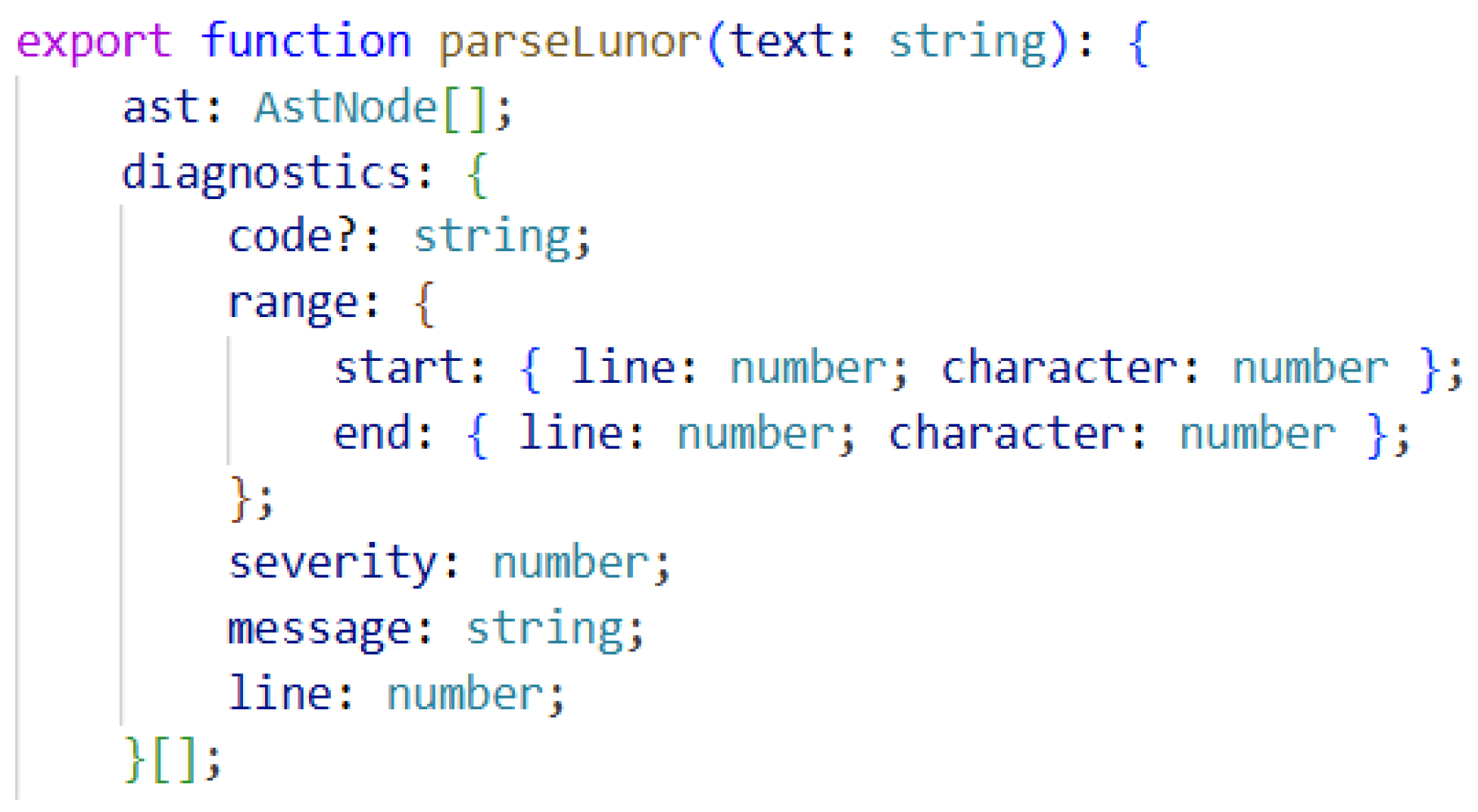
An important aspect of the parser, besides returning the AST, is continuous error checking and diagnostics, as indicated by the return structure in Figure 8. During the analysis, the parser validates the syntax correctness, identifies missing or incorrect markers, detects improperly nested blocks, and flags incorrectly specified attributes. When an error is detected, the execution does not terminate; instead, the error is recorded, along with its precise location and a descriptive message, which is then displayed to the user within the VS Code. This error recovery strategy allows the developers to see multiple issues at once rather than fixing them one at a time.
Figure 8.
Diagnostics as part of the parser’s return value.
6.2. Code Generator
One of the key functionalities of Lunor is its ability to transform files written in the Lunor language into executable React application code. When a user executes the command within the VS Code to generate a React code, the IDE produces a React file that corresponds to the description in the Lunor source file. The code is generated as a standalone component, and its structure is determined by the input specification. The final result consists of one or more files with the .tsx extension, which are placed automatically within the src/ folder of the project currently open in VS Code.
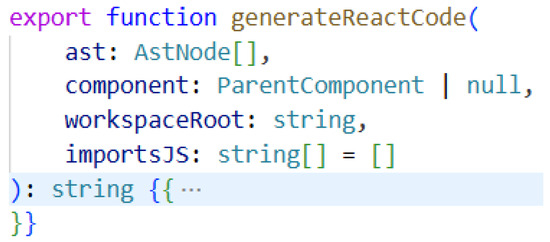
The core of the code generation process is encapsulated in the generateReactCode function (see Figure 9), which serves as the main entry point for transforming the parsed Lunor code into executable React components. This function accepts several parameters that provide the necessary context and data for producing well-formed TypeScript/React code. The first parameter, ast, is crucial and represents an array of AstNode objects that constitute the AST produced by the parser as described in the previous subsection.
Figure 9.
Declaration of the code generation function.
The code generation process within this function follows a systematic approach to assembling the various elements from the Lunor program into a coherent React component using template-based code generation (TBCG). At the top of the template, all the necessary library imports and external file references are added, including React hooks, external modules, and utility functions. This is followed by the component name declaration along with its properties, defined with TypeScript type annotations derived from the parameter specifications in the Lunor source. Next, come variable declarations and state definitions, which correspond to the :data and :state directives in the original Lunor code. Any external JavaScript or TypeScript code specified using the :js directive is included at the appropriate location within the component body.
Despite the simplicity and power of the React framework, the React code becomes lengthy and difficult to navigate frequently, particularly for larger components with multiple levels of nesting and numerous event handlers. In generating the output code, our primary goal was not merely brevity but ensuring that the code remains clear, well-organized, and highly readable.
6.3. Lunor Language Features in VS Code
We developed language features based on the LSP Standard (see Section 4). Each time a file is saved or modified, the language server receives the updated content from the client, reprocesses it through the parser, and provides relevant information to the client to assist the user. For a language feature to work properly in the IDE, it must be supported by both the language server and the client.
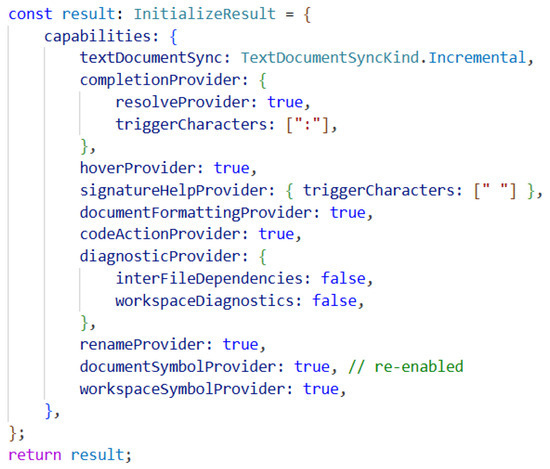
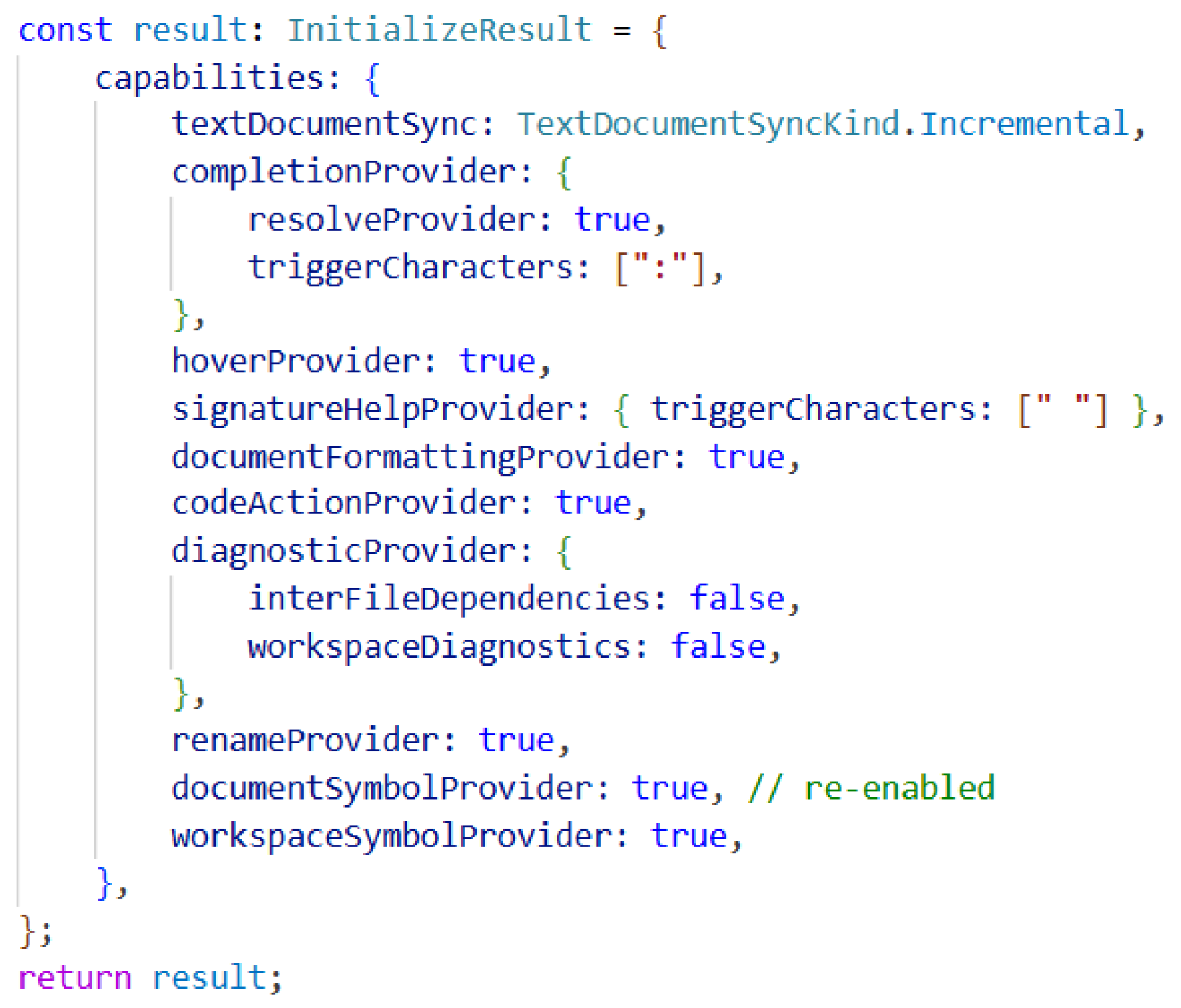
Figure 10 shows how we define the supported functionalities on the language server side for Lunor. These are specified within the capabilities’ configuration, where we declare which language features are supported and under what conditions they are triggered. In our case, the completion assistant is activated when the user types a colon, while signature help is triggered when pressing the space bar (see triggerCharacters in Figure 10).
Figure 10.
Capabilities initialized in the language server.
Communication between the client and the language server involves defining a provider on the client side for each supported feature. When a request in the form of a JSON-RPC message is sent to the language server, a corresponding method is specified in the message, allowing the language server to understand what action is required. On the language server side, the language features are implemented through dedicated methods that describe the functionality and execute it over the established connection.
In the following subsections, we describe in detail the implementation of two language features: Signature Help and Code Completion. The implementation details of other language features can be found in the project’s open-source GitHub repository (https://github.com/matejaz/lunor, accessed on 15 January 2026) and Zenodo with permanent DOI (https://doi.org/10.5281/zenodo.18924042).
6.3.1. Signature Help
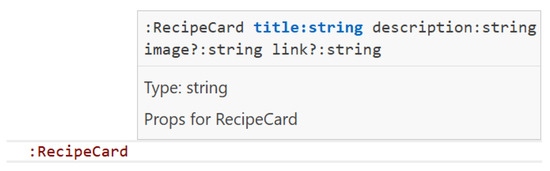
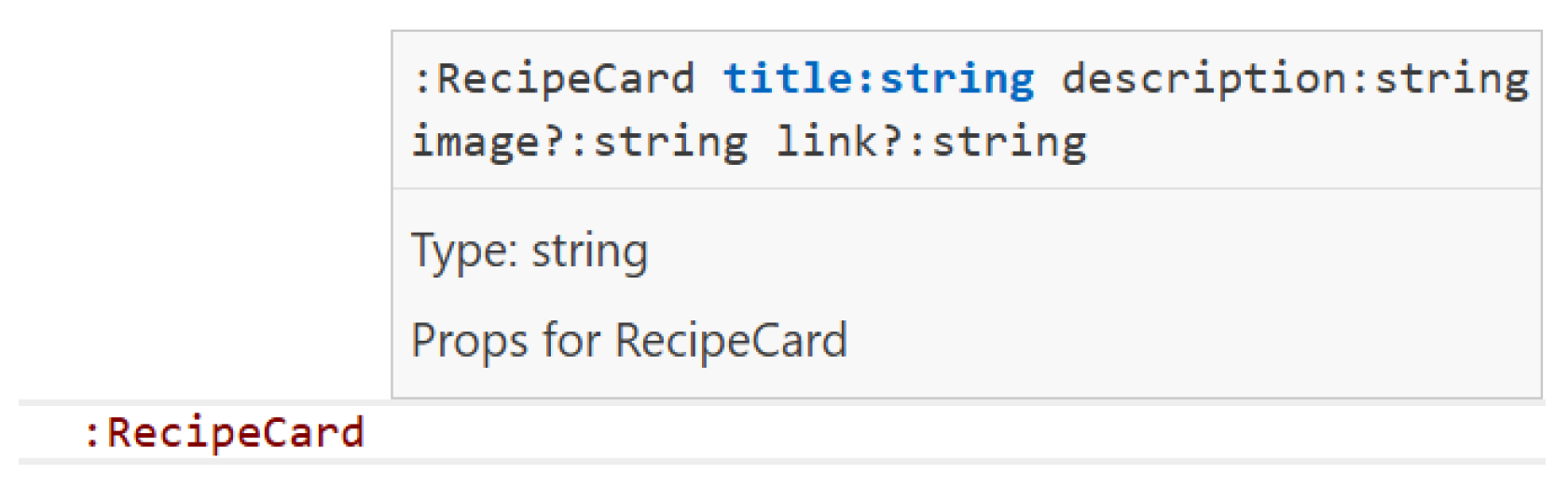
Signature Help provides assistance when writing code, for instance, when specifying the properties for a component. Figure 11 demonstrates the display of Signature Help within the Lunor language. When a user types the space after a component name, the signature help popup appears, showing the complete parameter list with type annotations. As the user continues typing and adds parameters, the currently active parameter is highlighted, providing visual guidance about which argument is being entered. This real-time feedback reduces errors related to incorrect parameter order, missing required parameters, or type mismatches significantly, making component usage more intuitive and less error-prone.
Figure 11.
Signature help in the Lunor program.
To support this language feature, we call languages.registerSignatureHelpProvider to register the provider, with the method specified as textDocument/signatureHelp in the JSON-RPC message. This registration establishes the client’s capability to request signature information from the language server when appropriate trigger conditions are met. On the language server side, this assistance is implemented with the connection.onSignatureHelp handler, within which are determined the appearance and content of the help information. In this way, we assist users when invoking components by displaying the parameters that still need to be defined as they type. The language server analyzes the current component invocation context, identifies which component is being called based on the parser’s understanding of the code structure, and retrieves the parameter definitions for that component from its declaration. It then constructs a signature information object containing the parameter names, types, and whether they are required or optional, formatted in a way that communicates the expected component interface to the user clearly.
6.3.2. Code Completion
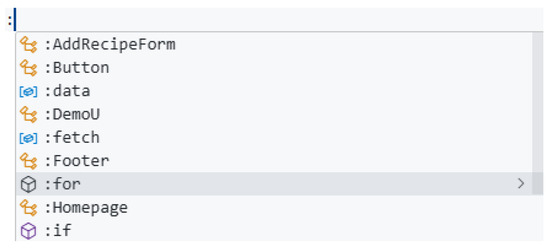
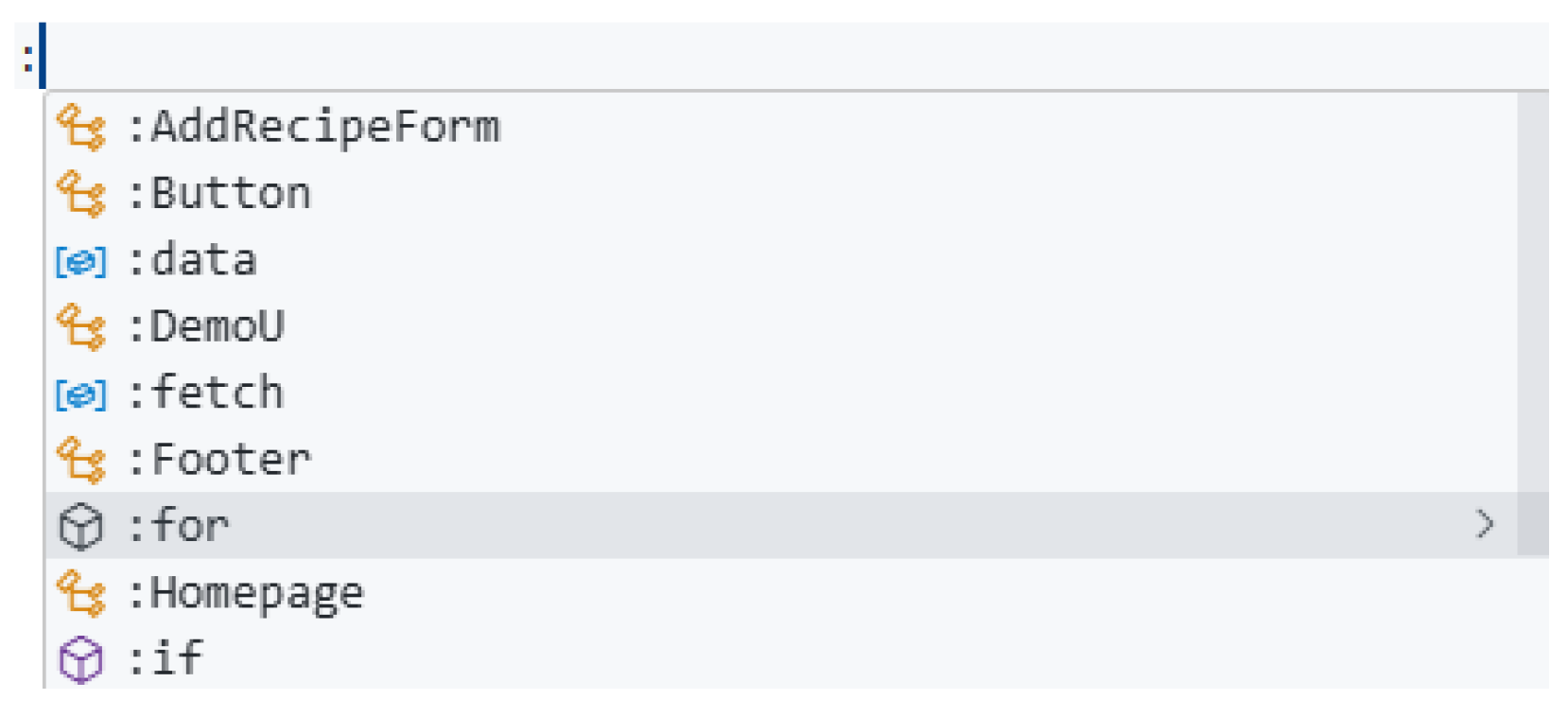
Another form of assistance available to the users when writing code is the provision of completion suggestions, also known as code completion or autocomplete. Figure 12 demonstrates the suggestions that appear to the user when typing a colon at the beginning of a line.
Figure 12.
Code completion in the Lunor program.
Based on the current context within the code, the language server offers the users possible completion suggestions for components, properties, or Lunor built-in directives. On the client side, this functionality does not require a specific definition beyond the basic registration, as the client handles completion requests automatically when appropriate. On the language server side, however, the functionality is defined explicitly in the connection.onCompletion handler.
Since the syntax of the Lunor language is designed such that components and other directives are preceded by a colon, we provide completion assistance when the user types this character. The implementation is triggered by this specific character, signaling to the language server that the user is about to invoke a directive or component and would benefit from seeing the available options. The language server then performs a comprehensive analysis of the current project structure, examining all the components defined within the components/ folder, and parsing their declarations to extract the relevant information, such as component names and parameter signatures. The language server reviews all the available components and adds them to the suggestion list, while also displaying certain statically defined suggestions for built-in directives (e.g., :div). Each suggestion presented to the user contains multiple properties: a label that appears in the completion menu, a kind that determines the icon and category (such as function, class, or snippet), the text that will be inserted when the suggestion is selected, a description providing additional context about what the item does, and optional detailed documentation. All these completion items are assembled and returned within the connection.onCompletion function.
This completion feature accelerates the development process significantly by reducing the need to remember the exact component names and directive syntax, while also preventing typos and ensuring that the users are aware of all the available options at any given point in their code.
6.4. Lunor Code Appearance
Beyond the language features defined with LSP, we added several features to improve code readability and visual clarity inside VS Code, including syntax highlighting for the Lunor code, automatic bracket closure, and comment recognition. These IDE enhancements improve the developer experience significantly by making the code structure more apparent.
6.4.1. Syntax Highlighting
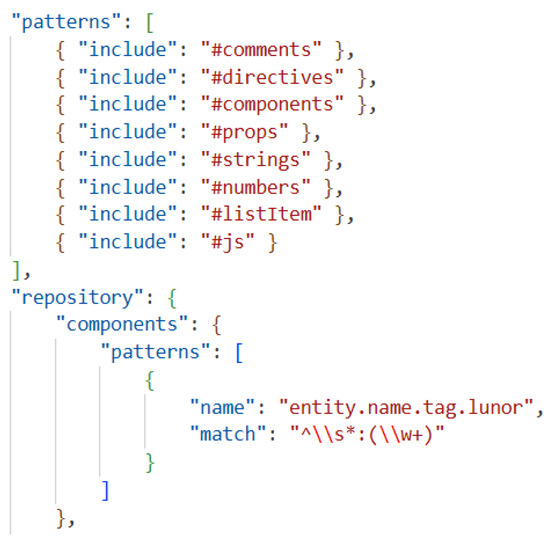
Appropriate syntax highlighting for the Lunor code is defined in the lunor.tmLanguage.json file, which is located in the syntaxes/ folder of the VS Code extension project. This JSON file follows the TextMate grammar format, which is the standard syntax highlighting mechanism used by VS Code and other editors. Here, we specify the language name, initial scope identifier, and patterns that match the various language constructs (see Figure 13). Within the repository key, we define regular expressions for each pattern that corresponds to specific language elements: comments, directives, components, props, strings, numbers, list items, and JavaScript.
Figure 13.
Pattern definition for syntax highlighting.
Note, we define separate regular expressions for directives and components, ensuring that these fundamental Lunor constructs are recognized and highlighted properly. The pattern names in the patterns array can be chosen freely, but when defining individual scope names, we followed the established naming conventions for TextMate grammars to ensure compatibility with the existing color themes. Note that this file does not specify the actual colors for patterns; rather, it identifies what should be colored similarly and what types (patterns) the language defines. The actual colors are determined by the user’s selected theme.
6.4.2. Bracket Matching and Comment Recognition
Another useful functionality of an IDE is automatic bracket closure and comment recognition. This is configured in the language-configuration.json file within the syntaxes/ folder. This configuration file specifies which characters the editor should treat as brackets and which characters should be closed automatically when typed. If we want the editor to add a closing bracket automatically when an opening bracket is typed, we include the pair in both the brackets and the autoClosingPairs arrays.
The configuration also defines the comment syntax, specifying both line comments (using // in Lunor’s case) and block comment delimiters if applicable. This allows the editor to handle comment toggling commands properly, and to exclude comments from certain operations like code folding or symbol search.
Both configuration files are integrated into the extension through the extension manifest represented by the package.json file (see Figure 5, again). In this manifest, we registered the language identifier, associated it with specific file extensions (such as .lnr), and referenced the paths to both the TextMate grammar file and the language configuration file. This registration ensures that VS Code applies the appropriate syntax highlighting and editor behaviors automatically whenever a Lunor file is opened.
6.5. Lunor’s VS Code Custom Commands
Within the extension implementation, we can also define custom commands that can be accessed through the VS Code Command Palette. In our case, we wanted to support the generation of the React code. We added the
Generate React
command on the client side, which takes the currently open Lunor file and generates the corresponding React code. The command is registered using the commands.registerCommand, with the method name lunor/generateReact used when sending JSON-RPC requests to the language server. On the language server side, the request is handled with connection.onRequest("lunor/generateReact"). In addition to this command for generating React from the current file, we also implemented a
Process All Files
command that converts all the files located in the lunor/ folder. All the commands must be declared in package.json (see Figure 5, again) to be recognized by VS Code.
The Command Palette can be opened by right-clicking and selecting Command Palette, using the keyboard shortcut Ctrl + Shift + P, or by selecting the Show and Run Commands from the top search bar, providing users with quick access to all the extension functionalities. Both Lunor custom commands can be seen in Figure 14.
Figure 14.
Lunor custom commands.
The Lunor extension is publicly available over the VS Code Marketplace and can be installed directly from the VS Code Marketplace (https://marketplace.visualstudio.com/items?itemName=matejazvegler.lunor, accessed on 15 January 2026).
7. Lunor Demonstration
To demonstrate the capabilities of the developed Lunor language and the language features supported in VS Code, we created a demo web application using a MERN stack development [1]. The back-end implements a REST API using Node.js and Express, with a MongoDB database for data persistence. It is important to note that the back-end was not implemented using Lunor, as the language was designed specifically for building front-ends, not for server-side logic or API development.
Using the Lunor language we implemented a web application called Gustare, where the users can browse and add recipes. The Lunor demo application can be found in the GitHub open-source repository (https://github.com/matejaz/lunor-demo, accessed on 15 January 2026). For front-end initialization, we used Vite to create a standard React TypeScript project. We added a lunor/ folder to the project root, where all the files are stored written in the Lunor language. Next, external libraries were installed, including TailwindCSS for styling, react-router-dom for navigation, and jwt-decode for authentication token handling, demonstrating Lunor’s ability to integrate seamlessly with the broader React ecosystem. No additional configuration or setup is required to start working with Lunor.
All the desired components and their styles are then written in the lunor/ folder. During development, the developers can execute the Generate React command on individual files to transform only the current file, or use the Process All Files command to convert all the files within the folder in a single operation. This flexibility allows for both incremental development and batch processing, depending on project needs. The React code is then generated in the src/ folder, and can be used as a starting point for further web application development.
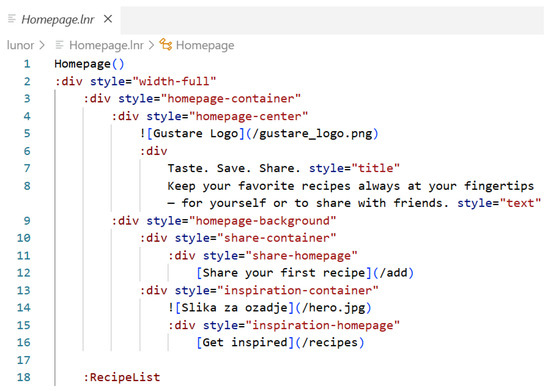
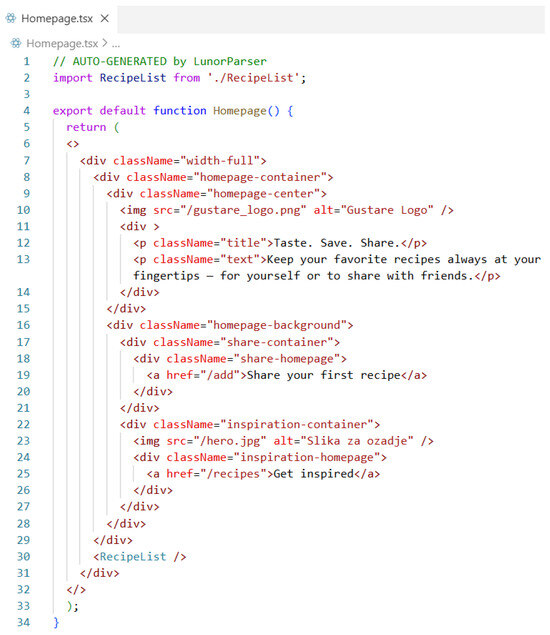
In the Gustare web application, users can register, log in, and publish recipes to the collection. Unauthenticated users have only the ability to browse the already published recipes. Figure 15 shows the Lunor code for the web application’s home screen. This code is then compiled into React presented in Figure 16. The home page features a clean, welcoming design, that introduces the users to the platform and provides clear navigation options as shown in GitHub open-source repository (https://github.com/matejaz/lunor-demo, accessed on 15 January 2026).
Figure 15.
Lunor code for the Gustare homepage.
Figure 16.
Well-formed generated code for Gustare homepage.
The Gustare web application showcases Lunor’s capabilities in developing a non-trivial, fully functional front-end web application. The entire application was specified using 16 Lunor source files containing over 400 lines of code, which represents a substantial application with comprehensive functionality, including the home page, recipe listing with filtering and search, detailed recipe views with instructions and ingredients, user authentication and registration, recipe submission forms with validation, and private recipe management for the logged-in users. Notably, this line count excludes styling CSS files, as visual presentation was handled through the TailwindCSS utility classes that are integrated directly into the React project. Over 1000 lines of React code in components with proper TypeScript typing were produced from these Lunor specifications. The Gustare application illustrates that Lunor scales beyond simple prototypes to support fully functional web applications with meaningful complexity, and reduces the initial manual implementation burden typically associated with starting projects in front-end development.
8. Conclusions
This paper introduces Lunor, a DSL designed to support the development of web application front-ends through a human-readable, Markdown-based syntax extended with custom directives for dynamic functionality. We demonstrated how Lunor supports the transformation of high-level declarative specifications into generated React components, providing developers with a tool for rapid prototyping and early-stage front-end application development.
Besides the Lunor language itself, we developed a complete toolchain consisting of four interconnected components that work together seamlessly. We implemented a custom parser that transforms the Lunor source code into an AST. We then created a code generator that produces well-formed React components in the TypeScript programming language. Beyond the code generator, we developed a language server using LSP that provides real-time code analysis, diagnostics, and intelligent editing features. Finally, we built a VS Code extension that integrates all these components into a cohesive development environment.
The demonstration application Gustare illustrated Lunor’s practical value in building complete web applications with clear and readable Lunor code. The language exceeds the usual skeleton code provided by code generators typically utilized for web development successfully.
Several key findings emerged through the development and evaluation of Lunor. The combination of Markdown syntax with custom directives provides an intuitive web programming experience. LSP proved to be an excellent foundation for implementing language support for DSLs, enabling sophisticated IDE features with relatively modest development effort. The separation of concerns between parsing, code generation, and language services resulted in a maintainable and extensible architecture that can be extended in the future.
However, we also identified certain limitations. The current implementation focuses primarily on Markdown-based content structures, which do not address the complex user interface requirements often needed in modern web applications. The intentional decision not to include sophisticated user interface component libraries, such as Material-UI (MUI) or similar frameworks, may potentially limit the appeal to advanced developers who require a rich collection of user interface components from the beginning of the project. Nevertheless, it is important to note that the generated code is designed to serve as a foundation that can be extended and enriched with such libraries in subsequent development phases using React.
Another Lunor limitation is its intentional design for the early phases of web application development: rapid prototyping and initial implementation, rather than as a comprehensive solution for all aspects of production-ready applications. Complex scenarios that require advanced React patterns, such as performance optimization techniques, sophisticated state management solutions, custom hooks with intricate lifecycle dependencies, or integration with specialized libraries, may be addressed better through manual React development after the initial Lunor-generated foundation is established. Regarding performance considerations, the generated React code follows standard patterns, and should exhibit comparable runtime performance to manually written React applications. However, we have not yet conducted systematic performance benchmarking comparing Lunor-generated applications against hand-crafted equivalents across metrics such as initial load time, time-to-interactive, bundle size, and memory consumption. Such analysis remains important future work.
Several directions for future development would enhance Lunor’s capabilities and usability. Implementing TypeScript code verification for the :js directive blocks would provide the developers with type checking and error detection for custom JavaScript code, currently unsupported in the language server. This would improve the development experience significantly by catching type-related errors before code generation.
Currently, we have no evidence that Lunor enhances developers’ productivity compared to development in React. To address this limitation, an empirical study [32] should be conducted, to compare the early phases of front-end development using Lunor with traditional React development across multiple dimensions. Specifically, the study should examine Lunor’s impact on the learning curve, faster development, reduced boilerplates, improved productivity, [33], runtime performance, and the scalability of the generated applications, and compare these aspects with conventional front-end development using React. In Section 7, we reported the ratio between the Lunor source code and the generated React code for a single application (Gustare), showing that approximately a twofold reduction in code size was achieved when using Lunor compared to manual implementation. To validate this finding, the experiment should be replicated across applications of varying complexity.
The implications of this research extend to both industrial practitioners and academic researchers. We encourage practitioners strongly to test our VS Code extension (https://marketplace.visualstudio.com/items?itemName=matejazvegler.lunor, accessed on 15 January 2026) and report their findings, as real-world usage feedback is essential for identifying practical limitations and opportunities for feature enhancements. For researchers, this work contributes to the understanding of DSLs for front-end web development, demonstrating how domain-specific notation can reduce coding effort and enhance rapid prototyping. Additionally, our VS Code extension experience (using LSP) offers insights into DSL integration in commonly used IDEs (in contrast to using a language workbench, such as JetBrains’ MPS).
We plan to extend the language server capabilities to include even more features. Refactoring operations such as element renaming across files would make Lunor an even more complete development tool. Investigating the applicability of Lunor’s approach to other front-end frameworks, such as Vue or Svelte, could demonstrate the generalizability of the language design. Since both frameworks are component-based, we believe Lunor’s architecture, our TBCG, with clean separation between the development components, is well-prepared for such extensions. Although Lunor is designed to be cross-IDE portable through its reliance on the Language Server Protocol (LSP), the current implementation and evaluation focus exclusively on Visual Studio Code. While the use of LSP ensures architectural portability to other compatible development environments, practical validation has so far been limited to a single IDE, which serves as a reference implementation. In the future, we plan to explore Lunor’s integration with additional LSP-compatible IDEs, in order to substantiate its cross-IDE portability empirically and broaden its applicability within diverse development ecosystems.
Currently, the code generation process performs bulk generation of React/TypeScript files without utilizing dedicated conflict detection, diff generation, dry-run execution, or rollback mechanisms in the event of partial failures. Reliability and recovery from failures in the code generation process are currently not being handled explicitly within the Lunor tooling. This represents another direction for future enhancement—advanced generation safeguards would improve robustness, particularly in larger projects.
A promising direction for future research is the integration of DSLs with large language models (LLMs) [34], for example, to address the learning curve challenges often associated with DSL adoption [26]. For Lunor, incorporating LLM capabilities could offer several advantages, such as generating example programs automatically, and providing interactive training support for novice DSL users. Such integration would streamline the workflow for beginner Lunor programmers, complement Lunor’s existing strengths, and enhance the initial programming experience, thereby accelerating the adoption of DSL-based approaches.
In conclusion, Lunor demonstrates that DSLs can be used for web development workflows while maintaining the flexibility to integrate with established ecosystems such as VS Code. The language and its toolchain provide a solid foundation for initial application development that delivers more than just skeleton code, enabling the developers to create functional front-end web applications.
Author Contributions
Conceptualization, T.K., M.Ž., F.L. and M.M.; methodology, T.K.; software, M.Ž.; validation, T.K., F.L. and M.M.; formal analysis, F.L. and M.M.; writing—original draft preparation, T.K., M.Ž. and M.M. All authors have read and agreed to the published version of the manuscript.
Funding
The first and fourth authors acknowledge the financial support from the Slovenian Research Agency (Research Core Funding No. P2-0041).
Data Availability Statement
The code presented in this study is openly available on GitHub at https://github.com/matejaz/lunor (accessed on 16 January 2026).
Acknowledgments
During the preparation of this manuscript, the authors used ChatGPT, 5.0 for the purposes to improve the English. The authors have reviewed and edited the output and take full responsibility for the content of this publication.
Conflicts of Interest
The authors declare no conflicts of interest.
References
- Bugl, D. Modern Full-Stack React Projects: Build, Maintain, and Deploy Modern Web Apps Using MongoDB, Express, React, and Node.js; Packt Publishing Ltd.: Birmingham, UK, 2024. [Google Scholar]
- Kosar, T.; Bohra, S.; Mernik, M. Domain-Specific Languages: A Systematic Mapping Study. Inf. Softw. Technol. 2016, 71, 77–91. [Google Scholar] [CrossRef] [Scilit]
- Arnoldus, J.; Van den Brand, M.; Serebrenik, A.; Brunekreef, J.J. Code Generation with Templates; Atlantis Press: Dordrecht, The Netherlands, 2012; Volume 1. [Google Scholar] [CrossRef] [Scilit]
- Cherny, B. Programming TypeScript: Making Your JavaScript Applications Scale; O’Reilly Media: Sebastopol, CA, USA, 2019. [Google Scholar]
- Bork, D.; Langer, P. Language server protocol: An introduction to the protocol, its use, and adoption for web modeling tools. Enterp. Model. Inf. Syst. Archit. 2023, 18, 1–16. [Google Scholar] [CrossRef]
- Gunasinghe, N.; Marcus, N. Language Server Protocol and Implementation; Springer Apress: Berkeley, CA, USA, 2021. [Google Scholar] [CrossRef] [Scilit]
- Iung, A.; Carbonell, J.; Marchezan, L.; Rodrigues, E.; Bernardino, M.; Basso, F.P.; Medeiros, B. Systematic mapping study on domain-specific language development tools. Empir. Softw. Eng. 2020, 25, 4205–4249. [Google Scholar] [CrossRef] [Scilit]
- Dejanović, I.; Tumbas, M.; Milosavljević, G.; Perišić, B. Comparison of Textual and Visual Notations of DOMMLite Domain-Specific Language. In Advances in Databases and Information Systems (ADBIS); Springer: Berlin/Heidelberg, Germany, 2010; pp. 131–136. [Google Scholar]
- Kosar, T.; Mernik, M.; Carver, J.C. Program Comprehension of Domain-Specific and General-Purpose Languages: Comparison using a family of experiments. Empir. Softw. Eng. 2011, 17, 276–304. [Google Scholar] [CrossRef] [Scilit]
- Kosar, T.; Gaberc, S.; Carver, J.C.; Mernik, M. Program comprehension of domain-specific and general-purpose languages: Replication of a family of experiments using integrated development environments. Empir. Softw. Eng. 2018, 23, 2734–2763. [Google Scholar] [CrossRef] [Scilit]
- Hoffmann, B.; Urquhart, N.; Chalmers, K.; Guckert, M. An empirical evaluation of a novel domain-specific language—Modelling vehicle routing problems with Athos. Empir. Softw. Eng. 2022, 27, 180. [Google Scholar] [CrossRef] [Scilit]
- Da Silva, A.R. Model-driven engineering: A survey supported by the unified conceptual model. Comput. Lang. Syst. Struct. 2015, 43, 139–155. [Google Scholar] [CrossRef] [Scilit]
- Jörges, S. The State of the Art in Code Generation; Springer: Berlin/Heidelberg, Germany, 2013; pp. 11–38. [Google Scholar] [CrossRef] [Scilit]
- Syriani, E.; Luhunu, L.; Sahraoui, H. Systematic mapping study of template-based code generation. Comput. Lang. Syst. Struct. 2018, 52, 43–62. [Google Scholar] [CrossRef] [Scilit]
- Bünder, H. Decoupling Language and Editor—The Impact of the Language Server Protocol on Textual Domain-Specific Languages. In Proceedings of the 7th International Conference on Model-Driven Engineering and Software Development—MODELSWARD, Prague, Czech Republic, 20–22 February 2019; SciTePress: Setúbal, Portugal, 2019; pp. 131–142. [Google Scholar] [CrossRef] [Scilit]
- Bünder, H.; Kuchen, H. Towards Multi-editor Support for Domain-Specific Languages Utilizing the Language Server Protocol. In Model-Driven Engineering and Software Development; Springer International Publishing: Cham, Switzerland, 2020; pp. 225–245. [Google Scholar] [CrossRef] [Scilit]
- Loth, J.; Sundermann, C.; Schrull, T.; Brugger, T.; Rieg, F.; Thüm, T. UVLS: A language server protocol for UVL. In SPLC ’23: Proceedings of the 27th ACM International Systems and Software Product Line Conference—Volume B, Tokyo, Japan, 28 August–1 September 2023; Association for Computing Machinery: New York, NY, USA, 2023; pp. 43–46. [Google Scholar] [CrossRef] [Scilit]
- Rodriguez-Echeverria, R.; Izquierdo, J.L.C.; Wimmer, M.; Cabot, J. Towards a language server protocol infrastructure for graphical modeling. In MODELS ’18: Proceedings of the 21th ACM/IEEE International Conference on Model Driven Engineering Languages and Systems, Copenhagen, Denmark, 14–19 October 2018; Association for Computing Machinery: New York, NY, USA, 2018; pp. 370–380. [Google Scholar] [CrossRef] [Scilit]
- Heltweg, P. An Empirical Study on the Effects of Jayvee, a Domain-Specific Language for Data Engineering. Softw. Pract. Exp. 2025, 55, 123–145. [Google Scholar] [CrossRef] [Scilit]
- Erdweg, S.; Van Der Storm, T.; Völter, M.; Tratt, L.; Bosman, R.; Cook, W.R.; Gerritsen, A.; Hulshout, A.; Kelly, S.; Loh, A.; et al. Evaluating and comparing language workbenches: Existing results and benchmarks for the future. Comput. Lang. Syst. Struct. 2015, 44, 24–47. [Google Scholar] [CrossRef] [Scilit]
- Atencio, Y.P.; Ibarra, M.J.; Marin, J.H.; Holguin, E.H. Automatic generation of web applications for information systems. J. Phys. Conf. Ser. 2021, 1860, 012019. [Google Scholar] [CrossRef] [Scilit]
- Slifka, J.; Pergl, R. Application of Normalized Systems Theory to pure functional code to achieve sustainability of web front-end applications. J. Comput. Lang. 2025, 85, 101346. [Google Scholar] [CrossRef] [Scilit]
- Freitas, F.; Ferreira, A.; Cunha, J. A methodology for refactoring ORM-based monolithic web applications into microservices. J. Comput. Lang. 2023, 75, 101205. [Google Scholar] [CrossRef] [Scilit]
- Chavarriaga, E.; Jurado, F.; Rodríguez, F.D. An approach to build JSON-based Domain Specific Languages solutions for web applications. J. Comput. Lang. 2023, 75, 101203. [Google Scholar] [CrossRef] [Scilit]
- Eskelinen, A. Utilizing Code Generation in Single-Page Applications. Master’s Thesis, Faculty of Information Technology and Communication Sciences, Tampere University of Technology, Tampere, Finland, 2021. [Google Scholar]
- Lamas, V.; Garcia-Gonzalez, D.; Sala, L.; Luaces, M.R. DSL-Xpert 2.0: Enhancing LLM-Driven code generation for domain-specific languages. Inf. Softw. Technol. 2025, 190, 107954. [Google Scholar] [CrossRef] [Scilit]
- Bhat, K. Ultimate Tailwind CSS Handbook: Build Sleek and Modern Websites with Immersive UIs Using Tailwind CSS; Orange Education Pvt Limited: New Delhi, India, 2023. [Google Scholar]
- Johnson, B. Visual Studio Code: End-to-End Editing and Debugging Tools for Web Developers; John Wiley & Sons: Hoboken, NJ, USA, 2019. [Google Scholar]
- Mernik, M.; Heering, J.; Sloane, A.M. When and How to Develop Domain-Specific Languages. ACM Comput. Surv. 2005, 37, 316–344. [Google Scholar] [CrossRef] [Scilit]
- Parr, T.; Fisher, K. LL(*): The Foundation of the ANTLR Parser Generator. ACM Sigplan Not. 2011, 46, 425–436. [Google Scholar] [CrossRef] [Scilit]
- Dejanović, I.; Vaderna, R.; Milosavljević, G.; Vuković, Ž. TextX: A Python tool for Domain-Specific Languages implementation. Knowl.-Based Syst. 2017, 115, 1–4. [Google Scholar] [CrossRef] [Scilit]
- Keemps, R.; Farias, K.; Kunst, R.; Carbonera, C.; Bolzan, W. SmellDSL: A domain-specific language to assist developers in specifying code smell patterns. Inf. Softw. Technol. 2025, 184, 107760. [Google Scholar] [CrossRef] [Scilit]
- Klinchova, Y.; Shaban, E.; Kasakliev, N.; Somova, E. Energy efficiency of the web design based on website performance measurements. Int. J. Inf. Technol. Secur. 2025, 17, 25–36. [Google Scholar] [CrossRef] [Scilit]
- Freitas, T.C.; Neto, A.C.; Pereira, M.J.V.; Henriques, P.R. Goliath and the Cognitive Load Theory. J. Comput. Lang. 2025, 85, 101372. [Google Scholar] [CrossRef] [Scilit]



Disclaimer/Publisher’s Note: The statements, opinions and data contained in all publications are solely those of the individual author(s) and contributor(s) and not of MDPI and/or the editor(s). MDPI and/or the editor(s) disclaim responsibility for any injury to people or property resulting from any ideas, methods, instructions or products referred to in the content. |
© 2026 by the authors. Licensee MDPI, Basel, Switzerland. This article is an open access article distributed under the terms and conditions of the Creative Commons Attribution (CC BY) license.